member solutions / finds on how to navigate the new AK forum software

Also, if you hover over a user name, in some browsers, the URL for the user will show at the bottom of the page, and at the end of the URL will be your member number in order of you joining AK. I'm member #742

Neat.
I am #49040.
Don't I feel like a noob.
Grumpy is #16.:yikes:
 
just figured out you can now edit your own thread title and not have to get a mod to do it for you.its at the top right of your thread .goto thread tools and click on it.
 
just figured out you can now edit your own thread title and not have to get a mod to do it for you.its at the top right of your thread .goto thread tools and click on it.
That's great and good to know. I also found you can edit your PMs after you sent them, for me that's a must. Not that I send them in a drunken stupor or anything like that...:beerchug:
 
I just noticed if you go to the top dark blue tool bar >Members> Recent Activity...

It shows the active posting like the new post page at the old site.

Actually it's even more advanced than that as it's personalized and will also show you members posting you "Likes" without leaving a comment.
 
Last edited:
Want to find a quoted post in a thread and can't find it? - just click on the small blue 'up' arrow next to <username> said: and you'll be taken to the post. Useful if someone has 'part quoted' a member and the context of the quote is unclear.

Many might already have found this (obvious maybe), I found it this afternoon and thought it was cool :cool:
 
When I click on a multi page thread that I have never read before it always takes me to the last post. Is there a way to stop that. I kind of like starting at the beginning. Thanks.
 
For me it depends on where I click.

If I click on the title of the thread it takes me to the first post.

If I click on the dot to the left of the title of the thread it take me to the first unread post if I have previously read posts.

If I click on the time of the last past then it takes me to the last post in the thread.
 
I'm just grabbing pictures off this page and dragging it to the reply box.


116339.jpg
64261.jpg
49185.jpg


.
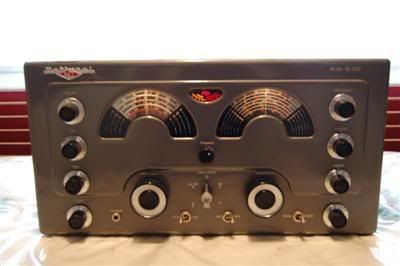
national183d.jpg


Same from my desktop

avatar.jpg

download.jpg

You can drag the picture around in the reply box and arrange them before posting.


I dragged this from the google page, to my desktop, then to the reply box.

googlelogo_color_272x92dp.png
 
Same here, highlighted, dragged, bolded, italicized, underlined and colored after just dragging from the above post.

I dragged this from the google page, to my desktop, then to the reply box.


Here I highlighted and hit the reply option that pops up and it placed the quote where the cursor was.

I dragged this from the google page, to my desktop, then to the reply box.


This one from another page of the thread, saves your draft while you dig around.

Yep,, just waiting for a different poster... I know less about computer software than tube audio!
Thanks for teh replies... maybe labeling not spam will work for others?
 
I'm just messing around, all this is probably already been discussed.


Testing draft saving here. Pressed the floppy disk icon in the reply toolbox an clicked save draft. Went to another thread and after highlighting text from there, selecting +quote then came back here to the saved draft and hit the insert quotes button that appears below the reply box.

We all know that the only thing that cats love more than mice is a nice warm place to curl up and nap.


Same process here. Also, if you click the little blue arrow in the quote box it takes you to the original quoted post.

I realize you're right! What happened to the link to "today's posts" search, and is there a workaround? I generally get over 500 new posts every day when I get a chance to check AK and now I seem to be missing something.

Very hard to get lighted sign I've only had 2 chances to get and failed both times! :(

 
Last edited:
I just ran into what may be a glitch. I made a post in a thread in the general discussion forum and as I usually do because I am somewhat mistake prone, when to look for it under new posts and it was nowhere to be found, but it does show up in the parent forum. Interesting.
 
Okay, I am going to post to this thread again and see if it will show up under new posts.

Did I miss something, it is only other peoples posts that will show up when a person looks under new posts?

If it is just me and my medication fuzzed out brain, just let me know.
 
Back
Top Bottom