markn2wae
Mark T N2WAE
A friend at work wanted to dub his old favorite 8-track tapes to CD (he's a trucker and his new rig has a CD player now)
He doesn't care about "numbering" each song, so I thought, how can I make the 8-track advance the track number on the CD burner deck (Marantz CDR-615).
So I came up with this interface to do just that, every time the 8 track player switches tracks, the interface does 2 things-
A) Mutes the 8 track player output audio to minimize the "clunk" on the audio.
B) It closes another relay tied to the smaller 9-pin connector on the Marantz to advance the (CD) track number.
I just cue up a CD, pop in an 8 track, check the level, wait for it to hit track #1, and hit record and walk away. (The "walk away" part is the best reason for the interface, rather than "babysit" the process).
The resulting CD has a minimum of 4 "tracks" with several songs on each "track", just like the 8 track cartridge. (Another cart. could be added after 4 "tracks" or just left to run until the end, like an "old fashioned 8 track tape".
I may experiment with putting the Marantz from "manual tracking" to "automatic" if I wanted CD track numbers for each song (haven't tried it yet).
BTW, you have to turn off the "auto shut off" on the Marantz if you encounter blank tape more than 4 seconds (Very likely on and 8 track tape).
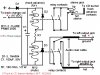
The relays and resistor "go together" to make the two 5 Volt relays work on the 16 Volts present on the solenoid track switch coil in the 8 track player, use a different relay, you may need to change R1, or may not need it at all.
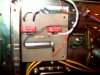
Pictures are of the "install" in a "MORSE" 8 track player, and the schematic of the interface (sorry for the blurry pic. hard to tell the clarity on a small screen, and I buttoned it up before seeing the pic. on the computer):sigh:
PM me if you have technical questions.
Mark T.
He doesn't care about "numbering" each song, so I thought, how can I make the 8-track advance the track number on the CD burner deck (Marantz CDR-615).
So I came up with this interface to do just that, every time the 8 track player switches tracks, the interface does 2 things-
A) Mutes the 8 track player output audio to minimize the "clunk" on the audio.
B) It closes another relay tied to the smaller 9-pin connector on the Marantz to advance the (CD) track number.
I just cue up a CD, pop in an 8 track, check the level, wait for it to hit track #1, and hit record and walk away. (The "walk away" part is the best reason for the interface, rather than "babysit" the process).
The resulting CD has a minimum of 4 "tracks" with several songs on each "track", just like the 8 track cartridge. (Another cart. could be added after 4 "tracks" or just left to run until the end, like an "old fashioned 8 track tape".
I may experiment with putting the Marantz from "manual tracking" to "automatic" if I wanted CD track numbers for each song (haven't tried it yet).
BTW, you have to turn off the "auto shut off" on the Marantz if you encounter blank tape more than 4 seconds (Very likely on and 8 track tape).
The relays and resistor "go together" to make the two 5 Volt relays work on the 16 Volts present on the solenoid track switch coil in the 8 track player, use a different relay, you may need to change R1, or may not need it at all.
Pictures are of the "install" in a "MORSE" 8 track player, and the schematic of the interface (sorry for the blurry pic. hard to tell the clarity on a small screen, and I buttoned it up before seeing the pic. on the computer):sigh:
PM me if you have technical questions.
Mark T.