• The move to the new server is done. There are some software and database maintenance updates in process. This has us passing the hat around to help out. We appreciate any donations. Seriously, even a dollar helps. The payment page may be found here - https://www.audiokarma.org/support.html

AK Chatroom causing 429 - Too Many Request errors?

The ‘@' command is definitely causing issues in the chat. Several times now (starting sometime around the 8:25EDT mark), I tried to mention someone using it, only to be greeted by the "Oops! We ran into some problems.” error. Some of said occurrences may have been linked to Cloudflare verification requests, which I seem to be subjected to on an oddly frequent basis, but I’m not entirely sure. Hopefully @Tinkerbelle, @Ms Grumpy or one of the other admins can rectify this issue.
-Adam
 
I see that you have the time. If you can get a picture the next time this happens I can send it onto those who are working on solving the problem. A picture of the whole screen helps them.
 
I see that you have the time. If you can get a picture the next time this happens I can send it onto those who are working on solving the problem. A picture of the whole screen helps them.

Just ran into the 'phantom 429' error yet again. Made a post in the chat at 12:06AM EDT, typed up a long post, tried to send it at 12:08AM EDT, and got the following:
Screenshot 2026-08-22 at 12.08.46 AM.png
As of posting this, I am still unable to post anything in the chat without receiving said error. Hopefully this will help get things sorted out...
-Adam
 
I see that you have the time. If you can get a picture the next time this happens I can send it onto those who are working on solving the problem. A picture of the whole screen helps them.
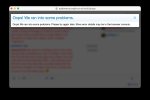
Once again have run into the problem. Posted a series of messages to the chat at 1:00AM EDT, 1:04AM EDT and then 1:07AM EDT, then at about 1:08AM EDT I tried posting another long-ish message with a linked image, only to be greeted with this:
oops_screenshot.png


I'm guessing I'll have to wait several minutes in order to be able to post in the chat again, as occurred the last time.....

EDIT: I'm still having problems attaching images to my posts in this thread as I was last night; not sure about any others. When I clicked Insert Image around 3:42PM EDT, it showed a box I could drop the file into, and when I tried doing that, I got a double "Oops!" error, as seen below! o_O Linking from my website seems to work, at the least, but something's definitely not right. Hopefully @Tinkerbelle, @Ms Grumpy or one of the other admins can sort this out:
oops_screenshot2.jpg


EDIT AGAIN: Just tried several days later, and finally I can attach images to this thread, so here are those (in thumbnail form) for good measure:
oops_screenshot.jpg oops_screenshot2.jpg
 
Last edited:
I see that you have the time. If you can get a picture the next time this happens I can send it onto those who are working on solving the problem. A picture of the whole screen helps them.
Yet another instance of the 'phantom 429' error, timestamp approximately 2:19AM EDT. Typed a long message, sent it, typed another, and as I went to sent it, got this yet again:
Screenshot 2026-09-04 at 2.20.44 AM.png

Also got the same error just now (2:22AM EDT) trying to '@' the admins, though at least the screenshot attached successfully this time.....
-Adam
 
I just received notification that Chat is no longer blocked for signed-in members.

The "Oops!" came from Cloudflare's strictest mode (I requested when we did the server move), which challenged every chat message before it reached the forum. That protection mode has been eased for signed in members.
This was tested today.
A chat request from a signed-in member now goes straight through to the forum with no challenge.
Visitors still go through Cloudflare.

If any member still sees "Oops!" in chat, send me your username and roughly when it happened. A screenshot can be extremely helpful as well.

Nancy
 
Back
Top Bottom