• The move to the new server is done. There are some software and database maintenance updates in process. This has us passing the hat around to help out. We appreciate any donations. Seriously, even a dollar helps. The payment page may be found here - https://www.audiokarma.org/support.html

Connecting 2004 Bose music system to Smart TV via HDMI

oldgruffy

New Member
Hi all

I have a 16 year old Bose Lifestyle 45 system. I want to connect it to my TV to program it. However it has S-Video out and the TV has only HDMI input.

How do I go about it?

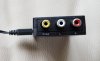
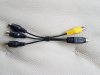
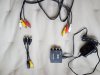
I bought AV to HDMI converter and connected the S-Video cables to it. But that does not work. Please see attached pics.

Many thanks.
Manoj
 

Attachments

  • Bose.jpg
    Bose.jpg
    70.4 KB · Views: 26
  • AV2HDMI.jpg
    AV2HDMI.jpg
    60.5 KB · Views: 24
  • AV2HDMI ports.jpg
    AV2HDMI ports.jpg
    49.6 KB · Views: 23
  • S Video  2 AV.jpg
    S Video 2 AV.jpg
    129 KB · Views: 22
  • Set up.jpg
    Set up.jpg
    139.2 KB · Views: 23
Register to hide this ad
I would try the composite output into that HDMI converter (dispense with the component/s-video dongle thingy).
 
Last edited:
Thanks guys.

The TV is a Sony Bravia.

The Bose system has an S-video output alone. Is there a S-video to HDMI converter available?
 
Thanks guys.

The TV is a Sony Bravia.

The Bose system has an S-video output alone. Is there a S-video to HDMI converter available?


You would need to provide the specific model of Sony Bravia. They make a lot of different Bravia models.

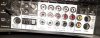
The picture you attached shows composite video output (the lower yellow jack of the two) on the Bose. The HDMI converter you show in the picture has composite video input. Try it that way.

(Skip that s-video dongle/adapter you show in the pictures. It's not what you need for this.)

The left and right "audio out" jacks on the Bose to the left and right inputs on the HDMI converter, and also the lower yellow composite video jack on the Bose to the yellow jack on the HDMI converter.
 
Last edited:
That TV has a composite input using a 3-RCA to 3.5MM adapter cable, this might be the easiest and most straightforward way to do it. That cable should fairly easy to obtain, you might even have one; some camcorders used the came cable.
 
S-video handles video only, no audio. You might be outta luck trying to get modern audio from it,
 
Last edited:
Update - I got a 3-RCA to 3.5mm cable and it still does not work. Wonder if the composite out on the Bose is faulty. I had previously used the S-video port with an older TV with AV input.
 
Is there anything additional needed in the TV settings to be sure it's looking at the 3.5mm input?
I switched the channel to AV and selected it. Usually when there is nothing connected to the AV port, it is greyed out, but when something is in the socket it is active, like it is now. Thanks
 
Is there a setting in the Bose where you have to pick composite or S-video output?

I took a quick look at a manual but must have been a newer model because it mentioned selecting component video output. Maybe there is something like that but composite or S-Video? In the manual I looked at the video out selection was done through the Bose unit's display/menu in some sort of setup pocess.
 
Do you have another video component with composite out, maybe a VCR or DVD player, that you can test the TV with?
 
Is there a setting in the Bose where you have to pick composite or S-video output?

I took a quick look at a manual but must have been a newer model because it mentioned selecting component video output. Maybe there is something like that but composite or S-Video? In the manual I looked at the video out selection was done through the Bose unit's display/menu in some sort of setup pocess.

Unfortunately to get into the Settings in Bose, you need to have a TV to display.
 
Unfortunately to get into the Settings in Bose, you need to have a TV to display.
Is there a setting in the Bose where you have to pick composite or S-video output?

I took a quick look at a manual but must have been a newer model because it mentioned selecting component video output. Maybe there is something like that but composite or S-Video? In the manual I looked at the video out selection was done through the Bose unit's display/menu in some sort of setup pocess.

I guess it might be set to S-Video by default.

Think this gadget will help?
 
If there is no switch on the back then chances are it outputs to both S-video and composite simultaneously.
No I dont have any other equipment to try.
Can you borrow something? Otherwise we don't know if we're dealing with a bad output or a bad input. My hunch is that there is something wrong with the Bose's video outputs.
 
It might, but how attached are you to the Bose unit?

I'm not intending to bash Bose with that, just it's an older unit and for the work you're doing and yet another possible adapter/converter, you might could get into a newer, used receiver or whatever that has HDMI/more current connectivity.
 
Back
Top Bottom