• The move to the new server is done. There are some software and database maintenance updates in process. This has us passing the hat around to help out. We appreciate any donations. Seriously, even a dollar helps. The payment page may be found here - https://www.audiokarma.org/support.html

dlucy’s guide to transistor testers and curve tracers

dlucy

dlucy67 (Doug)
Staff member
Moderator
Subscriber
There are a bunch of devices and DIY kits that help one understand “does this transistor work” and often reveal a few basic performance specs. Below is a listing of some of these devices you may be interested in, some of the information about each device, and, hopefully, a bunch of comments from other AK’ers who have experience with the listed devices.

I had collected a bunch of links in my browser to help me navigate the choices, then realized the list and info would be better if shared with everyone and with more opinions and experience from others. I am no expert nor am I a professional technician or E.E., so some of the following will be off or even wrong… until kind AK’ers contribute constructively to make this a better, more accurate, more helpful guide.

You can skip ahead if you like:
Note: If you have experience with one of these devices that might help other AK’ers reading this, please share that experience below.

Note: If you have experience with a transistor testing device that isn’t on the list yet and which might help other AK’ers, please let me know and I’ll add it and your notes to the index and thread.
If you're looking for more of a "how to test transistors", check out
Echowars' thread Bipolar Junction Transistor Testing Basics

What is a transistor tester?
For our purposes here, a transistor tester is a device intended to be used to test the basic functionality of a discrete transistor and show a small number of arbitrary data points about that transistor.
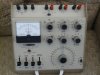
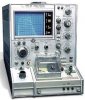
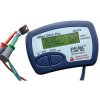
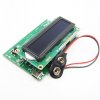
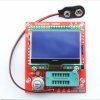
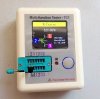
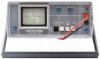
cheap component tester 02.jpg DCA75.jpg Heathkit IM-36 transistor tester.jpg Tektronix 576.jpg

Like many of the vacuum tube testers, the common transistor testers only reveal very basic information about a transistor. Is it shorted or not? Which leads are the emitter, base, and collector? For purposes of comparison only, what is its gain at an arbitrary voltage?

Transistor testers will not display how a transistor will perform in your circuit or application. That’s where the curve tracer takes over.

What is a curve tracer?
A curve tracer is a more-sophisticated device intended to display the operating characteristics, over a range of voltages and currents, of a transistor instead of just one or two arbitrary data points.

Curve tracers run multiple tests on the transistor, each at a different voltage and current, then display the resulting data points as curves plotted against the axes of voltage and current. With this output and your knowledge of the operating conditions in your circuit, you can tell how a transistor will perform in you application.

Tektronix 576.jpg EICO 433 curve tracer.jpg dca-pro-pc-software-screenshot10.gif

@ghazzer has a great thread on building your own curve tracer (or buying an assembled kit) and then some insights from actually using it. If you're thinking about going this route, check out this thread.

@ConradH has a post about what he uses a curve tracer for and another one on how he uses a curve tracers. Very good info.
https://audiokarma.org/forums/index...-is-it-good-enough.729807/page-2#post-9985712
https://audiokarma.org/forums/index...-is-it-good-enough.729807/page-2#post-9986491


Not-quite-tracers
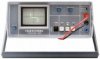
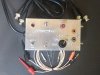
There is another kind of device, a curve-tracer-like device, that warrants mention here. The Huntron Tracker and similar devices like the Octopus curve tracer are covered in the curve tracer section, but they produce somewhat different output.
Huntron 1000.jpg Octopus curve tracer.jpg tracker screens.jpg

Continued in the following sections
 
Last edited:
Register to hide this ad
What transistor testers can and cannot do

Can I test a transistor in-circuit, i.e. test a transistor without removing it?
Nope. Not with any real accuracy or reliability.

Well, actually, yes… you can use some testers to test in-circuit, but not all testers do this and you need to understand what about the results will be skewed or imprecise… due to the fact you are actually testing the transistor and some of the components near it in the circuit. In-circuit testing is possible, but you are including more than jus the transistor in the test.

You can also display a general-ish “how does this device react to voltage and current for comparison to other devices” with something like a Huntron Tracker or an Octopus tester / curve tracer, but this still isn’t accurately testing a transistor in-circuit.

Which transistor tester do I need?
If you’re reading this as you believe you need a transistor tester and don’t know which ones you should consider, then the important step is understanding what you want to accomplish and looking at the testers that provide that kind of functionality.

Is my transistor dead or not?
All of the transistor testers and curve tracers will show if a transistor is shorted or completely open and therefore “dead”. How easy it is to read those “it’s dead” results vary…
  • Very, very simple – any multimeter can help you detect an open or shorted transistor
  • Very Simple – some multimeters have a transistor setting that will detect dead transistors
  • Simple – the “cheap component testers” and the purpose-built testers will detect dead transistors… but sometimes they will tell you “this looks like a single diode” instead of saying “one side of this transistor is dead, so the other side is reading like a diode”
  • Elaborate – the curve tracers will show open or shorted transistor data, but you may have to interpret the screen to understand it is shorted or open
Which of the transistor leads is emitter, which is the base, and which is the collector?
Purpose-built transistor testers will help or outright tell you which leads are which
  • Simple and easy – the “cheap component testers” and the purpose-built testers with digital graphical screens will point out “lead 1 is the base, lead 2 is the collector, etc.” in text, as a diagram, or both
  • Simple – vintage transistor testers (and curve tracers?) will sometimes have switches or levers to swap the leads internally and light up “this is PNP and you’ve got the emitter lead in my E socket”, but will always have an indication if you have lined up the transistor’s leads properly with the tester’s socket. Or the device will show something like “open” or “no device”.
Is this transistor PNP? Or is it NPN?
  • Simple and easy – the “cheap component testers” and the purpose-built testers with digital graphical screens will straight up tell you “this is a PNP” or “this is a NPN” in text, as a diagram, or both
  • Simple – vintage transistor testers (and curve tracers?) will sometimes have switches or levers to swap the leads internally and light up either the “this is PNP” or “this is a NPN” light… or nothing indicating a bad transistor or improper lead-to-socket connections… or nothing indicating this transistor is dead
Is this transistor Silicon? Or Germanium?

Here is a question that we really need broader AK experience and input on. I know my DCA75 will say “Silicon” or “Germanium” for at least some of the transistors, but something tells me this is not always or is not highly reliable. AK? What’s the better answer to this question?

Which device or model number is this transistor?
None of the transistor testers covered here will detect and reveal what model number or device model (e.g. KSC1845, 2N2222, etc.) a transistor-under-test actually is.

Curve tracers and transistor testers with curve tracing can provide many points of data to help narrow the field of available transistors to the performance of your transistor, but this is (probably?) impractical.

In order to find two generally-matching transistor from a batch of more than two, what is this transistors overall gain?
  • Simple – some multimeters, all “cheap component testers” and the purpose-built testers with digital graphical displays will run a gain test at an arbitrary voltage and display a result (e.g. “hFE 493”). These devices will repeat that same test for every transistor you subsequently test, so the displayed gain value is useful when comparing, in general, the gain of one transistor to another.
  • Elaborate – the curve tracers will show a transistor’s gain, graphically, for a broad range of voltages and currents. They will perform the same tests and show the same graphs for any subsequent transistors you test. So, you can gain-match two or more transistors with a curve tracer by visually choosing a data point’s value on one transistor’s curves and comparing that to the same data point’s value on other transistors’ curves.
In order to find two closely-matching transistors for my specific circuit, what is this transistor’s specific gain at a specific voltage and specific current?
  • Elaborate – the curve tracers will show a transistor’s gain, graphically, for a broad range of voltages and currents and you can either choose one of those which match your application or (sometimes) adjust the ranges with which the curve tracer will operate. You then visually choose the data point’s value on one transistor’s curves and compare that to the same data point’s value on other transistors’ curves.
 
Last edited:
Short answers to “Which one should I get?”
  • If you rarely need to test transistors, a DMM will do an OK job… with a bit of work from you.
  • For $20-$40, you can step up to a “cheap component tester” and get testing, pinout ordering, and hFE matching of transistors handed to you on a nice graphical display. This is such a great tool and does more than just transistors.
  • If you need more precision or basic curve tracing, stepping up to a $120+ DCA55 or DCA75 is great… but does not offer the other-than-transistor-testing capability of the cheap component tester.
  • If you like working on vintage test gear… so you can test your vintage and new parts… and don’t mind fiddling around and doing some of the work yourself, a vintage, purpose-built transistor can work and often looks really cool.
  • If you need real precision, the ability o test under nearly-the-same-as-my-actual-application conditions or very-precisely match transistors, then a curve tracer is the best choice.
  • If you are debating between the cheap component tester and one of Peak’s Atlas units, there are several comparisons out there to check out:

[On to the next section: Index to transistor testers and curve tracers covered in this thread]
 
Last edited:
Index to transistor testers and curve tracers covered in this thread
Below are the links to the posts in this thread where the individual testers and tracers are described.

Note: If you have experience with a test or tracer that is not listed here, send me a PM with the info and I’ll get your unit added and indexed.

Transistor testers
Curve tracers
Curve tracers/trackers
 
Last edited:
Peak’s Atlas DCA50, DCA55 and DCA75
What is it?

The Atlas devices from Peak are compact, self-contained semiconductor analysers. Yep, with a “s” instead of a “z” since they are from the UK.

DCA50.jpg DCA55.jpg DCA75.jpg

These devices have a small, digital, (DCA75 only) graphical screen and three color-coded leads. When you connect a discrete semiconductor to the three leads and mash the “test” button, the Atlas runs a series of tests across its three leads and deduces the type of semiconductor you have attached.

Depending on the type of semiconductor it thinks is attached, you get a small number of specification measurements, a labeling of the leads, and (DCA75 only) a tiny diagram of the device.

The Atlas unit detect transistors, FETs, diodes, LEDs, and such. Each of the models (DCA50 was an early model, I think. The DCA55 is the base model and the DCA75 is the more-capabilities model) handles a certain range of semiconductors.

Since we are talking about transistors testers, the Atlas units show:
  • Whether the device is dead or not
  • Pinout information (e.g. which lead is the Base, the Emitter, the Collector)
  • A few parameters (e.g. hFE, Vbe, Vf, leakage current)
They do claim the Atlas units will show transistor leakage measurement and Germanium vs Silicon identification.

What do they do?
  • Tests many kinds of semiconductors, more than just transistors
  • Tell you the kind of semiconductor this is, in general. E.g. this is a NPN transistor or this is a diode.
  • Tells if they have failed or not
  • Reveals 1-2 primary specs
  • Indicates which lead or pin is which. E.g. my red lead is on the anode of the diode and the green lead is on the cathode or my red lead is on the emitter, the blue lead is on the base, abnd the green lead is on the collector.
  • (DCA75 only) tiny diagram of the device type
  • (DCA75 only) provides curve tracing of the device-under-test on a PC
What do they not do?
  • These devices cannot tell you what model of semiconductor you are testing. They can tell you the type, e.g. silicon and NPN transistor, but they cannot tell you this is a 2N3904.
  • DCA50e and DCA55 do not provide curve tracing
  • None of these test the device at true operating voltages or currents, so specs shown are limited
  • Unlike the “cheap component tester”, the Atlas units do not test for resistors, capacitors, or inductors
Links about it
[Back to the index of transistor testers and curve tracers]
 
Last edited:
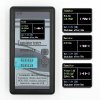
“cheap component testers”

What is a cheap component tester?

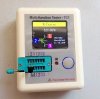
The term “cheap component tester” is meant to cover any one of many models of small semiconductor analyzers based on microcontrollers like the ATmega128 and which run software designed to run a bunch of tests on a connected electronic component, guess the type of that component (e.g. resistor, capacitor, transistor, etc.), and display a few measurements about that component.

cheap component tester 00.jpg cheap component tester 01.jpg cheap component tester 02.jpg cheap component tester 03.jpg

The practical result is you stick a component in the socket, press a button, and the cheap component tester spits out a pretty good guess at what it is and shows fairly accurate measurements. Pretty cool.

These are produced by many, many vendors… they are sold on many platforms (Banggood, eBay, Amazon, etc.)… they are pretty cheap ($20 to $40)… and they come in many form factors (raw PCB with battery connector, simple plastic box with ZIF socket, kinda nice plastic box with nice buttons and integrated socket).

Some versions of these devices have a 2-line text LCD display, some have a small, single-color graphical screen, and some have kinda nice, multi-color graphical screens. Some come with three color-coded min-grabber leads and other vendors expect you to provide such.

Since we are talking about transistors testers, the related measurements shown on these:
  • Whether the device is dead or not
  • Pinout information (e.g. which lead is the Base, the Emitter, the Collector)
  • A few parameters (e.g. hFE, Vf)
An interesting note is the software that runs these testers is well-documented and has been updated occasionally since it was first developed many years ago. You can update the software, if you want to. It just takes a bit of work.

What do cheap component testers do?
  • Tests many kinds of electronic components including semiconductors
  • Tells if the transistor has failed or not
  • Reveals 1-2 primary specs
  • Indicates which lead or pin is which
What do cheap component testers not do?
  • These units do not provide curve tracing
  • None of these units test the component at true operating voltages or currents, so specs shown are limited
Links about it
[Back to the index of transistor testers and curve tracers]
 

Attachments

Last edited:
Huntron Tracker
What is it?
This is a curve-tracer-like device that runs an in-circuit device through a range of currents and a range of voltages to produce a X-Y graph of measurements. It isn’t exactly a curve tracer, is doesn’t exactly measure a specific device, but it does produce results you can use in some ways.

Huntron 1000.jpg

What does it do? What does it not do?
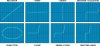
One thing you can do is kinda tell what kind of device you have it attached to. A capacitor should behave one way, a diode another, etc. That doesn’t really help us with “is this transistor working” or the transistor’s specs, but it is some kind of data.

tracker screens.jpg

The intriguing thing it does, to me as a vintage stereo audio gear hobbyist, is it provides a graph for a device while still in-circuit (but not operating)… that can be compared to the corresponding device in the other channel. For instance if all the transistors in the right and left channel of a preamp show the same-to-each-other graphs until I get to transistor TR705 and TR706, the fact that those two transistors, who are supposed to do the same job just one for the right channel and the other for the left channel, are not behaving the same. All that really does is give me a general area in the circuit to investigate further, but that is a valuable thing… under some circumstances.

There is considerably more info on the DIY version of this device, known commonly as “the Octopus curve tracer”

Warning: there is some evidence or info regarding using a Huntron Tracker or Octopus on transistors may degrade or damage them. More detail here: https://www.audiokarma.org/forums/i...n-tracker-1000-and-transistor-damage.1032911/


Links to more information
[Back to the index of transistor testers and curve tracers]
 
Last edited:
Octopus tester / curve tracer
What is it?
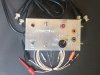
This is a DIY device that runs an in-circuit device through a range of currents and a range of voltages to produce, on an oscilloscope, the resulting graph of measurements from the Octopus. This is a DIY version of the Huntron Tracker. Or the other way around.

Octopus curve tracer.jpg

It isn’t exactly a curve tracer, is doesn’t exactly measure a specific device, but it does produce results you can use in some ways.

What does it do? What does it not do?
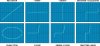
One thing you can do is kinda tell what kind of device you have it attached to. A capacitor should behave one way, a diode another, etc. That doesn’t really help us with “is this transistor working” or the transistor’s specs, but it is some kind of data.

tracker screens.jpg

The intriguing thing it does, to me as a vintage stereo audio gear hobbyist, is it provides a graph for a device while still in-circuit (but not operating)… that can be compared to the corresponding device in the other channel. For instance if all the transistors in the right and left channel of a preamp show the same-to-each-other graphs until I get to transistor TR705 and TR706, the fact that those two transistors, who are supposed to do the same job just one for the right channel and the other for the left channel, are not behaving the same. All that really does is give me a general area in the circuit to investigate further, but that is a valuable thing… under some circumstances.

Warning: there is some evidence or info regarding using a Huntron Tracker or Octopus on transistors may degrade or damage them. More detail here: https://www.audiokarma.org/forums/i...n-tracker-1000-and-transistor-damage.1032911/

Links about it
[Back to the index of transistor testers and curve tracers]
 
Last edited:
Excellent writeups!
You texts can definately be used as a guide.:thumbsup::thumbsup::trebon:


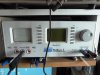
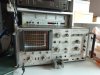
Myself, I bought a Philips PM6507 transistor curve tracer some years ago. It DOES work more or less (read: I managed to get a curve), but its variac inside is half broken, as well as the switches need a total refurbishment because of some corrosion. Even big power resistors inside are compromised or defective. This refurbishment will probably be after my retirement...
The main problem with this old fashioned transistor tester is interpretation of what you see, versus all the settings you can do. It would be MUCH easier, if you use it regularly, but using it once in a while is a pain.
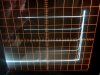
You would have to interprete the grid and signals you see versus the various settings of the knobs.
Fortunately, it comes with a leaflet, which makes it (only a little bit) easier. As seen on the picture, the tube is extremely sharp.
But (if properly restored) I COULD use it for transistor testing.
NOTE, it is EXTREMELY easy to destroy the transistor under test.........You need to know the major specs and pinout of the transistor BEFORE testing....

For now, the DCA75 comes in handy, especially when showing curves on the computer.


I also snapped up a Huntron tracker for a ridicuous low price (versus new) some years ago. It is a "Protrack 1".
You are very right it does produce "SOME kind of data", and basically you are looking for the "unknown". One nice example is this capacitor testing, where you would NEED a Huntron or Vudata or other curve tracer, an Octopus tester, or some generator/scope setup to find a certain cap is actually defective.
This next example is where I abused a new but bad type of small Tantalum cap with a large signal from the Huntron http://members.quicknet.nl/gerard.slikker/badtantalum.htm

Some old pictures here 2015_0226_144536.JPG tester.JPG tester-fs.JPG
 
Last edited:
I bought a Philips PM6507 transistor curve tracer some years ago. It DOES work more or less (read: I managed to get a curve)

. . .

The main problem with this old fashioned transistor tester is interpretation of what you see, versus all the settings you can do. It would be MUCH easier, if you use it regularly, but using it once in a while is a pain.

Perfect addition to the start here! Exactly what I was hoping for.

that Phillips unit looks great.
 
Some tips for improving upon the basic Chinese mega328 type testers.

Firstly, buy a 9V wall wart power supply otherwise the battery will run down pretty quick. I use one that's 650mA. Cut off the original connector and attach a 9 volt battery snap on connector to the end of the supply observing polarity.

Another thing is to add some mini grabbers with short leads similar to what the Atlas type testers have. You can either hard wire them to the tester or just use the provided socket to plug them in. If you use the socket it helps to tin a small 1/8" section at the end of the leads.
View media item 22335View media item 22334View media item 22333
 
This is an excellent idea for a thread and a fine compilation of information. At dlucy's request, I shall contribute this item.

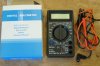
hFE testing is a procedure needed for matching gain of pairs of input differential transistors. hFE testing is included on some DMMs. But my main DMM did not have that ability when the need first arose in my restoration work. So I got the cheapest possible, BOTL DMM from Harbor Freight. This DMM was literally $5, and I don't recall whether that included shipping.
DSC05387rs900.JPG

But, this cheap little tool is capable of measuring hFE and serves a function. It probably is not accurate compared to better meters. But it does the job of measuring relative hFE of different transistors in a batch. And that is all that matters for matching purposes.

In this particular meter, the holes that accept transistor leads are very small. Fine for TO-92, probably nothing larger. Contact between the leads and the meter is iffy. Typically I need to use a little twist-and-in motion to get all three leads to make good contact. As hFE changes with temperature, I had to practice to be able to get a clear reading for each transistor in approximately the same amount of time. Holding too long in the fingers, or repeating a measurement, raises the hFE reading.

The first time I used this meter I was actually able to get a DC offset reading of 0.0mv from one channel of the amp I was restoring. Perhaps that was beginners luck, I don't know. Subsequent changes to the tone amp resulted in DC offset rising to a few mV. But the point is, for someone on a very tight budget, even something this cheap can be a useful tool. Of course, get something better if you can.
 
Last edited:
Very nice information, thanks for taking the time to write it up and to the others that contribute!

For me I really like the DCA-75. It's easy to use and is almost always spot on in it's result. It's not a cheap tool but is one that I would highly recommend for a hobbyist or even a pro. Beyond the testing capabilities I use it for identifying the orientation of a transistor all the time (it's getting harder to see the darn parts). It's like a QA check before you insert the transistor into the board.

I would also like to mention it's sister product the ZEN-50, zener diode analyzer. This unit can measure zener diodes up to 50V. I do not use it as often as the DCA-75 but it sure is handy when you need it.
 
Last edited:
We used a Heathkit curve tracer where I worked (Telex) years ago to check incoming transistors for hFE spec. It was a different model (it was an IT-1121) than the one shown but was very reliable and accurate.

Doug
 
Very impressive and detailed information even though I don't understand 99% of it. :D

Hope all is well Doug!
Stay Safe!!
 
Any of the “cheap component testers”
What is it?

The term “cheap component tester” is meant to cover any one of many models of small semiconductor analyzers based on microcontrollers like the ATmega128 and which run software designed to run a bunch of tests on a connected electronic component, guess the type of that component (e.g. resistor, capacitor, transistor, etc.), and display a few measurements about that component.

View attachment 1882227 View attachment 1882228 View attachment 1882229 View attachment 1882230

The practical result is you stick a component in the socket, press a button, and the cheap component tester spits out a pretty good guess at what it is and shows fairly accurate measurements. Pretty cool.

These are produced by many, many vendors… they are sold on many platforms (Banggood, eBay, Amazon, etc.)… they are pretty cheap ($20 to $40)… and they come in many form factors (raw PCB with battery connector, simple plastic box with ZIF socket, kinda nice plastic box with nice buttons and integrated socket).

Some versions of these devices have a 2-line text LCD display, some have a small, single-color graphical screen, and some have kinda nice, multi-color graphical screens. Some come with three color-coded min-grabber leads and other vendors expect you to provide such.

Since we are talking about transistors testers, the related measurements shown on these:
  • Whether the device is dead or not
  • Pinout information (e.g. which lead is the Base, the Emitter, the Collector)
  • A few parameters (e.g. hFE, Vf)
An interesting note is the software that runs these testers is well-documented and has been updated occasionally since it was first developed many years ago. You can update the software, if you want to. It just takes a bit of work.

What does they do?
  • Tests many kinds of electronic components including semiconductors
  • Tells if the transistor has failed or not
  • Reveals 1-2 primary specs
  • Indicates which lead or pin is which
What do they not do?
  • These units do not provide curve tracing
  • None of these units test the component at true operating voltages or currents, so specs shown are limited
Links about it
IMO, despite limitations/crappiness, the very low price of these testers always justifies buying one.
 
Back
Top Bottom