


David_NC
Super Member
I'll be working on the biamp conversion of my ADS M12's over the weekend. I also use a subwoofer with this setup, so I need a 3-way crossover for this. One pair of outputs will run the mids and tweeters from a Dynaco ST-70, another pair of outputs will go to a Parasound HCA-1000A which will power the twin woofers in each speaker, and an SVS subwoofer will get a mono signal from the remaining pair of outputs. I currently have an older dbx 223XL 2-way crossover to enable me to use the subwoofer with these speakers. I came across a NIB DriveRack PA2 for a good price and found a Dayton calibrated mic on sale that will work fine with this unit.
I finally got it connected last night, though I'm only using it as a two-way crossover at the moment. Connections are straightforward, as expected. Configuring the device... I'm just glad I got the PA2 model instead of the older PA. The later model has an Ethernet port that allows for PC, Mac, iOS, and Android app configuration. This is is a good thing, as I can't imagine setting this unit up from the front panel with the unit positioned where it is in my setup! I used an iPad for setup.
The main screen is pretty straightforward:
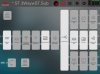
Setting the crossover was easy, though it took some trial and error to find what sounds best. You simply touch one of the 'boxes' and change the settings from the screen that pops up. You simply touch an icon to select the outputs you want to set and slide back and forth. There's a dropdown for multiple types of crossovers and slopes.
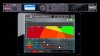
The parametric EQ is one of my favorite features so far. I have a weird bass 'hump' in my room due to the room layout and where my speakers are positioned, and there's no real way to change the locations. I touched the frequency line on my iPad, pulled down slightly to cut the level, and moved my finger right and left slowly until the resonance was reduced. I then moved the line up and down to maximize the reduction while minimizing the impact on the sound. This made a huge improvement in clarity.
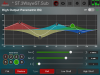
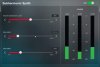
Once I got this far, I played with it a bit more and then listened for a couple hours. It has some fun features, though who knows how much they'll be used. There are speaker delays, a graphic EQ, and Auto EQ, among others. The subharmonic synthesizer is pretty cool. I used it on some poor recordings with reduced bass, and it seemed to help. I tried it on a modern track with lots of bass, and it did indeed synthesize some deep bass! I don't know how often I'll use this, but it was certainly more effective than boosting the bass or using loudness.
So far, I detected no hiss, added noise, or other unpleasantness from this unit, though I've read reports that some have had noise issues. It's a definite improvement over the old crossover I was using, and the ability to configure with an app that's really pretty intuitive is a huge plus. It'll be interesting to analyze the sound after I have it configured to where I think it sounds good and compare to its auto eq'ed settings.
I finally got it connected last night, though I'm only using it as a two-way crossover at the moment. Connections are straightforward, as expected. Configuring the device... I'm just glad I got the PA2 model instead of the older PA. The later model has an Ethernet port that allows for PC, Mac, iOS, and Android app configuration. This is is a good thing, as I can't imagine setting this unit up from the front panel with the unit positioned where it is in my setup! I used an iPad for setup.
The main screen is pretty straightforward:
Setting the crossover was easy, though it took some trial and error to find what sounds best. You simply touch one of the 'boxes' and change the settings from the screen that pops up. You simply touch an icon to select the outputs you want to set and slide back and forth. There's a dropdown for multiple types of crossovers and slopes.
The parametric EQ is one of my favorite features so far. I have a weird bass 'hump' in my room due to the room layout and where my speakers are positioned, and there's no real way to change the locations. I touched the frequency line on my iPad, pulled down slightly to cut the level, and moved my finger right and left slowly until the resonance was reduced. I then moved the line up and down to maximize the reduction while minimizing the impact on the sound. This made a huge improvement in clarity.
Once I got this far, I played with it a bit more and then listened for a couple hours. It has some fun features, though who knows how much they'll be used. There are speaker delays, a graphic EQ, and Auto EQ, among others. The subharmonic synthesizer is pretty cool. I used it on some poor recordings with reduced bass, and it seemed to help. I tried it on a modern track with lots of bass, and it did indeed synthesize some deep bass! I don't know how often I'll use this, but it was certainly more effective than boosting the bass or using loudness.
So far, I detected no hiss, added noise, or other unpleasantness from this unit, though I've read reports that some have had noise issues. It's a definite improvement over the old crossover I was using, and the ability to configure with an app that's really pretty intuitive is a huge plus. It'll be interesting to analyze the sound after I have it configured to where I think it sounds good and compare to its auto eq'ed settings.


