• The move to the new server is done. There are some software and database maintenance updates in process. This has us passing the hat around to help out. We appreciate any donations. Seriously, even a dollar helps. The payment page may be found here - https://www.audiokarma.org/support.html

Hafler DH500 Refurb kits

oldvinyldude

Moderator
Staff member
Moderator
Subscriber
Hi:

I have a DH500, and although working, it's fan gets pretty loud, so I would like to address that. Also, being 35 years old, caps should be replaced, I imagine.

I see kits offered on that auction site, and they are not cheap. I suspect I could source the suggested parts directly from Mouser or similar, at a much lower cost. I also question the need to replace the large PS cans, if they test good.

Anyone have a parts list they have used?

Would I be better off just biting the bullet and buying a kit?

Opinions?

Thanks
 
Register to hide this ad
You should be able to figure out required replacements, remember, form, fit, function as a guide. match ecaps for capacity and voltage is the most important. check sizes for fit. newer ecaps are usually smaller.
You will save a lot of $ and probably source higher quality parts from Mouser or Digi-key. I usually use Nichicon ecaps for most jobs, types, UES, UKL, UPW, UPA
if the big cans measure okay and are not bulging or leaking, you should be okay until that changes.
For the fan, it probably used a lower cost bushing bearing fan, an upgrade would be a ball bearing fan, match size, voltage supply etc.
I do not have a parts list for you as I have never serviced one before.
 
Have you cleaned it recently?

The heatsink and fan are likely pretty dirty. The heatsink is as pain, but take your time and it'll be so nice and quiet.
 
The qua-co kit is very nice.

The guy that designed and sells the kit was David Hafler's right hand man for 25 years.

I have built 11 amplifiers with the kits.

The $225 asking price is dirt cheap for what you get.

Reuse the filter caps and bridge diode if you want, but I always replace and see no reason to try to reuse the old parts especially considering that new parts are cheap and readily available.
 
You could build your own kit using the unit and the OM to build the list. But what parts? qua-co is a good recommendation as he tries to upgrade these older units.
 
The recap kits aren't too expensive, since those driver board kits contain both channels. There's semiconductor kits too, for the driver boards, but you need 1 kit for each board.

Now, there are complete replacement, redesigned driver boards. A couple of different vendors sell their own designs. Some are DIY kits, but you can also send your amp in for a rebuild. Those do get pricey. So, when I rebuild my DH500, I'll just get the cap and semiconductor kits, and do the rebuilds myself. I'll do the semiconductors, since my amp has PC10 boards.
 

The fans that came with the amps are excellent. Replacing one isn't something I'd recommend unless the original is indeed bad, which it likely isn't. This isn't a modern axial fan, and replacements likely aren't going to be a drop in solution. Gould has been oob for a while now, so no new units out there. There are also a couple rebuild threads for the fan itself out there.

What is likely is that the sensor is dirty and filmed over, and that the fan needs a good cleaning. Even a clean looking 30 year old fan is coated with sticky residue and will run beautifully if cleaned. Same for the heatsink, clean it, get into the nooks. Check your sensors.
 
You say the fan gets pretty loud. I assume that you mean it starts out quiet when first powered on while the amp is cold and then after heating up it gets noisier?

Even if its loud when the amp is cold there are a few things you can check.

> First is the idle bias current set properly or is it high? On the DH-500 it should be 350mA as measured on the B+ or B- rail. If the bias is set high or if one channel has drifted higher then the heat sink will heat up abnormally and this will cause the thermal sensors to increase the fan speed.

> Second are you sure that the heatsink tunnel is clear? Try shining a light through it to see if its completely clear, i.e. no 30 year old spider nests or dust build ups, etc.

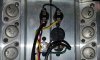
> Third I would check the two thermal switches to ensure the fan speed control system is working properly. It could very well be that one or both of these has failed or is prematurely activating at a very low temperature. Unfortunately the only way to get to these is to remove the heatsink as they located underneath it. Personally if I owned one of these older 500 series amps and I was going to remove the heatsink to check these switches, I'd go ahead and replace them. There are also two thermal breakers down there to shut the amp down in the event of an overtemp situation. So there are 4 thermal devices total. I found a picture of the underside of this heatsink and attached it. The two switches at the bottom with the black CL-100 thermistor soldered across them are the thermal breakers (TB401, TB402 in the schematic). The two at the top of the picture are the thermal switches (TS401, TS402 in the schematic). TS401 and TS402 should ohm out open when at room temperature. According to the schematic there should be a 300ohm/7W resistor across each thermal switch, but this is not showing in the picture so I do not know if this one was modded by somebody. If either of these thermal switches is shorted when cold then the fan would start out at an elevated speed when cold. The switches many times have an activation temp on them so you should be able to buy a modern equivalent.
 

Attachments

  • 500_Heatsink_sw2.jpg
    500_Heatsink_sw2.jpg
    90.3 KB · Views: 33
Back
Top Bottom