• The move to the new server is done. There are some software and database maintenance updates in process. This has us passing the hat around to help out. We appreciate any donations. Seriously, even a dollar helps. The payment page may be found here - https://www.audiokarma.org/support.html

Harman Kardon HK330i sound cuts out after some time

JoeGigliotti

New Member
Hello, I am trying to fix my HK330i as its very sentimental.

The symptoms are that after some time of operating normally all sound stops however all the lights are still on.
I have found the service manual however its been a while for me to look at electronic gear so any help would be appreciated thanks.

I have noticed that the transistor Q10 (is on a small heat sink) which appears to be in the power supply section seems to get reasonably hot to touch, however it could normal?
Other than that there appears to be no other physical obvious signs to me, the electrolytic caps look physically fine as they are not bulging etc.
I also did a PCB clean with one of those cans of spray which seemed to clean up all the old flux but did not improve things in any way.

Thanks and regards.
 
Register to hide this ad
If there's any relays, try tapping them with a plastic probe or something and see if that brings the audio back. Sometimes they get gunky or just fail to stay in contact perfectly/
 
If it's an early unit (ser.# up to 10500), it may be worth checking the Q9 transistor - it was replaced by a diode in later units (due to thermal issues) - it's part of the muting circuit. Maybe check it with a freeze spray next time the amp goes silent ? (if it is an early unit that is).

The service bulletin is on hifiengine.com
 
Hi Goldie thanks so much for the reply.
I just checked my unit and the serial number on the back is: 5042681, does that mean it does not have the Q9 transistor?
I have located Q9, its near the power supply circuit and yes it does look like it has been replaced with a diode, I will let it run for a while and see if in case it gets hot.

Regards Joe
 
Hi Joe - sounds like it's a later unit, already changed at production, so it shouldn't be the problem.

The delayed nature of the problem does tend to suggest a thermal issue to me though - so maybe a careful, localised, check with freeze spray, around the mute circuit will show up something anyway.
 
I would assume so, since the serv. bulletin specifically says Q9 is part of the muting circuit....

I can't see the circuit details very well at the moment (on mobile).
 
What are you using for speakers ?

How many pair of speakers are you using ?

How loudly are you playing the unit when the issue occurs ?

How is the airflow around the unit ?

How long before the unit begins to operate normally again ?

Have you checked the bias and offset per the SM ?
 
Hello and thanks for the feedback:
What are you using for speakers ?

How many pair of speakers are you using ? - 2 and its set correctly on the front panel switch

How loudly are you playing the unit when the issue occurs ? - seems to be irrelevant as it can be very soft or load

How is the airflow around the unit ? - the case is fully open so good airflow

How long before the unit begins to operate normally again ? - could be 1 minute or one hour

Have you checked the bias and offset per the SM ? - no, will do so tonight.

----------------
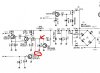
What I did notice though was as pointed out by Goldie99 to check Q9 that was replaced by a diode, it is, so then I did some measurements and noticed that on the collector of Q13 (between R26 and R27) when it operates normally there is a negative voltage of around -8 volts (which is normal according to the cct diagram), however as soon as the sound dies it measures 0 volts.

Any suggestions what might be pulling down this to 0 volts? Note this appears to be part of the Power Supply section, see attachment thanks.
 

Attachments

  • hk330i.JPG
    hk330i.JPG
    63.4 KB · Views: 16
I think it's all part of the muting (& protection ?) circuit, and I suspect something is 'tripping' that circuit as it heats up, but I'm struggling with the schematic....

I'd certainly second checking the dc-offset & bias values.
 
Hello, when you say - Have you checked the bias and offset per the SM ?
Are you referring to Page 7 of the Technical Manual? Its titled Alignment Procedures for the Amplifier Section / Idling adjustment, thanks
 
Back
Top Bottom