Zach Austin
New Member
Hi All,
First post here.
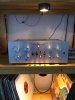
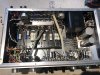
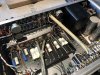
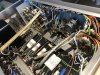
I have a Marantz 7 pre-amp that has persistent noise to it. The audio affliction is composed of both a high frequency whine and a lower frequency rhythm, with the whine similarly being of higher decibel and the rhythm being similar to the tapping pattern a jackhammer would make (albeit quieter). I am wondering if anyone can help me trouble shoot what's the matter? I can trace an analog circuit, I know my way around a multimeter and a soldering iron, and I'm not afraid to open the Marantz up. I do also have an ancient EICO tube tester (calibration status unknown and doubtful). Long story short, I'm happy to get my hands dirty finding and addressing the root of this problem, and if anyone has any recs on how to begin pinpointing the issue...well, that'd be a heck of a lot better than tracing and checking the entire circuit schematic or continuing to listen to this.
Anyone willing to test their know how to help, here is what I can tell you:
1. The noise is present irrespective of if there are any inputs plugged into the pre-amp
2. The noise is present with the volume turned all of the way down, but turning vol/gain up does notably increase the volume of the noise.
3. The noise is present in both channels.
4. Turning the treble up serves to increase the noise (irrespective of channel).
5. Turing the bass up on the right channel increase the noise to a point and then decreases it once you pass the 75% mark or so. Turning it up on the left channel increases it only, but less dramatically than the right.
6. If you touch the cover to tube "v6" (right most tube from the front/ left most from the back), the whine gets far worse. Even just having an object close to tube v6 makes it worse (hand, wall, etc.)
7. The noise is not originating in the amps.
8. Changing the tubes doesn't fix the problem.
9. Removing the tube cover to tube "v6" makes the noise worse and the sensitivity to the proximity of objects greater.
10. There is no combination of settings that I can find that make the noise go away.
11. The noise is not 100% uniform. The whine part fluctuates in and out and shifts in volume (pitch stays mostly static, to my ear). Occasionally this is just random distortion layered on top (like the sound produced when flipping between radio stations).
What the heck is going on? Bad ground somewhere in the circuit associated with tube "v6"? I'm happy to investigate further if specific additional insight would be helpful)
Thanks for any thoughts, brainstorming, etc.
-Zach
First post here.
I have a Marantz 7 pre-amp that has persistent noise to it. The audio affliction is composed of both a high frequency whine and a lower frequency rhythm, with the whine similarly being of higher decibel and the rhythm being similar to the tapping pattern a jackhammer would make (albeit quieter). I am wondering if anyone can help me trouble shoot what's the matter? I can trace an analog circuit, I know my way around a multimeter and a soldering iron, and I'm not afraid to open the Marantz up. I do also have an ancient EICO tube tester (calibration status unknown and doubtful). Long story short, I'm happy to get my hands dirty finding and addressing the root of this problem, and if anyone has any recs on how to begin pinpointing the issue...well, that'd be a heck of a lot better than tracing and checking the entire circuit schematic or continuing to listen to this.
Anyone willing to test their know how to help, here is what I can tell you:
1. The noise is present irrespective of if there are any inputs plugged into the pre-amp
2. The noise is present with the volume turned all of the way down, but turning vol/gain up does notably increase the volume of the noise.
3. The noise is present in both channels.
4. Turning the treble up serves to increase the noise (irrespective of channel).
5. Turing the bass up on the right channel increase the noise to a point and then decreases it once you pass the 75% mark or so. Turning it up on the left channel increases it only, but less dramatically than the right.
6. If you touch the cover to tube "v6" (right most tube from the front/ left most from the back), the whine gets far worse. Even just having an object close to tube v6 makes it worse (hand, wall, etc.)
7. The noise is not originating in the amps.
8. Changing the tubes doesn't fix the problem.
9. Removing the tube cover to tube "v6" makes the noise worse and the sensitivity to the proximity of objects greater.
10. There is no combination of settings that I can find that make the noise go away.
11. The noise is not 100% uniform. The whine part fluctuates in and out and shifts in volume (pitch stays mostly static, to my ear). Occasionally this is just random distortion layered on top (like the sound produced when flipping between radio stations).
What the heck is going on? Bad ground somewhere in the circuit associated with tube "v6"? I'm happy to investigate further if specific additional insight would be helpful)
Thanks for any thoughts, brainstorming, etc.
-Zach