• The move to the new server is done. There are some software and database maintenance updates in process. This has us passing the hat around to help out. We appreciate any donations. Seriously, even a dollar helps. The payment page may be found here - https://www.audiokarma.org/support.html

Help Need Guide Restoring Marantz 1180dc / 1180 dc

ReisDaddy

Active Member
Hello,

I need help and guidance to restore my Marantz 1180dc with distortion sound.

First i want to tell the story when i get the Marantz 1180DC.
I bought online with help of some AK members. It is singing, i feel it distortion, and when rotating the volume knob, we must rotate it until 10 o'clock to get regular listening level, but still i feel it low. I feel there is something wrong with this amp. Then i complain to the seller, they say they have a tech guy that already service it. They usually use it with phono in. And they blame maybe my speaker is not good enogh for this amp. OK, i dont want to argue with them, i just so much in love with this amp, im sure i can find it later what is the mistake, i trust there is Google, ChatGPT and AK members! Even if im in dead end, i will send it to a tech guy (last option, since i dont want to ship). Also no tech guy around in here small town.

After a view days of hearing, compared to my Marantz PM-750dc (Philips era) still amazing! But i have feeling even the distorted 1180dc still has something special.

So i start open the top and bottom panel, while im waiting all tools that i bought arrived, i found 1 big mistake! The potentiometer for the volume is not original, they force to make it work, and its marking 100k Ohm! In SM Part RS09 is 50K Ohm. Is that why i feel something wrong when rotating the volume knob? Already found the potentiometer, while im waiting it.

I have questions, im not expert, i know how to use solder, desolder, us multimeter, know a bit DC, AC. I was making an amplifier when i was in high school. Not creating, just buying modules like pre amp, amp, pots, metal case, etc, transformers with help of my friends that study in electronics, and also making my own speaker. I mean building speaker.
And also still building Dim Bulb Tester. And already watch many youtube videos like Ah-Fix-It.

My question is:
1) Where to start? Which board to start like maybe preamp, relay board?
2) When checking voltage for example in PN00 Relay board there is 50v, we put the red probe of multimeter there, and where to put the black probe? I saw in youtube people sometimes put in the negative/black channel of speaker connector pin. Others put in ground/metal case, ChatGPT tells to put on ground/case.

That is for now.
Still waiting for the potentiometer to arrive, and collecting data from all thread connected to 1180dc and other blog outside AK, which caps that i plan to recap.
 
Last edited:
Register to hide this ad
Here i found a fun video to test our ear for distortion.
When i blind test, when i start feel the distortion, i pause the video, my ears can only detect at 10-11% THD

 
After almost a month, much work i did to this amp. I really love this amp so much. I share a view things what i have done.

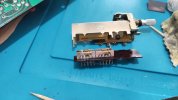
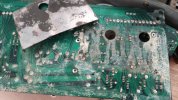
When i open it, so many lubricant almost every where. I think the guy before me put the lube too much. Looks like this amp was in the kitchen.

I did replace the volume potentiometer, before it was so nasty that the guy force to put the modified pot and glue them on front panel pcb, that make the pcb a bit bent.

IMG_20230906_161214.jpg

Here after i replace the po0t, the pcb is straight now:

IMG_20230906_160752.jpg


recaps almost everywhere in preamp, main amp, relay (except phono, because currently i dont have turntable.
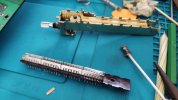
Cleaning rotating switch like tape copy, tape monitor, selector.

IMG_20230825_145307.jpgIMG_20230825_161523.jpg

Selector (before)

IMG_20230825_110054.jpg

Selector (after)

IMG_20230825_131632.jpg

Cleaning the glue that i read here in forum that will eat the pcb

IMG_20230817_122610.jpg

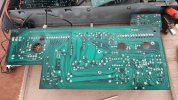
P700 board (before)

IMG_20230814_153511.jpg

After (the best i can do, some area i didnt resolder im afraid that will break the stuff inside the shrink tube):

IMG_20230903_114756.jpg

More photo in the next post.
 
Last edited:
A bit modification, there is an orange cable from pre amp to back panel pcb. To make easier when working so i dont need to desoldering, i put 2mm banana plug male from the back panel, and female from pre amp. yellow cable just for extending that i have.

IMG_20230905_144640.jpg

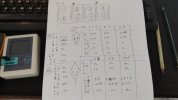
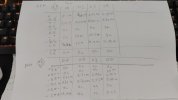
Here is test result of output resistor.

Test using diode mode

TO3 - NOTES - IMG_20230814_153316.jpg

Result with ohm mode

IMG_20230906_144910.jpg

I dont understand all of the data. Hope someone can give me information, which one should i replace.

Oh, and last thing: everytime i did a board lets say replace transistor i do a DBT test. Do a recap, then DBT. Board after board. Never do recap and replace transistor at the same time, because im trying to know that hopefully i found the problem. But the result is always:

IMG_20230823_234710.jpg

Its 70w bulb, so its not as bright as there is a short. Any idea what is wrong with it?
Also already do pulling 8 output transistor one by one with DBT. All same result.
The first time i plug the power to DBT, the bulb will bright 100% maybe 1-2 seconds, then getting low slowly, before the relay click, then steady low like in the photo.

Transformer i check in square rectifier S5VB-20 using dmm red probe to orange, black probe to another orange = 68.0 VAC
then the red probe to red cable , black probe to white cable =80 vdc.
Red probe to red cable, black to ground = 43vdc
Red probe to white cable, black to ground =-43vdc

The transistor that i did not replace:
Pre amp:
Both bolt to heatsink
Q854 : 2SB507 (D or E)
Q853 : 2SD313 (D or E)

Main Amp (not replaced):
Q721 : 2SA914
Q722 : 2SA914
Q723 : 2SC1953
Q724 : 2SC1953
And the rest transistor TO-92 in P700 not replaced.

Since the sound is getting more low hard to hear, im not sure when i lost the left channel, that is why i do cleaning switch every where. Except mode switch not cleaned yet. Im exhausted.

Im really stuck now.

I really need help. I will provide more information just tell me what to check.
 
Last edited:
Great work on cleaning up the switches and replacing the volume pot - a good first step is get those basics right and get the amp back to original before further diagnostics. It would be good if you can narrow the problem by using the power amp directly or pre amp using the rear pre in main out sockets to see if the pre amp side is faulty or power amp module is the distortion on both channels and when using it as a pre amp or power amp? Or both? If you can remove the excess lube on the front switches they cease up easily and can make bad contact if they all aren’t stripped and cleaned as you did in your previous post i find when they are drier once cleaned once they are more reliable reducing the likelihood of channel drop out or distortion from them
 
Do you mean using jumper like marantz 2270 i saw in the back panel, that connect using rca from main in to pre out ? Sorry i dont understand.

Ok i will clean all the front switches.
 
I think i understand now, testing pre amp is connect backpanel pre out to another another amplifier,
And testing power amp is to connect the audio source to main in, right?
 
Last edited:
OMG! i connect the audio source directly to main in and the speaker singing beautifully both channel!
Wow! @quadmatrix82 super!
I did not test the pre amp yet. Just to let you know, very happy so far.
Still thinking the way around to test pre amp.

Does it means the P700 board is good?
 
Last edited:
Well done :) Sounds like your amp module is good I would focus on the pre amp and eq boards now…
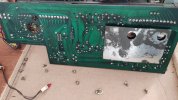
Check for dry joints broken tracks and obviously any shorted diodes or transistors goodluck!
 
Cleaning front panel board

IMG_20230907_082117.jpg

IMG_20230907_083509.jpg

after oil/lube removed :

IMG_20230907_090600.jpg

After a view time cleaning

IMG_20230907_131817.jpg

Cleaning tape copy and tape monitor and mode switch.

IMG_20230907_142046.jpg

IMG_20230907_163210.jpg

IMG_20230907_155824.jpgIMG_20230907_163127.jpg

The result still the same, right channel only, a bit distortion. But i think its bit more loud.

Stuck again...
 
You are doing a super job! Great attention to detail!

while you are there replace any caps left on that board it won’t be related to your problem but nice to do to keep it all fresh
 
Another cleaning...
I forget cleaning this 2 filters push switch

IMG_20230910_082951.jpg

After:
IMG_20230910_094803.jpg

And also balance slider.
IMG_20230910_101315.jpg

And still same result. no change.

I tried the mode rotary switch.

Reverse = sound from left only
Stereo: only right
L+R = both channel
L: Left no sound
R: Right only

Can any body help me?
 
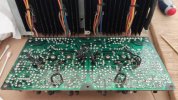
Focus on the eq and pre amp board its likely there is a bad solder joint or transistor or solder trace here you have confirmed the output module is good now so the fault is in the pre amp section, the switches was preventative maintenance and to rule out intermittent fault there which is common causing drop out and distortion.
 
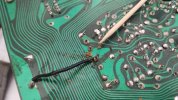
I found broken left channel connection on pre amp board that connecting the pink cable covered with blue jacket to front panel.

IMG_20230915_144149.jpg


Now next problem is the dim lit DBT. It should be a minor short right?
Any idea how to find it?
 
I try to detach main amp board first (P700), the dbt still lit, then detach filter board (PH00), still lit.
Then pull the power socket (JJ03) of the pre amp board (PJ00).
And the last, detach the pre amp board (PJ00) out.
Still the DBT lit.

Like this:

IMG_20230915_170555.jpg

So if im not wrong, its only relay board (PN00) left.

The DBT was faint but not gradually unlit. Is this normal?

Any idea what to look at?
 
Last edited:
hard to tell from photo but it doesn’t look that bright and might be normal depending what globe you used. If it’s the same on all boards that would indicate what I’m saying.
 
Sorry but what is you saying? Which one?
I’m saying that the photo of your dim bulb doesn’t look that bright which could be normal if it’s a small globe if it looks the same with each board it’s unlikely there’s a fault causing current draw so your issue is elsewhere
 
Back
Top Bottom