• The move to the new server is done. There are some software and database maintenance updates in process. This has us passing the hat around to help out. We appreciate any donations. Seriously, even a dollar helps. The payment page may be found here - https://www.audiokarma.org/support.html

Help Restoring Clairtone Console Pull

angelaudio

Super Member
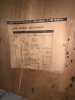
11BEF12E-8CA1-4952-BDD7-C03861A1D291.jpeg 44668C2C-D50D-47D4-8FE7-A2BC8D9CF307.jpeg 256169D8-4175-46C3-8181-96553287BB53.jpeg A180CEFB-3FDF-4286-9050-D0DA05A76D99.jpeg Hey AK’ers I just pulled a nice tube amp chassis from a Clairtone Console and have a few ?’s

Disclaimer: I’m a total newbie. Not much experience with electronics. In fact I plan on purchasing my first soldering iron tomorrow.

Ok so I need a lot of help but bear with me.

When I have the speakers plugged into the chassis there is what sounds like 60 cycle hum. But when I unplug the speakers the hum is gone. What could be the source of that issue?


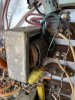
I’ve included a pic of these things that look like they might need to be replaced but I don’t know if they need replacing or if they just look that way. If they do need replacing where can I find them and which ones do I need?

Thanks in advance!
 
Register to hide this ad
This thing needs to have all caps replaced ASAP in order to preserve it and not get more damage than it has already. They are dried out hence the hum and who knows where the voltages are and what is going on. It also avoids a fire hazard! Your test only tells you that in general it works, now get the electrolytic caps replaced with new or film caps including power supply (where you hum is coming from) reworked.
Second of, never run a tube amp without speakers or dummy load attached! It can kill the output transformer and more.
I would recommend to start reading in the Tube Amp forum here and get familiar with the work involved. Get a source like digikey or Mouser for caps. Get a parts list together by reading either off the parts the capacitance and voltage values or from the schematics.
Enjoy the work! It's worth it.
 
With no experience on high voltage 'tube amps'... you can DIY KILL yourself.


Well I’ve been reading up and I know about how capacitors can store energy even after being unplugged so I’ve learned how to drain them after unplugging. Also know never to touch the chassis with both hands at the same time. So although I see what you mean I’m not dealing with a hot chassis and I’ve taken it upon myself to learn the precautions I should take to prevent injury or killin myself.
 
This thing needs to have all caps replaced ASAP in order to preserve it and not get more damage than it has already. They are dried out hence the hum and who knows where the voltages are and what is going on. It also avoids a fire hazard! Your test only tells you that in general it works, now get the electrolytic caps replaced with new or film caps including power supply (where you hum is coming from) reworked.
Second of, never run a tube amp without speakers or dummy load attached! It can kill the output transformer and more.
I would recommend to start reading in the Tube Amp forum here and get familiar with the work involved. Get a source like digikey or Mouser for caps. Get a parts list together by reading either off the parts the capacitance and voltage values or from the schematics.
Enjoy the work! It's worth it.


I think I messed up. Today I plugged the speakers back in and powered it up and one channel is now dead again after hearing them both work a few days before. If I dis indeed kill the output transformer, will replacing it fix the problem?
 
No, you did not kill an output transformer. A shorted tube would do it but you didn't. Since you are a novice with this, its probably something simple like operator error since it worked before. Carefully check your connections. A dirty switch would also cause this problem.

I would suggest that every time you do something to this and have a positive or negative outcome, take pictures as sometimes people can't remember where something went or where it plugged in to.

You also have a thread in tube audio so I will also say it here that you need to replace the capacitors before you go any further.
 
Last edited:
No, you did not kill an output transformer. A shorted tube would do it but you didn't. Since you are a novice with this, its probably something simple like operator error since it worked before. Carefully check your connections. A dirty switch would also cause this problem.

I would suggest that every time you do something to this and have a positive or negative outcome, take pictures as sometimes people can't remember where something went or where it plugged in to.

You also have a thread in tube audio so I would also say it here is to replace the capacitors before you go any further.

Phew! I was worried because of what @darg said. All my tubes are lighting up, it worked fine before I disconnected the speakers and just turned it on and left it on for a minute or two. I even switched the speakers and the same channel is still dead. Going to try a recap soon and see if that fixes it
 
A recap will get rid of hum and allow the power supply to work better to provide pure DC to the circuits but it won't cure your one channel no sound issue. For testing purposes a few minutes at a time, you will be fine for now before you replace the capacitors.

If both speakers worked with hum before you took it apart, then both speakers should still work with hum before the recap providing you are proof positive that everything is connected correctly. Wiggle the selector switch. Switch between AM & FM.

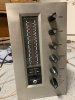
Let's see a pic of your face plate.
 
A recap will get rid of hum and allow the power supply to work better to provide pure DC to the circuits but it won't cure your one channel no sound issue. For testing purposes a few minutes at a time, you will be fine for now before you replace the capacitors.

If both speakers worked with hum before you took it apart, then both speakers should still work with hum before the recap providing you are proof positive that everything is connected correctly. Wiggle the selector switch. Switch between AM & FM.

Let's see a pic of your face plate.
 

Attachments

  • 0A596DB1-52B6-474F-BC53-A05CB0B450F2.jpeg
    0A596DB1-52B6-474F-BC53-A05CB0B450F2.jpeg
    48.6 KB · Views: 14
A recap will get rid of hum and allow the power supply to work better to provide pure DC to the circuits but it won't cure your one channel no sound issue. For testing purposes a few minutes at a time, you will be fine for now before you replace the capacitors.

If both speakers worked with hum before you took it apart, then both speakers should still work with hum before the recap providing you are proof positive that everything is connected correctly. Wiggle the selector switch. Switch between AM & FM.

Let's see a pic of your face plate.
The hum is gone by the way
 
A recap will get rid of hum and allow the power supply to work better to provide pure DC to the circuits but it won't cure your one channel no sound issue. For testing purposes a few minutes at a time, you will be fine for now before you replace the capacitors.

If both speakers worked with hum before you took it apart, then both speakers should still work with hum before the recap providing you are proof positive that everything is connected correctly. Wiggle the selector switch. Switch between AM & FM.

Let's see a pic of your face plate.
Holy crap...I fixed it...guess what it was..? My dumbass had the stereo/headphones switch set to headphones! I literally couldn’t sleep that’s how bad it was bothering me. Ha!
 
We can often be our own worst enemy on this stuff. Never hesitate to walk away and get some rest if you think you need it. Problems in tube equipment developed over 60 years of use, it would not be reasonable to assume one can fix them all in the blink of an eye.
 
Back
Top Bottom