

You are using an out of date browser. It may not display this or other websites correctly.
You should upgrade or use an alternative browser.
You should upgrade or use an alternative browser.
jriver media
- Thread starter vheintz
- Start date
Register to hide this ad

i have had jRiver since v18 and I have never had an error like thus. I would suggest you sign into the jRiver forum there is a help thread there you should get the help you need.
https://yabb.jriver.com/interact/index.php
https://yabb.jriver.com/interact/index.php

cpt_paranoia
Addicted Member
What format are you ripping to?
Could it be the 'copy' is a remnant of a WAV extraction that is then compressed to, say, FLAC? But for some reason, JRiver is adding both to your library?
Could it be the 'copy' is a remnant of a WAV extraction that is then compressed to, say, FLAC? But for some reason, JRiver is adding both to your library?
jRivet has so many library settings it hard to learn them. I have had jRiver for msny years and I still.get caught up short at time. You can’t really call it bloat because each function has a specific purpose and you are glad it is there.

vheintz
Member
I only download flac format and i rip to flac.What format are you ripping to?
Could it be the 'copy' is a remnant of a WAV extraction that is then compressed to, say, FLAC? But for some reason, JRiver is adding both to your library?
cpt_paranoia
Addicted Member
i rip to flac.
My point is that most rippers rip to WAV first, and then run a compressor to convert to FLAC, or whatever format you select.

vheintz
Member
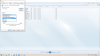
I'll give it a try and let you know. Thank you.I would try this. Set up a separate file folder on C: drive to rip to. I use c:\MusicTransfer
Go to Windows Media Player and setup to rip to that folder. Rip to a lossless format.
Compare results to what you are seeing with JRiver. Report back.
View attachment 2426658
vheintz
Member
So, for whatever reason windows media player is not active or seeing my music.I would try this. Set up a separate file folder on C: drive to rip to. I use c:\MusicTransfer
Go to Windows Media Player and setup to rip to that folder. Rip to a lossless format.
Compare results to what you are seeing with JRiver. Report back.
View attachment 2426658
Last edited:
cpt_paranoia
Addicted Member
So, for whatever reason windows media player is not active
https://support.microsoft.com/en-us...a-player-81718e0d-cfce-25b1-aee3-94596b658287
There is a setting in jRiver that does flag duplicate files but it dies not work like you show.
vheintz
Member
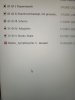
here it is. seems to be virtual.The picture you posted of duplicates. Could you post picture of the files in Explorer rather than inside of JRiver? To see if there are physical duplicates rather than virtual.
Trying to narrow down where the issue is.
vheintz
Member
I would like to prevent that from happening though. And your right it's not a big deal my music plays fine however when I go to play an album it always goes to error then I have to go to file and start from there.There ya go.
Not a big deal.
cpt_paranoia
Addicted Member
It seems to me that JRiver is trying to say that it has a file in its library that it cannot find; that 'no entry' sign. That is why I suspected it might be an intermediate ripping thing; JRiver adds the WAV to its library as it is ripped, but that is then replaced by the FLAC when the ripper then converts WAV to FLAC.
But the OP says this problem occurs with downloaded FLACs, where there wouldn't be an intermediate FLAC.
I might be tempted to get JRiver to re-scan the library. Or, if it supports it, use JRiver to show what it thinks the physical location of the file is; MusicBee would do that, and also allows you to 'locate' a 'missing' file.
But the OP says this problem occurs with downloaded FLACs, where there wouldn't be an intermediate FLAC.
I might be tempted to get JRiver to re-scan the library. Or, if it supports it, use JRiver to show what it thinks the physical location of the file is; MusicBee would do that, and also allows you to 'locate' a 'missing' file.
vheintz
Member
27What version of JRiver - that will help.
vheintz
Member
I have groove music. And that may be causing the problem, just not sureI never had that problem. Do you have any other programs that you use for ripping on this computer?
Just asking a basic question.
You could uninstall and reinstall 27 also.