
• The move to the new server is done. There are some software and database maintenance updates in process. This has us passing the hat around to help out. We appreciate any donations. Seriously, even a dollar helps. The payment page may be found here - https://www.audiokarma.org/support.html

Keeping Windows XP alive

tonyg88

Super Member
I like using old or odd operating systems. I have a few computers I got from my job because they were gonna throw them out. So I install different things to experiment with.

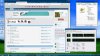
Curious if anyone else is still using XP? I've been looking into making it more useful.

The biggest issue I had was finding an update to date web browser that works with it. Due to the high usage of XP in china someone from there made a new version of chrome for XP.

There is also a firefox version that is somewhat up to date that is made for XP.

Yes I know about Linux but I like doing this for fun.
xp.JPG
 
Register to hide this ad
I use XP in a VM on my Macbook, mainly just for Winamp to stream mp3s from my home server. It still does a few things well. In fact, I still think it's one of the best OSs ever made. Its longevity is pretty impressive. I think it set the standard for a mature operating system that accomplished what most people needed; it was rock solid.

My previous home server (which ran XP) was a Dell from 2008. The problem with 32-bit XP was that it could only use about 3.25GB of memory, and the max disk size was also somewhat lower than what I eventually needed.
 
I use XP in a VM on my Macbook, mainly just for Winamp to stream mp3s from my home server. It still does a few things well. In fact, I still think it's one of the best OSs ever made. Its longevity is pretty impressive. I think it set the standard for a mature operating system that accomplished what most people needed; it was rock solid.

My previous home server (which ran XP) was a Dell from 2008. The problem with 32-bit XP was that it could only use about 3.25GB of memory, and the max disk size was also somewhat lower than what I eventually needed.
Agreed the longevity is great. If Microsoft setup subscription paid updates for it I think people would happily pay.

Solution to those two issues you brought up

1.XP does have a harddrive size limit in order to fix this see here https://www.paragon-software.com/technologies/gpt-loader/#

2.WIndows XP does have a 3.5gb limit but since Windows 2003 server and XP share similar code people ported the PAE code from 2003 server to XP. This allows more than 4gb of ram but there is stability possible issues depending on vendor drivers... There is also 64bit version of XP that handles more than 4gb no problem.
Enabling PAE in 32bit XP https://msfn.org/board/topic/176356-simple-xp-32bit-64gb-ram-true-pae-guide/
 
I have an XP machine and I make sure it can't hit the internet at all. Too many worms circulating that will break right into XP (although I haven't looked at this for years).
As I understand it, there's millions of XP machines all over the world online, so XP is still targeted, don't get complacent.
 
I have an XP machine and I make sure it can't hit the internet at all. Too many worms circulating that will break right into XP (although I haven't looked at this for years).
As I understand it, there's millions of XP machines all over the world online, so XP is still targeted, don't get complacent.

Only way to get any kind of worm is if it is directly connected to the internet... None of my computers are.
 
Yeah I too have fond memories of XP and that era. When it was first released it was loaded with problems. But back then that was to be expected to a degree. By the time sp1 came much was hammered out.

And yes 64bit xp exists but never really got off the ground overall. LOADS of problems. And back then most consumers weren't using hardware that would need a 64bit os. Never mind the incompatibility with software for 64bit xp. Server side 64bit got the attention back then.

These days its getting nearly impossible to install windows 7 on modern hardware. Let alone xp. Yes I understand were talking xp on old hardware. Just all that old hardware will eventually bite it. Sooner than later I imagine. Its why I see using XP in a VM being more probable. But yeah the old hardware is a fun experience for us.

As mentioned browsers and internet security risk is huge if one wants to "use" xp today. I simply dont see a reason beyond nostalgia. As a fellow nerd I do see the fun of doing it tho.

Isnt that nuts how many XP machines are still on the net?!?

I'm one of the many who feel Windows 10 is great. But I agree XP was a milestone for MS in terms of a stabilized OS that stood up over a LONG period of time.

Now where are the folks using OS/2 today ;)
 
I like using old or odd operating systems.

You should totally find yourself a nice VAX running VMS. Probably will be able to find one that's been running continuously for a few decades - maybe the Boston Globe still uses them? You could put it on a network in the Kremlin and not worry about getting hacked - security by obscurity. Not sure if you'll be able to find a browser - but if you like command line UIs, I believe there has never been (and almost surely will never be) one better than DCL. And with a help system that's actually helpful, no less!
 
You should totally find yourself a nice VAX running VMS. Probably will be able to find one that's been running continuously for a few decades - maybe the Boston Globe still uses them? You could put it on a network in the Kremlin and not worry about getting hacked - security by obscurity. Not sure if you'll be able to find a browser - but if you like command line UIs, I believe there has never been (and almost surely will never be) one better than DCL. And with a help system that's actually helpful, no less!
Never played with a mainframe but I do run IBM OS/2 thanks to https://www.arcanoae.com/
 
I like using old or odd operating systems. I have a few computers I got from my job because they were gonna throw them out. So I install different things to experiment with.

Curious if anyone else is still using XP? I've been looking into making it more useful.

The biggest issue I had was finding an update to date web browser that works with it. Due to the high usage of XP in china someone from there made a new version of chrome for XP.

There is also a firefox version that is somewhat up to date that is made for XP.

Yes I know about Linux but I like doing this for fun.

View attachment 1889832

@tonyg88

Hey man, I understand. I still have an old Lenovo, new circa 2000 -- a relic by today's standards -- running XP. I have DL'd and installed customized versions of FF, Epic, and Tor browsers on it as well as an ancient release of utorrent that still gets in/out of any tracker on the planet. The only downside to this old machine is space -- or lack of: total HD = 70GB, which is pretty niggardly in these days of HD music and (especially) video rips. But it all works out in the end. I can also still run dBpoweramp Pro and Audacity, so I still manipulate (audio) file codecs, tags, etc., before copying the data out to my main "player" machines and backing up to one of several back up hard drives and/or my 2.2TB of "cloud" space. Sure, for work & such my daily driver is a much souped-up W7 Lenovo custom built in 2013, but the old Lenovo w/ XP is still working greatand I have NEVER had the least bit trouble w/ unwanted ads, spyware, rootkits, etc. I have been running it sans firewalls and anti-viral applications for over a decade, utterly trouble free.
 
I still use XP with service pack 3 primarily for music in a bedroom, I have a really great sounding sound card in it
so I see no reason to stop using the old workhorse.
I keep another hard drive that has the OS cloned on it so if something happens I can just switch drives and then
I'm back up and running with not much down time, then I just reformat the faulty drive and clone the working OS
back on to it, all music is kept on a separate drive that also is backed up.

Web browser can be downloaded at > slimjet.com
They make a browser that works on XP & Vista and it's based on Chrome, works real nice and up to date.

I only use the XP computer occasionally to go online and only to known sites that I am familiar with and trust,
never have any problems.
 
I recently managed to get NT 3.51 running in VirtualBox. That was fun. You can download all the disk images on archive.org.

Once I got it configured to boot, it took like 90 seconds to install, which is hilarious. I remember it taking forever back in the day. It was quite an advanced OS for its time.

Unfortunately I couldn't get any decent video drivers working, though TCP/IP works fine.

M7u6Mgc.jpg
 
I never really liked XP due to its performance. I stuck with Windows 2000 as long as I could, in fact. For me, Windows 7 is the standard for what a full-featured, decently performing, long-lived OS should be, especially the 7 Pro version. I've used 8, 8.1, and 10 with equal success, though I always install Classic Shell so that the Start menu looks and feels like Win 7's, though it's simple to access the standard menus, if needed. We have a few XP systems at work for certain software that doesn't work on later OS's. They are only used on a specific network that's isolated from the rest of the corp network.
Honestly, I used those old OS's enough when they were current that I don't really have any need to use them now. They can be fun to play with occasionally, but that's about it for me. Old hardware is a different story! Though not old when compared to XP, the majority of my computers are from 2011-2013. ThinkPad T series and Dell Optiplex models are amazingly reliable and perform well, especially the i5 and i7 models with 8-16GB of RAM and an SSD. They were used primarily in academic and business environments in huge numbers, so replacement parts for them are plentiful.
 
I still have and old Dell Dimension bought new back in 2000 kicking around here with 98SE that probably still boots, still did a year or two ago. Still have a Vista box that can go on the web too. The Vista PC I use when doing some testing and measurement using Visual Analyzer, has a Xonar sound card installed in it.

Usually when they get old I set them up to dual boot with Linux. Tried to put Win10 on an old Dell Win7 machine on that box Win10 can be a bit screwy. Trying MX Linux on it seems to be good. Linux can be light on resources make an outdated machine seems newer. From 2012-2015 was using an old Mac Powerbook G4 dual booting MintPPC and Lubuntu and it was usable and over time they struggle with new web content that uses more and more resources. Was getting pretty slow on web pages at the end. Still have the G4 in the closet. Booted up earlier this year, Wicd can be useful figuring out some router issues.

Keeping Win7 on my workroom computer which I use the most. Somebody had it overrun with adware, I cleared it out but they did not want that PC back so I have been using it for years. For a decade I had been cobbling PCs from dumped machines, GW shells, buy a few new parts. Comfortable taking them apart and building them up. Used to scavenge a number of parts when I did repairs and maintenance for a self-storage company when clearing abandoned units. There were some useful decent size SATA hard drives, usually in the satellite boxes.

Somebody was giving me flashbacks to co-oping at NASA Langley. VAX 11/780, actually the last summer was setting up data acquisition using lab text terminal attached to an old PDP 11/70 that had to be rebooted every morning so it would talk to the 11/780. Go up to the computer room upstairs the PDP had several trays that were open, it looked like a number of jumpers were keeping it going.
 
I still use XP with service pack 3 primarily for music in a bedroom, I have a really great sounding sound card in it
so I see no reason to stop using the old workhorse.
I keep another hard drive that has the OS cloned on it so if something happens I can just switch drives and then
I'm back up and running with not much down time, then I just reformat the faulty drive and clone the working OS
back on to it, all music is kept on a separate drive that also is backed up.

Web browser can be downloaded at > slimjet.com
They make a browser that works on XP & Vista and it's based on Chrome, works real nice and up to date.

I only use the XP computer occasionally to go online and only to known sites that I am familiar with and trust,
never have any problems.
Thanks for the browser recommendations I will give it a try!
 
I recently managed to get NT 3.51 running in VirtualBox. That was fun. You can download all the disk images on archive.org.

Once I got it configured to boot, it took like 90 seconds to install, which is hilarious. I remember it taking forever back in the day. It was quite an advanced OS for its time.

Unfortunately I couldn't get any decent video drivers working, though TCP/IP works fine.

M7u6Mgc.jpg
I've tried this a few years ago... I had no idea it existed... It is so weird to have a 32bit OS running the windows 3.1 theme though! I was surprised how some recent software is able to run on nt 3.51
 
I still use XP with service pack 3 primarily for music in a bedroom, I have a really great sounding sound card in it
so I see no reason to stop using the old workhorse.
I keep another hard drive that has the OS cloned on it so if something happens I can just switch drives and then
I'm back up and running with not much down time, then I just reformat the faulty drive and clone the working OS
back on to it, all music is kept on a separate drive that also is backed up.

Web browser can be downloaded at > slimjet.com
They make a browser that works on XP & Vista and it's based on Chrome, works real nice and up to date.

I only use the XP computer occasionally to go online and only to known sites that I am familiar with and trust,
never have any problems.
Unfort that browser was last updated in 2017. ( 52.95MB , 2017-02-7 )

http://slimjet.com/en/dlpage_xp.php
 
Back
Top Bottom