• The move to the new server is done. There are some software and database maintenance updates in process. This has us passing the hat around to help out. We appreciate any donations. Seriously, even a dollar helps. The payment page may be found here - https://www.audiokarma.org/support.html

Kenwood Basic M2A Shuts Down at Higher Volume

OnThePike

New Member
Hello all,

The subject line pretty-much says it all. At higher volume, my trusty old Kenwood Basic M2A appears to enter standby mode, cutting off the output and flashing the power indicator.

Here's a list of what's running:

Kenwood Basic M2A Power Amp
Kenwood Basic C2 Control Amp
Kenwood GE-1100 Equalizer
Gemini CS-02 Mixer
Gemini iTrax iPod Mixer
Cerwin-Vega CLS-215 Speakers
Technics SL1200 MKII (1983 originals)

The CV's are hard-wired using about 30-feet lengths of 14g zip cord, properly phased and not touching anything but their intended connectors.

I'm using the mixer output gain as my master volume, with the M2A output controls set to 7 each and the Basic C2 output around 12:00. The mixer input gain is set to about 80%. The mixer channel output varies between sources; usually between 5 and 9 (with 10 being maximum).

Any ideas as to exactly what is causing the M2A to drop out? Any suggestions/comments welcome.

Thanks,

Jeff
 

Attachments

  • IMG_6326.JPG
    IMG_6326.JPG
    113.6 KB · Views: 103
  • IMG_6328.JPG
    IMG_6328.JPG
    134.5 KB · Views: 151
  • IMG_6348.JPG
    IMG_6348.JPG
    129.3 KB · Views: 92
Register to hide this ad
Probably needs some ventilation. IMO, the gear should have some room to breath. Amps should have a minimum of 4 to 6 inches above and a couple inches on the sides.

Or, it could be just that you are pushing the limits and the protection circuits are activating. Looks like you have a lot of bass boost dialed in and that eats up LOTS of power/makes amp work very hard.

Try the ventilation first. If it's not from heat it's probably that you're just pushing it too hard. If so, look into a pro audio amp.
 
Last edited:
Check your speaker wires thoroughly for shorts, particularly if there are any stray strands touching other parts of the amplifier or speaker connections. Also, check the impedance of your speakers; you may have a partially burned voice coil, which would drop your impedance down to a level the receiver would be UNHAPPY with~
 
Last edited:
Does the fan come on a higher levels?

If it doesn't that also may be contributing to the problem.
 
I see that you do have a huge amount of bass boost, which requires the amp to put out a large amount of power on bass notes or drum kicks, which represent a huge peak anyway. You are amplifying that peak even more, and probably driving the amp into clipping. Additionally, I see that you have no CD player listed, but you have turntables. If there is a warp in the record or rumble is present, that huge bass boost will boost the subsonic rumble. You won't be able to hear it, but your amp is probably clipping, trying to slam your woofer cones around to reproduce the rumble. Look at the woofers while a helper turns the volume up slowly. Do the woofers move alot?
If you like a lot of bass, try putting the speakers in the corners of the room. You will get more bass without having to crank up the bass on your amp.
 
I drive by M2a hard enough to pop 3.5 amp fuses and it seems happy doing it. I would go with checking for dead drivers, shorts in the cables, or trying different (shorter) cables.
 
I agree with the bass boost issue. Those smiley faces on your EQ will make your amp unhappy. You might try turning the EQ off and then turning your volume up and see if the problem still happens.
 
Put that amp at the top of the stack at the very least. Even with a fan, it will run hot being choked of airflow. It is not a pro amp, i.e. it needs breathing space and cannot be stuffed into a rack or stack.

If the output meters on the amp are staying at or about "0 db", you are pushing it into clipping. As already mentioned, you may need an amp with more output.
 
Sound's like you've got a ventilation/overheating issue. Most of these basic unit's aren't designed with enough output heatsink to be drivin' at high output level's for more than a few minutes. As "Rabbit" mentioned, check the actual speaker load first. You can blow an external fan on some of this stuff for awhile, but seem's like it's equipment upgrade time.
 
I'd be checking the DCR of those speakers first and foremost.

Since CV doesn't offer any detailed specs on them, i'll wager they're 4 ohms nominal and probably have a nasty dip or two in their impedance making them a "difficult" load.
 
As others said - what is the ohm rating - they are 97 db efficient so if they are 8 ohm - then even an SET 2-3 WPC will make them go ear bleeding loud on you.

With all due respect, 103dB isn't exactly ear-bleeding loud, IMO. But, yes, it is loud enough to cause hearing damage.
 
Since CV doesn't offer any detailed specs on them, i'll wager they're 4 ohms nominal and probably have a nasty dip or two in their impedance making them a "difficult" load.
.....I'd say bingo on that....the speakers here are bi-wireable/bi-ampable....therefore, doesn't using jumpers constitute a paralleling of the top and bottom halves?....isn't a major load is being placed on the 35 pound amp, especially using turntables as Dr. Audio pointed out?....I've never owned bi-wireable/bi-ampable speakers, so if I'm way out in left field here, someone please say so.....
 
...the speakers here are bi-wireable/bi-ampable....therefore, doesn't using jumpers constitute a paralleling of the top and bottom halves...

Yes and No.

Yes, it does constitute paralleling of the lows and mid/high, but the nominal impedance seen by the amps when biamping (using in-speaker crossovers) typically doesn't change much whether paralleled or separated.

This is because the amp sees only the impedance of the speaker part within the respective crossover passband it is connected to.
 
Hmmm, only one post still. Either he didn't get the answer he wanted or...

Please don't take my lack of response(s) as an act of inconsideration. I appreciate all who have posted suggestions, and rather than discuss eash reply (which can come later), I thought it better to actually implement the suggestions posted by you folks.

On a personal note, I am between surgical procedures and at-times, am on medications that are "coherent prohibitive" so-to-speak :) I trust you'll understand given these circumstances.

In any event, I'm in the process of moving the amp atop the stack and setting up shorter, temporary lengths of wire as well as bypassing components to test the suggestions offered. My biggest problem now is actually moving the components, because the stack was actually "built-into" the bar with very little wiggle room to move components or anything else. I'm one of those who believe in "invisible wiring" and suffer the consequences there :-)

Much of the wiring is behind sheetrock, ceilings and walls. The speaker wire, for example, runs from the M2A to the left, through the wall, into an angled staircase closet, through the ceiling for about 20 feet, then down the wall, behind the sheetrock and paneling and through the wall again finally terminating at each speaker. So to change that wire to a heavier gauge is a lot of work. I'm trying to eliminate all other possibilities before considering whether or not it's actually worth the work to replace the wire -- I'll only use this setup on occasion as it is.

As far as actual DJ-ing is concerned, I haven't actually done any in over 15 years. The setup you see is our basement that we are converting into a "party room". So, if the bottom line is I just can't play music as loud as I'd like on occasion, I'll live with it, rather than purchase new equipment or re-run wire through walls and ceilings.

Just one other note regarding the bass indicators on the mixer -- these pictures were taken very late at night while the family was asleep. If you look at the amp, you'll see almost no output on the meter. I don't keep those settings for actual music listening! I'd be afraid to pop out the CV cones... LOL. In reality, the bass selectro knobs on the mixer were probably in the neighborhood of 10 and 12 o'clock.

Anyway, thanks again for all the suggestions. Will post back with results!

*Regarding the pictures -- the yellow lines indicate speaker wiring, though through walls and ceilings. I'm REALLY hoping I don't have to change these.
 

Attachments

  • IMG_6331.jpg
    IMG_6331.jpg
    74.6 KB · Views: 48
  • IMG_6357.jpg
    IMG_6357.jpg
    87.4 KB · Views: 47
Last edited:
Great, let us know what you find. You may want to take notes as you try different things, because there were a lot of suggestions.
Hope you feel better soon.
 
It could be that the speaker wire is the issue, or not. What is necessary, since replacement is difficult, is to use a multimeter/ohmmeter to check the wire and or speakers for low resistance/short circuits.

If there is no abnormally low resistance or short in the speaker wires, changing/replacing the speaker wire will not fix the amp shutting off issue.
 
My vote is for the CV's having a nasty impedence dip. I'm running AR6's and Wharfdale M148's on a Mitsubishi DA-A10DC A&B and the AR's have a dip that if the bass is cranked up will send the Mitsu into protection mode, either one by themselves it's fine but the combo not so much, I can swap the AR's for a different pair of speakers and make ears bleed.
 
Thanks again to all who have responded.

Here are the steps thus far:

1: Disconnected and removed the M2A and C2 from all other components and placed them between the speakers, side-by-side, on a window ledge venting 43-degree outside air directly onto the components.

2: Used 12-guage solid copper romex as speaker wire, less than 12-feet each.

3: Powered up the Amp and Pre-Amp and all was fine until I added bass. At 3:00 (bass) and 3:00 (vol) , the amp shut down.

So... any ideas now? Do you think it's simply a mis-matched system? Or do I have a bad amp? Or maybe both?

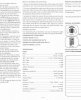
Here are some specs in JPEG format (PDF was too large):
 

Attachments

  • KenwoodBasicC2.pdf.jpg
    KenwoodBasicC2.pdf.jpg
    68 KB · Views: 15
  • GeminiItrax.pdf.jpg
    GeminiItrax.pdf.jpg
    85.6 KB · Views: 12
  • GeminiCS02.pdf.jpg
    GeminiCS02.pdf.jpg
    116.4 KB · Views: 13
  • CerwinVegaCLS215.pdf.jpg
    CerwinVegaCLS215.pdf.jpg
    77.8 KB · Views: 30
  • KenwoodBasicM2A.pdf.jpg
    KenwoodBasicM2A.pdf.jpg
    48.1 KB · Views: 16
Back
Top Bottom