• The move to the new server is done. There are some software and database maintenance updates in process. This has us passing the hat around to help out. We appreciate any donations. Seriously, even a dollar helps. The payment page may be found here - https://www.audiokarma.org/support.html

Kenwood KA-770D No Left Channel

cpenn

New Member
Recently picked up a KA-770D for $20 on my local Craigslist. I hooked it up and found the left channel (both A and B speaker settings) is virtually silent. (If I listen closely, I can hear it very softly). The sound out of the right channel sounds normal/good.

Here's what I've ruled out so far:
- Speakers - they work fine with a different amp
- Mono/stereo switch - doesn't change anything
- Balance knob - twisting to the right doesn't change anything; twisting to the left makes everything virtually silent (again, still very soft music coming out of left channel)
- A/B speaker switch - amp behaves the same way on B speakers as it does on A
- Headphone jack - works; matches what's coming out of the speakers
- Different inputs - all inputs produce the same result
- Muting switch - works as intended
- Loudness switch - works as intended
- Subsonic switch - not sure what this does, but doesn't seem to change anything when I toggle it
- Bass/treble knobs - work as intended

I used compressed air to blow the dust off the boards and out of the nooks and crannies and then sprayed out the switches and boards with deoxit. Now letting it dry for a few hours before I try it out again.

What else should I be doing as first steps here? Anyone have any idea what could be causing this problem?

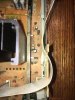
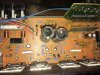
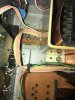
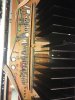
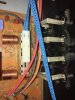
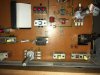
Thanks for any input you might have! I attached some pictures in case there's anything glaring...nothing I've noticed so far.
IMG_7807.jpeg IMG_7798.jpeg IMG_7799.jpeg
 

Attachments

  • IMG_7800.jpeg
    IMG_7800.jpeg
    65.6 KB · Views: 12
  • IMG_7797.jpeg
    IMG_7797.jpeg
    121.6 KB · Views: 66
  • IMG_7802.jpeg
    IMG_7802.jpeg
    58 KB · Views: 11
  • IMG_7803.jpeg
    IMG_7803.jpeg
    93.4 KB · Views: 11
  • IMG_7801.jpeg
    IMG_7801.jpeg
    60.7 KB · Views: 59
  • IMG_7804.jpeg
    IMG_7804.jpeg
    62.2 KB · Views: 13
Register to hide this ad
Tap on the protect relay ( K1 ) with the plastic end of a screwdriver and listen for any sound out of the left channel.
 
Last edited:
index.php


Protect Relay K1 is the black rectangular plastic box above the green wire in the photo..
 
Last edited:
index.php


Do you see the two long narrow white dual emitter resistors with three pins sticking out of the top .
 
Yes, I can read schematics. I've got a service manual that has some...they're just so dense! And yes, I see those resistors
 
Last edited:
I see those transistors
Resistors. The center pin on those two resistors is the two amplifier output test points.Measure the DC voltage (offset) with your multimeter. Ground your black test probe to the metal chassis. With the red test probe measure the DC voltage at each of those two center pins. Should only see a few millivolts.
 
With respect to the metal chassis ground, the left one, CP2, measures -49 mV and the right one, CP1, measures -73 mV.
 
Last edited:
Measuring per the idle current spec attached (from the unit's service manual), CP2 measures 14.8mV and CP1 measures 15.4mV. The spec is 13mV so I guess I don't see an issue there.

Does anyone know what the alignment points column (see attachment) refers to? VR1 is the volume knob, and VR2 is the balance knob. Am I supposed to adjust those until I obtain 13mV across both? Seems ambiguous since it's specifies to put the Volume at 0.
 

Attachments

  • Figure A.png
    Figure A.png
    213.9 KB · Views: 10
  • Idle Current Adjustment.png
    Idle Current Adjustment.png
    70.3 KB · Views: 11
Last edited:
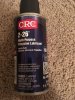
Update: I can get sound out of the left channel by rotating the balance knob/shaft (VR2 in attached photo) to a specific point and wiggling it a little. My plan is to get some more deoxit tomorrow and clean the balance pot thoroughly with that, then spray it with some of the CRC lubricant (shown in attached photo) and let it dry. Does that sound like a good plan?
 

Attachments

  • IMG_7810.jpeg
    IMG_7810.jpeg
    94.4 KB · Views: 16
  • IMG_7812.jpeg
    IMG_7812.jpeg
    67.6 KB · Views: 16
  • IMG_7811.jpeg
    IMG_7811.jpeg
    101.3 KB · Views: 15
Last edited:
Does anyone know what the alignment points column (see attachment) refers to? VR1 is the volume knob, and VR2 is the balance knob. Am I supposed to adjust those until I obtain 13mV across both?
No. VR1 and VR2 would be on the driver board (X89-1020-10 or X89-1022-71) They will be small trimmer pots.

index.php


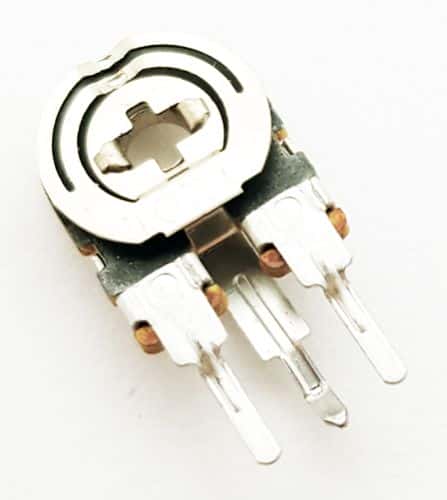
Looks similar to this.(photo below) The two on the edge of the board pictured above . They should be labeled bias left and bias right.

EVN-Series-a_447x500.jpg
 
Last edited:
No. VR1 and VR2 would be on the driver board (X89-1020-10 or X89-1022-71) They will be small trimmer pots.

index.php


Looks similar to this. The two on the edge of the board most likely . They should be labeled.Bias left and bias right.

EVN-Series-a_447x500.jpg
Found them! Got them trimmed in to 13mV.
 
Last edited:
Outstanding..
Good deal. Got those white resistors trimmed in to 13mV each using the trimmer pots. Probably was OK the way it was but might as well adjust them while I've got the cover off. I'll plan to get the balance pot cleaned and lubed tomorrow and come back with an update. Thanks for your help so far!
 
Got it working! Pulled the front faceplate and plate behind that off to expose all the knob potentiometers. Sprayed them all pretty liberally several times with CRC QD (Quick Dry) Contact Cleaner and worked the knobs back and forth ~100 times. Then injected some CRC 2-26 Multipurpose Precision Lubricant into each one and worked it some more. I let it dry this afternoon and then connected speakers, etc. an hour or so ago and everything checks out so far. Pretty wild how much better music sounds in stereo. ;) Again, thanks for the help avionic! Your suggestions prompted me to get those trimmer pots dialed in which can't hurt.
 
Back
Top Bottom