
• The move to the new server is done. There are some software and database maintenance updates in process. This has us passing the hat around to help out. We appreciate any donations. Seriously, even a dollar helps. The payment page may be found here - https://www.audiokarma.org/support.html

Looking for advice on how to read switches.

Carbsandcaps

Super Member
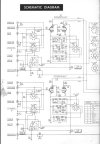
Working on my fisher x-202-b and it’s having an issue where in stereo mode channel b is out. Only in stereo mode. In mono it just plays both from channel A And when you switch it to just channel B It works fine from channel B. So I’m assuming it’s in switch 2 (the stereo select switch in the upper right corner).

My problem is I always have a hard time ready these switches in schematics. For instance Switch 2 section 2 rear. Is that the second section from the front towards the rear of the amp? Most importantly how do I know which number is which on the switch. Where is #1 and where is #12? Is there a mark to start? Is it read upside down like a tube? So I just look at the shape of the switch?
 

Attachments

  • IMG_9993.jpeg
    IMG_9993.jpeg
    96.8 KB · Views: 18
Register to hide this ad
watching with interest because I struggle with these things too. Honestly most of the time I just look at it with a flashlight and figure it out based on what fingers are touching what, or with an ohm meter.
 
watching with interest because I struggle with these things too. Honestly most of the time I just look at it with a flashlight and figure it out based on what fingers are touching what, or with an ohm meter.
Same. I usually just try follow where the wires are going and coming from.
 
Well I figured it out. It was missing the remote dummy plug so I made my jumpers with paper clips and I had one of them in the wrong spot grounding out channel B. Im still curious how to read these switches though. I figured out that s2 section 3 rear is upside down and backwards if you’re looking straight at it so I assume you’re supposed to look at it from the front with X-ray eyes?
 
LOL exactly why I have such a hard time with them. Its not always obvious what orientation they are drawn in vs how they physically install, and sometimes they don't bother to indicate what position they are drawn in or the direction of rotation for the switch. Not having a little chart showing what position is each function makes it even worse. At least if I know its drawn in phono mode, it rotates clockwise, and FM stereo is 3 clicks to the right there is a better chance of trying to trace it out.
 
LOL exactly why I have such a hard time with them. Its not always obvious what orientation they are drawn in vs how they physically install, and sometimes they don't bother to indicate what position they are drawn in or the direction of rotation for the switch. Not having a little chart showing what position is each function makes it even worse. At least if I know its drawn in phono mode, it rotates clockwise, and FM stereo is 3 clicks to the right there is a better chance of trying to trace it out.
These are the worst to correlate between the schematic and layout reality.

I resort to primitive continuity testing with the old DVM.
 
In electronics tech school, we traced schematics with colored markers.
used different colors for different conditions, power up, switches engaged / off.
hope this helps
 
In electronics tech school, we traced schematics with colored markers.
used different colors for different conditions, power up, switches engaged / off.
hope this helps
That helped a lot! I would print several schemos and have them colored differently, per input, to help my poor mind.

:thumbsup:
 
I've done that as well, trying to do it on a computer screen is impossible. Either that or you end up with marker residue on the screen :)
 
I don't own a printer. Got tired of every time I needed the miserable thing the ink was dried up or clogged or the computer had updated itself and the printer no longer talked to it.
 
I don't own a printer. Got tired of every time I needed the miserable thing the ink was dried up or clogged or the computer had updated itself and the printer no longer talked to it.
Had to buy a Brothers MFC 9130CW. Thing has lasted the longest of any printer I've ever owned. I used to own HPs --- IID, LJ 4+ for work.

Brothers does nice scans, too.
 
Yeah, I print hard copies. :thumbsup:
I use a BW laser printer, then color the schematic wires with various color highlighters while analyzing the connections in the unit. The same approach helps to avoid mistakes when building gear from scratch.

Jack
 
I’m always amazed as to how they designed the circuitry and manufactured the switches in the first place.

Regarding printers, b & w laser is the way to fly.
Higher initial cost but cheaper in the long run.
Zero frustration.
 
Back
Top Bottom