• The move to the new server is done. There are some software and database maintenance updates in process. This has us passing the hat around to help out. We appreciate any donations. Seriously, even a dollar helps. The payment page may be found here - https://www.audiokarma.org/support.html

Marantz 2235B - Left Channel

bdeihc

New Member
Hey all,

Been a bit for me. My Marantz 2235B seems to be having a left channel issue. The output to my EPI 450 Stats on both the Main and remote speakers isn't working correctly. It started getting a real fuzziness, and that fuzziness seemed to increase in volume no matter volume height and/or balance. It stopped, and now the output on the left side is so low you have to move the balance all the way to the left and crank the volume to hear it.

I pulled the top and bottom covers off and did a Deox and lube on the pots. Not sure if this is a relay issue or what.

Any thoughts on troubleshooting this?
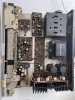
 

Attachments

  • IMG_5130.JPG
    IMG_5130.JPG
    159.4 KB · Views: 23
  • IMG_5131.JPG
    IMG_5131.JPG
    172.3 KB · Views: 20
Register to hide this ad
I also noticed the left channel seems to have less bass than the right channel, and when I turn the volume up it gets extremely fuzzy and crackly. I have done the following.
- Cleaned the pots with deoxit - including volume, all other pots
- Tested the tape switch (this seemed to be mentioned in several other places)
- Tested the balance switch by moving it back and forth
- Looked at and cleaned the contacts on the relay with a sheet of paper

Not sure what else to do the relay seems fine to me.

@blhagstrom, I see you comment a lot and even make some repairs. Any thoughts here? Steps I can take to troubleshoot?
 
The 2235B does not use external jumpers but rather there are the internal contacts in the pre-out/main-in jacks, have these contacts been cleaned? You can clean these contacts by repeatedly inserting and removing a RCA plug that has contact cleaner on it. Alternately, you can also install interconnects into these jacks to see if the problem is resolved.
 
The 2235B does not use external jumpers but rather there are the internal contacts in the pre-out/main-in jacks, have these contacts been cleaned? You can clean these contacts by repeatedly inserting and removing a RCA plug that has contact cleaner on it. Alternately, you can also install interconnects into these jacks to see if the problem is resolved.

Thanks for the reply. I looked at the pre out / main in and cleaned them with deoxit. Repeatedly. Can you help me understand why this would affect the left channel?
 
Can you help me understand why this would affect the left channel?

The Pre Out jacks come from the preamplifier. The Main In jacks connect directly to the main amplifiers. So these jacks have to be connected to each other for the signals to reach the main amplifiers.

The 2235B has internal jumpers. Behind each Main In jack is a switch. When nothing is plugged into the jack ,then the switch connects it to the Pre Out jack for that channel. So normally no jumpers are needed, the internal switches take care of it.

But the switches are prone to corrosion, and are a common reason for one or the other channel dropping out. Using a pair of RCA cables to manually connect the Pre Out jacks to the Main In jacks is a way to confirm or eliminate the internal switches as the cause of your channel dropping out. If the issue persists even with a pair of RCA cables in place then the internal switches are not the issue.
 
@runningdog @Leestereo thank you for the recommendation. I looked at the connections internally and jumped an RCA connection between the two connections and this did not fix the issue.
 
Last edited:
If you have another PreAmp available, you can connect its outputs to the Main In inputs of the Marantz to isolate whether the problem is with your 2235B PreAmp or Main Amp. Just make sure that the volume of the source that you are connecting to the Main In is turned down because the Marantz volume control will not control the volume. Then you can reverse the setup and connect the Marantz PreOut to another amp and see if the fuzziness is still there. This will help isolate the problem. Another test is to use RCA cables to cross connect the PreOut L to Main R and PreOut R to Main L and see if the problem channel changes sides.
 
I also noticed the left channel seems to have less bass than the right channel, and when I turn the volume up it gets extremely fuzzy and crackly. I have done the following.
- Cleaned the pots with deoxit - including volume, all other pots
- Tested the tape switch (this seemed to be mentioned in several other places)
- Tested the balance switch by moving it back and forth
- Looked at and cleaned the contacts on the relay with a sheet of paper

Not sure what else to do the relay seems fine to me.

@blhagstrom, I see you comment a lot and even make some repairs. Any thoughts here? Steps I can take to troubleshoot?

since you’ve cleaned all the controls and switches. It would indicate a failed component.

suspect number one in old gear is the electrolytic capacitors. That’s why we recap them.

suspect number two for the condition you describe is a driver transistor, but it could be any transistor in the main audio path.

you can switch sides by changing the input rca to see if it’s a bad input cable, but yours sound like all inputs do it, so probably not that.

you can cross the in/out jumper cable to see if it changes sides. If it does change, it’s in the pre-amp section. If it doesn’t change sides, it’s in the amp.
 
If you have another PreAmp available, you can connect its outputs to the Main In inputs of the Marantz to isolate whether the problem is with your 2235B PreAmp or Main Amp. Just make sure that the volume of the source that you are connecting to the Main In is turned down because the Marantz volume control will not control the volume. Then you can reverse the setup and connect the Marantz PreOut to another amp and see if the fuzziness is still there. This will help isolate the problem. Another test is to use RCA cables to cross connect the PreOut L to Main R and PreOut R to Main L and see if the problem channel changes sides.

"Another test is to use RCA cables to cross-connect the PreOut L to Main R and PreOut R to Main L and see if the problem channel changes sides." This seemed to move the problem from the left speaker output to the right. Does that mean it's 2235B Pre Amp? @blhagstrom
 
Last edited:
Following everyone's guidance, I took the unit apart until I could get to the pre-amp board, part # PE-01 (Pre and Tone Amplifier Board) I believe the Bass Pot is bad; the other 2 pots on the board can turn without issue/sound interference while the bass pot causes a short squeal and crackling resulting in no bass on the left side and no real volume to the left side.

Is that possible from the one pot (bass)?
 
Last edited:
Does that mean it's 2235B Pre Amp?
If the bad channel switches sides when you swap L/R PreAmp out to Main In cables, then the problem is in the PreAmp (or tone controls, or switching).
Now that you have the tone control board out, try to squirt some Deoxit F5 Fader Lube into the openings in the pot casing and see if that helps.

Also, try to spray some Deoxit D5 into the Loudness switch, its also in the path.

The Bass control is really two potentiometers ganged together (L/R). It could be dirty/bad on one side only. Did you spray Deoxit F5 into both parts of the pot?
upload_2022-8-23_21-46-38.png
 
Last edited:
If the bad channel switches sides when you swap L/R PreAmp out to Main In cables, then the problem is in the PreAmp (or tone controls, or switching).
Now that you have the tone control board out, try to squirt some Deoxit F5 Fader Lube into the openings in the pot casing and see if that helps.

Also, try to spray some Deoxit D5 into the Loudness switch, its also in the path.

The Bass control is really two potentiometers ganged together (L/R). It could be dirty/bad on one side only. Did you spray Deoxit F5 into both parts of the pot?
View attachment 2646557

@dankik I did indeed spray deoxit into both the front and back of the pot (since it's a dual pot) a couple of times. This did not seem to help. You can tap it, and it makes a squealing noise, or turn it, and it squeals. I clicked the loudness switch and it didn't affect the left or right beyond it's intended purpose.
 
Last edited:
You can check for a cold solder joint or broken PC trace where the pot is soldered to the tone amp board. Otherwise, maybe you have a bad Bass pot.
 
Back
Top Bottom