• The move to the new server is done. There are some software and database maintenance updates in process. This has us passing the hat around to help out. We appreciate any donations. Seriously, even a dollar helps. The payment page may be found here - https://www.audiokarma.org/support.html

Marantz 2325 Dolby Troubleshooting

Thanks for the info on the switch position legend.

I did trace and verify J601 and J602 wires have continuity between board and dolby switch. So not a broken wire there.

Just so odd that it works fantastically well in all other modes. A puzzle for the ages. And yes, my head hurts as well. :idea::dunno:
 
Hey Mike, Let me know what positions of any switch you guys need checked, and i will ohm it out for continuity. I have one here i can check. JK
 
Thank you for the offer. Think I'm making some progress.

J601 and J602 are the outputs from the Dolby board. I was able to check continuity all the way back to the RC board (FM Cal & De-Emphasis Assembly) for J601 which we're thinking is the right side. Ohms out on RC board pins 4/5/6. For J602, the left side and one not working in this scenario, I can only get continuity to one pin on the RC board, pin 3. I was able to verify the connection of the wires between the RC board and the switch & they're all fine.

So it would seem there is an issue connecting somewhere around the switch. Unfortunately the connection point on the switch is at the top, buried under the meters. Ugh!!
 
Yep. It gets worse. I was finally able to access the J602 brown wire and it checked ok from the dolby board to the switch.

Sooooo........Hmmmmm..............

I don't see any obviously disconnected wires. The switch contacts look clean and none are obviously bent. It's also hard to see through that jumble of wires. I'm giving it a rest for now and might go back at it later today.
 
Thought I was on the right track with the PC01 board. It includes a right and left pot for Dolby adjustment on the back of the unit. Easy to get to and figured maybe one of the pots was bad/dirty. Pulled the board. Pulled and verified all 4 resistors were to spec. They were. Pulled both 20K pots, took them apart, inspected, measured and cleaned the carbon tracks and wipers. Even switched them when reinstalling to see if the issue changed sides.

No joy. Still only on right side in Dolby mode. More and more convinced it's something with the mode switch not making a proper connection. It's just so hard to see between the wafers with the dozens of wires tightly wrapped in that area. I'll keep checking. Can't seem to let this one go.
 
I know this is an old thread, but did you ever find and resolve this problem? I have the exact same issue after a full recap!.
I carefully checked all my work and am still l looking.
Thank you.
 
did you ever find and resolve this problem?

I did not. Had it completely apart again over the holidays. Traced all wires, checked for pinched wires, inspected all solder work on dolby related boards. Nothing. Still only sound on right side in both Dolby modes. Maybe one of the Dolby adjustments pots on the front left went bad? Maybe there's still something screwed up or dirty in that mess of a selector switch. The switch has been cleaned & inspected & worked a total of 6 times now with absolutely no change. Even changed out some resistors on that switch because they measured funny in circuit but ended up being fine out of circuit.

Long story short I got no help for ya. Still bugging the heck outta me as I'm kinda thinking of selling it and it's superb in all other respects.
 
Hey Mike, Did you cross your dolby input feeds? I'm too lazy to look back through this. If you want another board to check it with, I can send you one, Just send it back when your done.
I should have an extra dolby potentiometer i'll give you if you need one.
Maybe try one dolby input at a time, in case something on the board refers to ground under a load from both ends.
You have to remember, I'm a mechanic, so testing stuff off the wall like this comes from working on cars.;)

Like tom said, a short to gnd will kill the signal,. Swapping the signal input should eliminate the dolby board all together.

I should have extra boards for everything except for pe01. I have to operate on the ones i have. Their like gold.
Another thing that may sound strange... Could this be playing in Mono? Like a shorted mono switch and one channel missing from the preamp?
Make sure the pre amp wire harness plug has good solder joints. Again, you may have already checked it 5 times.
 
Last edited:
Thanks for the extra ideas and I'll definitely be looking through it again once I finish the 2220 currently on the bench.

If you want another board to check it with, I can send you one

Thanks for the offer but I already transplanted a known good board from catrafter and no joy. And I seem to recall swapping the wires on the dolby board but now can't recall what the result was. I know it didn't fix anything.

Guessing I'll have to hone my skills at checking for a short somewhere. I'll most definitely post back with the solution if I find it.
 
MBuras, I'm looking forward to hearing if you find a solution to this problem as well.

I have a 2325 with a Dolby FM section which does seem to be working, however, the rest of the Dolby section does not work.
I've been using my receiver as is without the Dolby section, and even though I will never use it, it would like to get it working as it should.

Winter is here so maybe I'll find the time to do some troubleshooting on mine ...
 
As usual, the very knowledgeable @petehall347 & @catrafter were correct. And of course thanks to everyone else for the ideas and inspiration to continue troubleshooting.

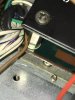
It was a short to the chassis for the j601 wire. Got pinched under the AM board standoff when I reinstalled that board. It's right where a bundle of wires pass through a wrap and wasn't visible until I cut away some ties and started pulling apart wires. A big mess to put back together but happy it's finally fixed.

Pictures as required by Marantz forum rule #5890, subsection 12.4, addendum G.

IMG_4622.JPG

IMG_4623.JPG
 
Back
Top Bottom