• The move to the new server is done. There are some software and database maintenance updates in process. This has us passing the hat around to help out. We appreciate any donations. Seriously, even a dollar helps. The payment page may be found here - https://www.audiokarma.org/support.html

MC-2105 right channel barely audible - meter and headphones fine

I think if it was one of those issues, I'm not sure could even admit that was the case. I'd delete my account here and hang my head in shame for eternity. But just to be sure and did a full swap of wires and speaker and the problem persists.
 
OK - I think it's a bad audioformer. I crossed the speaker switch. Sending the left to the right audioformer and the right to left audioformer. Same behavior. Logically if the audiofromer is the last component in front of the speakers, then it has to be the audioformer. Anyone know how to fix that thing???
 
I did with parts from mcintosh. But again, when I swap the LR driver boards it's the same behavior. If it was a bad driver board the problem would follow the board to whatever channel it's installed.
 

Attachments

  • IMG_9372.JPG
    IMG_9372.JPG
    97.4 KB · Views: 21
I'm happy to chat through my reasoning, but maybe we should move that discussion to "why would you attempt to do stuff yourself instead of always paying authorized shops do everything even if they want to charge you thousands of dollars to replace parts you don't need" thread. I posted here to help get some community support for the issue and hopefully if any other handy people out there are having issues they can learn from my experience. Let's support each other :)
 
I did. Same behavior. I also crossed the speaker switch feeding the left channel into the right and vise version. Which makes me think it could be something with the audioformer. The feed into the switch is fine but from bypassed switch to speakers - it's failing.
 
OK - I think it's a bad audioformer. I crossed the speaker switch. Sending the left to the right audioformer and the right to left audioformer. Same behavior. Logically if the audiofromer is the last component in front of the speakers, then it has to be the audioformer. Anyone know how to fix that thing???

When you crossed the speaker switch, did you cross the leads going into the switch, or the ones coming out of the switch? If the circuitry before the switch and the switch are good, then the same channel will appear bad if the autoformer is bad. And yes, they do fail, although it is not common. I believe there are places that can rebuild them, or one might be scavenged from another 2105 that had serious failures in other aspects, or exceedingly poor cosmetic condition.

But if the switch is bad (not unusual, as others have mentioned) and you crossed the wires before the switch, the same channel will appear faulty, but after the switch, the faulty channel will move to the opposite one, verifying that the switch is bad.

Switch appears good? Suggestions--

If you have or can borrow am ohmmeter that can read low resistances (Say, 50 ohms full scale), disconnect the leads feeding the transformers and take readings, comparing the two. But before doing that, check the items below.

Rare but possible-- There is a network of a single capacitor and resistor placed between the 16 ohm tap and ground on the autoformer. The resistor is only 2 watts, so if the capacitor were to short, it could easily be overloaded, short out also, and load down the output. Usually, the resistor would open rather then short, but... possible!

Also rare that this problem wouldn't have shown up earlier, but on many of the older barrier strips used on Mac amps for connecting speakers, you cannot use longer than a 1/4" screw on the terminals, or it/they may short to the metal chassis. If someone has changed these screws in the past (say to deal with oxidation issues), and not realized this, there could be an intermittent short that could change with temperature, or even mechanical vibration. A short on any tap could cause this fault.

Along this above line, sometimes a tiny metal piece sheds from the screw (such as from partial stripping) and again you can have an intermittent issue with it shorting to the case.

 
WHat makes me suspicious about the autoformer being bad is that it worked fine for a bit when you cleaned the speaker switch, which points in that direction. I'd ohm all the wiring out, including all windings of the autoformer and narrow it down.

Pre-judging a problem tends to lead one down a blind path, as your suspicion that the driver board was bad. You need to do the legwork to support, or refute, a theory or you're apt to go down a bunch more blind rabbit holes.
 
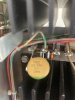
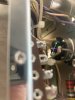
@Classic_CJ first thanks so much for your time and detailed response. Gives me faith in humanity. So I followed your steps. I actually desoldered both the capacitor and resistor shown in the attached picture to check for values. Both came in well within tolerance for resistance and capacitance. So that wasn't the issue. I've also uploaded a picture showing how I crossed the switch. I turned the switch to the off position and jumped the wires as shown and also in the correct position. Both times the right channel was bad. Any other thoughts or is this an audioformer?

IMG_9381.JPG IMG_9383.JPG
 
Last edited:
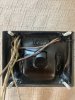
@w3jn Good advice (I actually never thought the driver board was bad - that came from the McIntosh tech I took it to). Speaker switch seemed logical, but ruled that out after bypassing it. So I actually pulled out the audioformer, but honestly not sure how to test it out because it's all contained in goop and I'm not sure how to actually test if it's functioning correctly. Thoughts?
IMG_9387.JPG
 
Not entirely necessary to pull the autoformer to test it. Put your ohmmeter black lead on (common) wire from the autoformer then use the red lead to go up each winding - the resistance should be very low but increase slightly going from the 4 ohm tap up to the 8 ohm tap and the 16 ohm tap. Note that the tap that goes to the amplifier output (via the speaker switch) is gray, and should have resistance less than you observed at the 4 ohm tap.

One thing that is useful to have the autoformer out of the chassis is to test for a short to the case - all windings SHOULD be isolated from the transformer shell, so as long as you have it out check continuity between any of the windings and the case. Should be infinite resistance.

The best way to test it would be with an audio signal generator and a scope, by feeding a signal into the speaker terminals and observing on the scope the signal levels at each tap.

I am not sure that you jumpered the speaker switch correctly. Impossible to tell from the picture you posted. Did you trace the wires to see where each one went? Did you test the switch with an ohmmeter?
 
If the OP jump the speaker switch correctly then operation of the speaker switch should have zero impact on the output.
I am still thinking the speaker switch is the issue.
 
@w3jn and @Classic_CJ thank you so much for your collective help. It wasn't the audioformer after all. Once I pulled it out and put it on the bench, I hardwired just the grounds, feed from speaker switch and 8ohm wire directly to amp and speakers and it works like a charm! It must be a short in the terminal block as you both suspected. I'm gonna connect each wire one at a time to the terminal block and figure out where the short is. Thanks soooooo much to everyone for taking the time and interest. And if anyone is thinking of going to George Meyer AV in Los Angeles - don't! They quoted $1600 to fix the amp by replacing all the caps and driver boards rather than adjusting the terminal block!
 
Last edited:
LOL well that was bad advice by them!

Glad you found it - that was a tough dog indeed, and it was worthwhile afterall to pull to the transformer.
 
Glad you got it working! Thanks for following up with each failure and success. There is a lot of satisfaction in fixing these things yourself - much better than just throwing money at it and a learning experience.
Thanks for a great post.
 
I had this happen on my 2505. One of the screws in the speaker terminal block was a little too long. When it was seated all the way in without a speaker cable lug under it, it touched the chassis just enough to make a short. Check all the screws in your speaker terminals. In my case someone previous had used a screw about 1/16" longer than the others. The amp still worked but was distorted in that channel.
John
 
Back
Top Bottom