sr20022002
New Member
Hello,
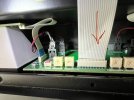
I have an MC152 that I've owned for over 2 years, it had this problem where the flat ribbon cable that connects to the front display was not seated and my left Meter would randomly stop functioning (this was pointed to me by a Mcintosh dealer tech when I got this checked wiht them). The other day again this issue happened so I popped the top cover and tried my best to push that ribbon cable in and added a small piece of tape on top of the transformer cover to keep it from moving.
I'm not sure if I bumped something during this process because ever since then, the Power Guard Led for the left channels does not momentarily come on when I power the unit ON, the one one right comes ON. During operation both the power guard LEDs are off as expected - no issues with any of the front LEDs including the Power LED. The Amp works normally otherwise, both channels sound good to me, both front panels light up and the meters work. Should I be worried about this left power guard LED no coming on at startup? Is it just an issue with the LED itself or is there a chance the power guard circuit is inactive on the left channel?
Second thing I've noticed (not sure if this has started happening recently or not), is that when I power off the amp, my subwoofer gets a small low freq pop - is this normal - Any reason its connected to the issue stated above?
Please let me know if any pictures would help. Cheers!
I have an MC152 that I've owned for over 2 years, it had this problem where the flat ribbon cable that connects to the front display was not seated and my left Meter would randomly stop functioning (this was pointed to me by a Mcintosh dealer tech when I got this checked wiht them). The other day again this issue happened so I popped the top cover and tried my best to push that ribbon cable in and added a small piece of tape on top of the transformer cover to keep it from moving.
I'm not sure if I bumped something during this process because ever since then, the Power Guard Led for the left channels does not momentarily come on when I power the unit ON, the one one right comes ON. During operation both the power guard LEDs are off as expected - no issues with any of the front LEDs including the Power LED. The Amp works normally otherwise, both channels sound good to me, both front panels light up and the meters work. Should I be worried about this left power guard LED no coming on at startup? Is it just an issue with the LED itself or is there a chance the power guard circuit is inactive on the left channel?
Second thing I've noticed (not sure if this has started happening recently or not), is that when I power off the amp, my subwoofer gets a small low freq pop - is this normal - Any reason its connected to the issue stated above?
Please let me know if any pictures would help. Cheers!