Hi swr,
However.....
Soundeasy is a Windows app.
I am running Parallels on aforementioned Mac laptop, which enables me to run Windows XP.
Previously I was able to use my IMic USB interface in this scenario, requiring an external mic pre and phantom supply, but it was cumbersome and I noticed inconsistencies in measurement results. So I hoped the Tascam would be the solution. It does not work with Sounduneasy in this system.
I am not a Windows guy, this is taking too long, so I'm probably done with this experiment.
- I'm a Mac guy also / but since PCs are so cheap these days I simply bought a Dell Notebook to act as my audio test platform . Maybe I can help .
- As much as the PC crowd is quite proud of XP / it does remind me of Apples' System 8.6 or 9.2 and the "undocumented" quirks that inhabited those relics .
- So to start ; within XPs' control panel called " Sounds and Audio Devices Properties" / you have selected the Tascam as your input & output device , correct ?
- As opposed to selecting the builtin generic XP soundcard ( whatever it may be called ) that XP defaults to ?
- Anyhow, before giving up / I'd suggest downloading

.
This is a powerfull suite of shareware software for audio testing . The free version is fully functional except it can't save or load files . The cost is minimal and one should strongly consider paying the developer for all his efforts .
-Try this software to see if it will "speak-through" the XP shell to the Tascam "XP" drivers .
- Your problem could well be with some Speakeasy setting ( which I don't use / so I can't help further ).
- Also try True Audio'
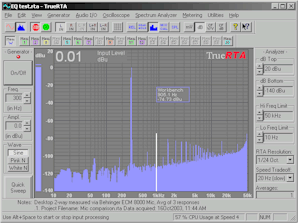
to see if it find & talk to the Tascam drivers . Level 1 of TrueRTA is free .
I did write the kind folks at Bozio software, the authors, prior to purchasing, but they did not find the time to relay their opinion as to whether or not this rig would work. So I gave it a shot. Let the buyer beware....
-Yes, it's a real drag being ignored once someone has your money .
I've tried every one of the Windows drivers.
Gonna give it a rest and see what others have to say.
Then I'll decide if I want to unload the software.
The interface sounds good on the Mac side, FYI.
- BTW, I have an M-Audio "Fast Track Ultra" . Very nice hardware but ;
- Their drivers are flakey ( or it's my Dell / or whatever ) .
- The drivers disappear every once in a while inexplicably & need reinstalling .
- Unfortunately, the install disc seems typically to be unreadable / ( it's a .dmg file ) that XP routinely ignores if clicked on .
- A successful driver (re)install involves a labourious method of using the "downloadable drivers" from the companies website / as well as the original install disc .
Using "just the downloaded .exe file" doesn't make for a happy install for unknown reasons ( DC pulses every 30 secs, for instance ) .
- I blame all this on the fact that M-Audio comes from the Mac world & don't seem to follow "Windows install protocals" .
- Hope I was a help >< EarlK



 - customers wanting delivery! If I can get everybody satisfied, I'll be doing some testing with my 144 and Behringer this weekend. Marked this thread - I'll report back here. In fact, I may be quizzing YOU about SoundEasy!

 ]
]

