• The move to the new server is done. There are some software and database maintenance updates in process. This has us passing the hat around to help out. We appreciate any donations. Seriously, even a dollar helps. The payment page may be found here - https://www.audiokarma.org/support.html

Moode Audio Player for Raspberry Pi

Hi,

Glad its working :-)

The DB update time of 91 mins seems really long though for 40K tracks on USB attached HDD. I ran a few timings using my test collection of 18K tracks on a USB HDD formatted as NTFS. The collection is mix of FLAC, ALAC, MP3, WAV. Machine is Pi-2B.

MPD DB Update: 6 mins
Library Load: 8 secs

Extrapolate to 40K tracks, the DB update would take ~12 mins, Lib load ~16 secs. I'm wondering if there might be a HDD related bottleneck?

Btw, another method for geting song count from MPD is via the stats command.

(1) telnet localhost 6600 (from root@moode) or telnet moode 6600 from remote host
(2) stats

Regards,
Tim
 
Hi,

Moode Audio Player release 2.1 is available for download at moodeaudio.org :-)

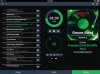
This release includes a new SD Card expansion feature with associated SDCARD folder in Browse panel and SDCARD Samba/SMB share name, support for CM6631A USB/SPDIF converter and Audiophonics I-Sabre DAC ES9023 TCXO I2S audio devices, and a header button for smart phone sized screens that provides easy toggle between knobs and album art.

Also included in this release are three great new radio stations from Soma FM, a variety of updates including a redesigned Library loader, radio station name space and tag handler, and several bug fixes. Refer to the attached release notes for details.

NOTE: The new ThistleRadio station from Soma FM is hand curated by the incredible Fiona Richie.
http://somafm.com/thistle/aboutyourdj.html

Enjoy!

Regards,
moodeaudio.org
Moode on Twitter
Tim

======================
2.1 Release 2015-07-31
======================

New features

- NEW: Expand SD Card storage to max size of card
- NEW: SDCARD music folder in Browse panel
- NEW: Samba/smb share names for SDCARD, USB2/3/4, RADIO
- NEW: Button to page between knobs and album art on small screens

Media

- NEW: Soma FM - Fluid: Drown in the electronic sound of instrumental hiphop, future soul and liquid trap.
- NEW: Soma FM - Left Coast 70s: Mellow album rock from the Seventies. Yacht friendly.
- NEW: Soma FM - ThistleRadio: Exploring music from Celtic roots and branches.

Updates

- UPD: Improved Library loader based on new method for traversing mpd db
- UPD: Library action menu includes Add and play (all), Add, replace, play (all)
- UPD: Improved handling and display of partially tagged or untagged collections
- UPD: Radio station name space based on station file name and URL
- UPD: Disable and dim volume knob when MPD volume control set to "disabled"
- UPD: Add USB device name "Audio" to MPD config friendly name logic
- UPD: Add CM6631A USB/SPDIF converter to audio device db
- UPD: Add NAD D 3020 Integrated Amp to audio device db
- UPD: Add chip spec for Hifiberry Digi+ in audio device db
- UPD: Add Audiophonics I-Sabre DAC ES9023 TCXO to audio device db
- UPD: Shovel & broom to remove some legacy code/files

Bug fixes

- FIX: Playback controls visible on config pages when on small screen
- FIX: Song file w/o title tag incorrectly labled as "Streaming source"
- FIX: Incorrect decode bit depth for dsd/dsf on Audio info popup


Attachments

  • player-r21-1.jpg
    player-r21-1.jpg
    105.4 KB · Views: 7
  • fluid-400.jpg
    fluid-400.jpg
    21.7 KB · Views: 6
  • seventies400.jpg
    seventies400.jpg
    47.6 KB · Views: 6
  • thistle-400.jpg
    thistle-400.jpg
    28.9 KB · Views: 6
Hi tppc,

I loaded Moode Audio Player release 2.1 to my Pi 2B, so far so good but in the Playback screen, the item in the playlist on the left side can't be removed/deleted.

Can you check it?
 

Attachments

  • Untitled.jpg
    Untitled.jpg
    38.9 KB · Views: 10
Last edited:
Hi tppc,

I loaded Moode Audio Player release 2.1 to my Pi 2B, so far so good but in the Playback screen, the item in the playlist on the left side can't be removed/deleted.

Can you check it?

Hi,

Try Menu, Refresh or Browser refresh.

What Browser r u using?

Regards,
TC
 
Hi tppc,

I tried refresh browser many time but it doesn't work.. I'm using windows 7, Internet Explorer.

This morning I start from the beginning with blank play list, I add the first album to play, the playlist are still blank but they could play songs. After sometime the list show up; then I try to Add, Replace and Play other album from Browser/Library they play the 2nd album but the play list still indicate the 1st album.

Means Play list can't update?

FYI
 
Hi tppc,

I tried refresh browser many time but it doesn't work.. I'm using windows 7, Internet Explorer.

This morning I start from the beginning with blank play list, I add the first album to play, the playlist are still blank but they could play songs. After sometime the list show up; then I try to Add, Replace and Play other album from Browser/Library they play the 2nd album but the play list still indicate the 1st album.

Means Play list can't update?

FYI

Hi,

Very odd. Win7 with IE11/Chrome, OS X and IOS w/Safari are platforms that I use for testing the releases. Other OS/Browser combinations are tested by Moode users. Blank Playlist has not come up as an issue.

U indicate that the Playlist eventually shows up. Couple of questions:

(1) how long before playlist shows up?
(2) is it accurate?
(3) are other parts of the UI really slow?

Other troubleshooting steps that i would recommend exploring are below. A couple user reports I received of "odd UI behavior" were due to corrupt browser cache and in one case a "bad" sd card.

(1) Erase the Browser cache
(2) Try a known good sd card

If u are still having issue then send email to tim at moodeaudio dot org and I can help troubleshoot.

Regards,
Tim Curtis
 
Hi,

Thanks a lot for your timely reply, I shall try by other computer. My laptop may have many restrictions under company domain policy, that may cause such trouble.

BR
 
Hi,

Very odd. Win7 with IE11/Chrome, OS X and IOS w/Safari are platforms that I use for testing the releases. Other OS/Browser combinations are tested by Moode users. Blank Playlist has not come up as an issue.

U indicate that the Playlist eventually shows up. Couple of questions:

(1) how long before playlist shows up?
(2) is it accurate?
(3) are other parts of the UI really slow?

Other troubleshooting steps that i would recommend exploring are below. A couple user reports I received of "odd UI behavior" were due to corrupt browser cache and in one case a "bad" sd card.

(1) Erase the Browser cache
(2) Try a known good sd card

If u are still having issue then send email to tim at moodeaudio dot org and I can help troubleshoot.

Regards,
Tim Curtis

Hi tppc,

Please find my report for this case as following screen capture attached picture:

Moode_01: I open IE and enter Moode with blank Play list

Moode_02: Add, Replace and Play with 1st album's name same as folder name "vnav_tanoy2"

Moode_03: You can see at the Playback page, Moode start playing the first song but Playlist is still blank

Moode_04: I close the IE then re-open, enter the Modde; at this time you can see at the Playback page, Moode still playing the first song and Playlist show up.

Moode_05: I Add, Replace and Play with 2nd album's name same as folder name "24b_192"

Moode_06: You can see at the Playback page, Moode start playing the first song of the "24b_192" but Playlist is still "vnav_tanoy2"

I realize that whatever I make change to the Playlist, only effective when I restart IE and re-enter Moode.

Sorry, I'm in business trip so I can't use my email on company laptop to send you info.

Thank you and Best regards
 

Attachments

  • Moode_05.jpg
    Moode_05.jpg
    37.1 KB · Views: 4
  • Moode_04.jpg
    Moode_04.jpg
    48.9 KB · Views: 7
  • Moode_03.jpg
    Moode_03.jpg
    31.9 KB · Views: 8
  • Moode_02.jpg
    Moode_02.jpg
    37.3 KB · Views: 5
  • Moode_01.jpg
    Moode_01.jpg
    27.7 KB · Views: 7
  • Moode_06.jpg
    Moode_06.jpg
    48.2 KB · Views: 6
Hi tppc,

Please find my report for this case as following screen capture attached picture:

Moode_01: I open IE and enter Moode with blank Play list

Moode_02: Add, Replace and Play with 1st album's name same as folder name "vnav_tanoy2"

Moode_03: You can see at the Playback page, Moode start playing the first song but Playlist is still blank

Moode_04: I close the IE then re-open, enter the Modde; at this time you can see at the Playback page, Moode still playing the first song and Playlist show up.

Moode_05: I Add, Replace and Play with 2nd album's name same as folder name "24b_192"

Moode_06: You can see at the Playback page, Moode start playing the first song of the "24b_192" but Playlist is still "vnav_tanoy2"

I realize that whatever I make change to the Playlist, only effective when I restart IE and re-enter Moode.

Sorry, I'm in business trip so I can't use my email on company laptop to send you info.

Thank you and Best regards

Hi,

The symptoms (bolded above) suggest that the Browser for some reason (??) appears to b fetching the web page from its local cache and not the most current version of the page from the web server (Moode). Very odd.

I can't reproduce this symptom on my end. Perhaps someone can suggest a troubleshooting strategy :-)

Regards,
Tim Curtis
 
Hi,

Moode Audio Player release 2.2 is available for download at moodeaudio.org :-)

This release includes the wonderfully engineered shairport-sync Airplay receiver for synchronized multi-room audio, a universal Album Art display module that supports embedded cover images in FLAC and MP3 files as well as local cover image files, USB 2x current setting for non-powered USB HDD's, and support for Rotary Encoder and IR based based volume controls using IQaudIO's excellent device drivers and a Moode volume knob cli.

The shairport-sync implementation in Moode automatically uses hardware volume control if it is supported by the audio device and configured in MPD config settings. This provides fast response for play/pause and volume change actions.

Also included in this release is the excellent WiringPi GPIO interface, fully automated configuration of PCM 5122 on-chip analog volume controls for IQaudIO+ and other PCM 5122 based audio devices, additional audio device descriptions and a few nice bug fixes.

Lastly, check out the great set of new listener supported, commercial free radio stations most of which are based in Australia! and please note the nice code contributions from the developer community :-)

Enjoy!

Regards,
moodeaudio.org
Moode Twitter Feed
Tim Curtis

======================
2.2 Release 2015-08-30
======================

New features

- NEW: Synchronized multi-room audio via Shairport-sync Airplay receiver
- NEW: Display album art embedded in FLAC and MP3 audio files
- NEW: Serve album art to MPoD/MPaD clients (url=http://moode)
- NEW: USB 2x current setting for improved support of non-powered USB storage devices
- NEW: Automatic configuration of PCM5122 on-chip analog volume ctrls
- NEW: WiringPi GPIO interface for control of GPIO pins
- NEW: Rotary encoder and IR device device drivers from IQaudIO
- NEW: Volume knob cli for external application control of volume

Media

- NEW: 2BOB Radio 104.7 FM
- NEW: 4ZZZ FM 102.1 - Alternative
- NEW: ABC Country
- NEW: ABC Jazz
- NEW: ArtSound FM 92.7
- NEW: Radio Monash
- NEW: SUB.FM - Where Bass Matters
- NEW: Triple J
- NEW: Triple J Unearthed
- NEW: True Vinyl Radio
- NEW: UCFM 87.8 - Canberra's Alternative

Updates

- UPD: Improved logic for making text that populates MPD Audio output field
- UPD: AudioQuest DragonFly, Burson Conductor and TEAC UD-501 added to audio device db
- UPD: Cyenne Audio CY-3100, CY-3100SE and CY-5100dsd MK-II added to audio device db
- UPD: Contrib for Mike Brady, author of shairport-sync Airplay receiver
- UPD: Contrib for Gordon Henderson, author of WiringPi GPIO interface
- UPD: Contrib for Gordon Garrity, author of IQ_rot and IQ_ir device drivers
- UPD: Contrib for Andreas Goetz, Moode 3 project, 2.2 coverart, MPoD/MPaD support and bugfixes

Bug fixes

- FIX: Duplicate Artists listed in Library panel when artist belongs to multiple Genres
- FIX: Song duration not appearing for song files in Playlist
- FIX: HTTP reference link on System config page not opening in seperate tab
- FIX: MPD volume not being set to 0 for mixer type "disabled" prior to MPD restart


Attachments

  • player-1.jpg
    player-1.jpg
    41.3 KB · Views: 8
  • rotary-enc.jpg
    rotary-enc.jpg
    24.5 KB · Views: 8
  • moode-r22-radio-mosaic.jpg
    moode-r22-radio-mosaic.jpg
    38.8 KB · Views: 7
Hi,

Moode Audio Player release 2.3 is available for download at moodeaudio.org :-)

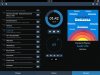
This is a BUGFIX release that includes fixes for cover art display and Airplay name change, but also includes two nice new features! The first is support for embedded cover art in ALAC/m4a files and the second is support for USB DAC's in the volume knob cli.

Enjoy the groove!

Regards,
moodeaudio.org
Moode Twitter Feed
Tim Curtis

======================
2.3 Release 2015-09-05
======================

New features

- NEW: Display embedded album art in ALAC/m4a files
- NEW: Volume knob cli support for USB DAC's

Bug fixes

- FIX: Configuration causing issues for cover art
- FIX: Airplay name change does not fully complete


Attachments

  • player-r23-1.jpg
    player-r23-1.jpg
    43.5 KB · Views: 10
Hi,

Enjoying a really great T. Monk playlist "whole-house" with iTunes and shairport-sync :-)

Regards,
Tim
 

Attachments

  • itunes-shairport-sync.jpg
    itunes-shairport-sync.jpg
    60.7 KB · Views: 11
Hi tppc,

Moode 2.5 test code worked on my case, all play list issue are gone!

Many thanks and Keep up the good work!

BR
 
Back
Top Bottom