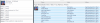
Most fields in metadata are editable and thus assigning fields new names (such as CD # in place of the same name given in the whole series for instance) is a relatively easy thing to do., Type it once, select all the tracks on that CD and paste. Doing this during ripping is the best time as what is on the CD is all together at that point. I do a lot of tag editing when I am ripping vinyl, which comes with a very blank slate. Other than what JRiver assigns it such as Dynamic Range during its initial scan all fields are blank. I put the artist, date, genre, album, track # (very important) etc etc. All this happens during the rip process. Because I like organization I also place the files (in my case either APE or FLAC) in a 2 level folder structure (Artist>album)using windows file manager, but this is not necessary for JRiver to locate and play all music.
Just get in the habit of looking at the fields after each rip and if it is good (90% of the time), move on to the next CD, or if something is amiss, this is the easiest and best time to make a few changes, and of course you only type it once, and select the rest and paste.. Pretty simple.