• The move to the new server is done. There are some software and database maintenance updates in process. This has us passing the hat around to help out. We appreciate any donations. Seriously, even a dollar helps. The payment page may be found here - https://www.audiokarma.org/support.html

Need PCB Help!

scolba

Slappa da bass!
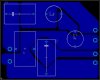
Hey guys...i have been trying to lay out a PCB for my crossover, and i'm not sure if i have this setup right. do you think you guys could look at my schematic and my PCB layout and tell me if its going to work ok? The program (Eagle Layout Editor) isn't giving me any errors when i test the network, but i would like to get an actual person to tell me. :)

Also, there is no zobel network on here...this is just a straight up crossover using the imedence at the crossover point....thats why there are no resistors in the network, in case any of you were wondering.... :)

so let me know what you think! thanks!!
 

Attachments

  • burischem.JPG
    burischem.JPG
    19.3 KB · Views: 37
  • buriboard.JPG
    buriboard.JPG
    36.7 KB · Views: 44
Register to hide this ad
Hi Scolba,

Your layout will function but is not great. If I had more info on application, parts etc, I could advise further.

Cheers,
greg
 
ahhhh....bummer. 'not great' is not what i was hoping to hear!! :D

the application is a crossover for a pair of 2 small 2-way speakers. its a 2nd order Linkwitz-Riley crossed at 1800. the actual values are thusly:
C1=4.91uF
C2=4.47uF
L1=1.59mH
L2=1.75mH

the available values are:
C1=4.7uF + .22uF
C2=2.7uF + 1.8uF
L1=1.4mH + .2mH
L2=1.8mH

So what can i do to make it better? I really appreciate the help!

Scott
 
Hi Scolba,

You can probably settle for 2 x 4.7uF polypropylene caps , like Wima MKP10.

The PCB needs work. See how you have a track running restrictively through the middle of L3, that's no good. This track is carring currents for both drivers and is thin.

Try to run a seperate wire from the input to both outputs instead of this one and move L3 so it doesn't restrict the size. Then make all tracks wide for lower resistance. Even if you are etching this yourself it's better to leave Cu there where it's of value and it also uses less etchant and makes less waste.

Best to put mounting hole locations in early so they're clear.

Hope that helps.

Cheers,
Greg
 
Agreed. Track sizes for the woofer are too small.

I'd use a 5µf (or a 5.1µf) instead of the 4.7 + .22, and a 4.7 instead of the 2.7 + 1.8. Both are fairly common values for crossover caps.
 
ok, cool! i didn't know that i could be that the caps could be that far off. Any idea what that would do to the crossover point? are we talking like a few hertz difference or like 50?

do you think a .25 track width would be sufficient? or do i need to go even bigger? i actually blow it up by 1.3x when i print it out before i etch it, so the width would actually be .325, then....

thanks again guys!
 
ok...this ones gotta be better. :)

so the parts will be on the top of the board, and the traces are on the bottom. I will be etching it myself, like you said... :thmbsp:

oh and ignore the little yellow lines...they are the connections and they did get made..i just didn't optimize this time, so they didn't go away.

so what do you think? better? or do i still need to do some work?

edit: oh yeah...the traces are .254" wide....and the holes for the input and ouputs are a .125 drill hole.
 

Attachments

  • buriboard.JPG
    buriboard.JPG
    39.9 KB · Views: 21
Much better.

Changing caps will change the crossover point, no doubt about it. But you don't know the speaker parameters to that level of accuracy anyway. As long as the values are in the ballpark, you're fine.
 
Hi Scolba,

Echo Wars is correct about the speaker parameters.

The tracks are more substantial now and not bad, but there are areas you can fill to increase track width and reduce etchant use. You really only need to etch between areas.

If you have a CRO and signal generator, you could make the L's the same as well and optimise the crossover point by adding resistance in parallel with the driver. This also decreases the variability of load seen by the crossover.

Cheers,
Greg
 
sweet!!

so to get the most accurate crossover built, i should take measurements of the actual drivers when i get them, right? then build a zoble and Attenuation Circuit for the respective drivers and then retake measurements with them attached, and then finally order the correct parts for the crossover? or is that way over the top?? :D
 
amplifierguru said:
......but there are areas you can fill to increase track width and reduce etchant use. You really only need to etch between areas.

ok, so how much of a gap should i leave between? is there a standard amount or anything?

amplifierguru said:
If you have a CRO and signal generator, you could make the L's the same as well and optimise the crossover point by adding resistance in parallel with the driver. This also decreases the variability of load seen by the crossover

whats a CRO?

Thanks greg!
 
Hi scolba,

Since you are etching yourself I'd allow minimum 0.1" or 2.5mm between areas.

A CRO is an oscilloscope.

Good luck.
 
Thin out the '-' track for the tweeter, and thicken the '+' for the woofer (on the side to the right of the C2 cap). The woofer needs the current capability, not the tweeter.
 
Back
Top Bottom