

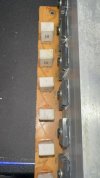
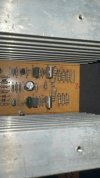
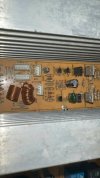
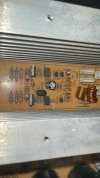
Hi, I recently managed to buy a Hollywood Impact 1000 amplifier at a bargain price. The seller informed me that one of the channels was damaged and was generating noise. However, after connecting the speakers and the signal, it turned out that the noise was present on both channels.
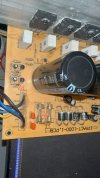
To solve the problem, I replaced almost all the capacitors with new ones, except for the two largest ones (10,000uF 80v) and both potentiometers, but the changes did not bring any improvement. After checking, it turns out that there is a connection between the plus and minus of the speaker output (right channel 0.505M ohm, left 0.47M ohm) I also replaced one relay because the old one was blocked and did not switch. Noise and interference are audible regardless of the song being played, the signal source (computer, phone) or the streaming platform (Spotify, YouTube). I have STX F360n speakers connected to the amplifier, and the problem manifests itself in a specific noise or interference that is clearly audible from the tweeters at different frequencies, they are not constant, but occur during music playback. For comparison, when I connect the same speakers to the Pioneer VSX 527 amplifier, the sound on the same paths is clean and free from interference, although it offers too little power for the speakers and my needs. In addition, I carried out the test on several signal cables, so they are not the cause of the problem. Below I put links to videos showing this problem
To solve the problem, I replaced almost all the capacitors with new ones, except for the two largest ones (10,000uF 80v) and both potentiometers, but the changes did not bring any improvement. After checking, it turns out that there is a connection between the plus and minus of the speaker output (right channel 0.505M ohm, left 0.47M ohm) I also replaced one relay because the old one was blocked and did not switch. Noise and interference are audible regardless of the song being played, the signal source (computer, phone) or the streaming platform (Spotify, YouTube). I have STX F360n speakers connected to the amplifier, and the problem manifests itself in a specific noise or interference that is clearly audible from the tweeters at different frequencies, they are not constant, but occur during music playback. For comparison, when I connect the same speakers to the Pioneer VSX 527 amplifier, the sound on the same paths is clean and free from interference, although it offers too little power for the speakers and my needs. In addition, I carried out the test on several signal cables, so they are not the cause of the problem. Below I put links to videos showing this problem
Attachments
-
 482821312_613335368240284_5007008351041885137_n.jpg74.5 KB · Views: 11
 -
 482526709_617092637899956_1948427845178823619_n.jpg72.7 KB · Views: 10
 -
 482526709_1691718264714906_5683180657110033597_n.jpg76.8 KB · Views: 10
 -
 482341043_635027845810605_8069696218138603542_n.jpg79.7 KB · Views: 9
 -
 482465084_9280378912015447_2995290922030054104_n.jpg89.2 KB · Views: 11
 -
 482616433_1428141581504329_4558039845290076704_n.jpg142.2 KB · Views: 11

