

Hey guys, and girls ofc 
Recently started learning how to repair faulty amplifiers. My very first project was a Peavey CS 1000 Power Amp that i purchased off ebay.
Took me a while to get to grips with what im doing, But i eventually figured it out...
But to cut a long story short..
The amp had 4 shorted T-03 Output transistors in Channel B board, Which i found replacements and replaced, Along with the 8pic OPAMPS and Equivalent PNP and NPN Driver transistors...
Not 100% the same model code numbers, As peavey use an in-house numbering scheme.. But peavey theirself pointed me to replacing them with MJE340 NPN and MJE350 PNP's, as Peaveys numbered "MJE 6019" are discontinued...
The amp now works flawlessly and sounds fantastic. But got 1 small issue..
idle hiss....
I know this is usually not much to worry about, But its only 1 channel.. The channel board that i repaired...
Power the amp up, turn the gain pots all the way up (i control volume with a Behringer DJX 400 Mixer), and the speaker connected to Channel B, Has a noticeably louder idle hiss... It literally over powers the hiss from the Channel A speaker!!!
Is this something to worry about?!?! Also.... What general direction should i be looking?
I heard the OPAMPS in it, are "high noise", But i replaced them in the Channel A board too, Since i had a big pack of them, Just to have both channel boards freshened up, But yet, Channel A board doesnt hiss as loud....
(TL072CN and NE5532P OPAMPS)
I was going to wait to see if my repairs were successful, Then i was going to replace the driver transistors in the Channel A board too, Just to keep them both fresh, and equal with up-to-date equivalent and matching driver transistors as eachother..
But im worried, it may potentially be those that are causing the hiss in the Channel B board.. and dont want it to start happening to them both.
Channel A board has the original peavey "SJE6019 Drivers and the Channel B board has the newer, Available MJE340 and MJE350 drivers...
Thanks
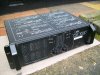
-pic for attention.. and to show you which amp i have -
Recently started learning how to repair faulty amplifiers. My very first project was a Peavey CS 1000 Power Amp that i purchased off ebay.
Took me a while to get to grips with what im doing, But i eventually figured it out...
But to cut a long story short..
The amp had 4 shorted T-03 Output transistors in Channel B board, Which i found replacements and replaced, Along with the 8pic OPAMPS and Equivalent PNP and NPN Driver transistors...
Not 100% the same model code numbers, As peavey use an in-house numbering scheme.. But peavey theirself pointed me to replacing them with MJE340 NPN and MJE350 PNP's, as Peaveys numbered "MJE 6019" are discontinued...
The amp now works flawlessly and sounds fantastic. But got 1 small issue..
idle hiss....
I know this is usually not much to worry about, But its only 1 channel.. The channel board that i repaired...
Power the amp up, turn the gain pots all the way up (i control volume with a Behringer DJX 400 Mixer), and the speaker connected to Channel B, Has a noticeably louder idle hiss... It literally over powers the hiss from the Channel A speaker!!!
Is this something to worry about?!?! Also.... What general direction should i be looking?
I heard the OPAMPS in it, are "high noise", But i replaced them in the Channel A board too, Since i had a big pack of them, Just to have both channel boards freshened up, But yet, Channel A board doesnt hiss as loud....
(TL072CN and NE5532P OPAMPS)
I was going to wait to see if my repairs were successful, Then i was going to replace the driver transistors in the Channel A board too, Just to keep them both fresh, and equal with up-to-date equivalent and matching driver transistors as eachother..
But im worried, it may potentially be those that are causing the hiss in the Channel B board.. and dont want it to start happening to them both.
Channel A board has the original peavey "SJE6019 Drivers and the Channel B board has the newer, Available MJE340 and MJE350 drivers...
Thanks
-pic for attention.. and to show you which amp i have -
Attachments
Last edited:


