
• The move to the new server is done. There are some software and database maintenance updates in process. This has us passing the hat around to help out. We appreciate any donations. Seriously, even a dollar helps. The payment page may be found here - https://www.audiokarma.org/support.html

Pioneer PL-560 Right Channel Issue Returns

Wvsteveo

AK Subscriber
Subscriber
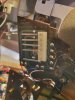
A7BD33FE-61D3-4D29-9693-55A617C23F8E.jpeg About 2 weeks ago, thanks to the most appreciated help from this forum, I declared success (prematurely) with intermittent Right Channel no sound. I have double checked all cabling, bypassed preamp to direct connection with receiver phono input, deoxit on all connections. I have sound for a record or two, but either flipping to side 2 or initiating a play session next day, issue returns, no right channel. Unplugging from power, turning receiver off then on, turning preamp off then on sometimes restores right channel (????)
1. Head shell removed for rest of tests/ continuity tests are from the 4 tonearm collet pin
2. Right Channel collet pin to RCA connector right pin has no connectivity. Other 3 connections OK
3. Molex Connectors to end RCA Connectors R Pin, R Shield, L Pin L Shield all OK connectivity RCA cable itself in-spite of my rookie soldering skills on RCA connectors OK.
4. PC Board output pins/fins to Tonearm Collet Pins ...Right Channel Collet Pin to Right Channel PC board right channel pin/fin...no connectivity.
Attached is photo of PC Board with molex connector removed...I can see 5 solder points to tonearm, and 4 solder points to mute switch.
*tracing the green and red solder connections from solder point on PC Board to red and green solder connections to Mute switch....I observe that it appears that the green (right shield) connecting to the red (right shield) connecting to the red wire from mute switch at the solder point...same with the red from tonearm connecting to the green from mute switch. This is not right...but could this be a cause of intermittent right channel issues?
Would the solution be to snip and resolder these connections? I tried to remove the muting switch but the screw attaching it to the board will not budge. Could I just snip the 4 wires to the muting switch? Didn’t want to do any of this until I was sure that would help .... its the intermittent nature of losing the right channel...seems like it should be either always on or always off.
Thanks again for your patience...any advice most appreciated.
Steve
 
Register to hide this ad
I would not snip anything unless you are absolutely positive.

Let me look at my PL-570 before I venture a comment.
 
Thanks for checking for me! I’ve done some additional continuity tests between the various tonearm wire connection/solder points between the tone arm collet pins and the RCA plug ends
1. Solder points on PC Board to the 4 tonearm collet pins...all 4 OK
2. PC Board pins/fins to the solder points of the tone arm wires to the tonearm...all 4 OK
So that leaves me to speculate that it is something connected to the little PC Boards...since I have no right channel continuity between the RCA pins and the tonearm collet pins. Seems odd that the right channel and shield wires (blue and green) don’t match up with the right channel and shield wires from the mute switch to the pc solder point.
Thanks again!
Steve
 
Slip a matchbook cover between the reed switches for the muting switch and see whether that cures the problem.

According to the picture below, your right channel is wired correctly but the left is reversed. Since, however, the wiring for the mute switch isn't in the signal path but.merely shorts it out, I don't think the color code matters there.

s-l1600.jpg
 
Thank you both for your help. I had tried a few days ago to put cardboard between the mute blade switches and that didn’t change the intermittent nature of the right channel dropping out.
I totally removed the mute switch, reassembled, and it played fine last night. Fired it up this morning, no right channel.
I guess it was rash of me to take that step, but I seem to be running out of options. Anyway the mute switch is no longer in the chain.
1. I immediately removed the headshell and checked the continuity from the 4 tonearm collet pins..to the RCA plugs right channel pin no connectivity, the other 3....right channel shield, left channel pin, left channel shield all OK.
2. so i fooled around with plugging and unplugging swapping the RCA plugs into the other input etc, put on my test record ...the Cardis record that tests right channel and left channel, phase, frequency sweeps so on.....and was getting sound out of both channels again! Voice.. Left channel only, Right Channel Only, Both Channels. Everything working lovely. I even have tried different test records...been using Herb Albert Greatest Hits, this morning Linda Rhonstadt.
3. the RCA cables test OK from the RCA ends to the molex connector when I have everything disassembled..tone arm base out, molex disconnected etc etc etc.
4. I am going to pick up another set of RCA connectors which do not require solder....connect those and see if that does works.

?Could there be a weak connection in my RCA plug soldering that would allow the cables/connectors to test OK then fail? They look OK, (I can screw the “caps” off to see the actual solder points)

? Could there be an intermittent short on the little PC board? I have checked just about every “link” between the tonearm collet pins and the RCA plugs...
Thanks again for your patience and advise.
 
The new solder-less RCA connectors did not resolve the intermittent no sound right channel issue. So I guess my next step is replacing the RCA cables completely...they are very thin. So my next question is:

A. buy RCA cables with molex connector ...maybe Ebay or

B. solder the new cables directly on the the PC board....where exactly?...looking at my photo on the initial thread, do I solder it over the solder joint where the tonearm wires connect to the board or to some other location on the board?
Seems like I have seen some photos before so I’ll do a search.
Thanks!
Steve
 
Last edited:
Sorry...Just checked my previous thread...thanks Boreas, you posted some links to replacement cables with the molex connector. Seems like that should be my next step.
 
Boreas...you answered my other question in a 2014 post....thank you

"8. You're now faced with some choices for attaching the new cables. You can get new connectors to go inside the Molex plug or you can just solder the new cables directly onto the pins that the plug slides onto. That's what I've done. It's easier to do but harder to undo. It also gives you a better signal path because it eliminates the plug.
9. You want to get the right kind of cables. Because the signal that a turntable produces is so tiny, you want well shielded cables with very low capacitance. As it happens, component video cables, the ones with red, blue and green connectors, are ideal and good ones can be had for not much money."
 
Last edited:
Sorry for way late post on this, but for closure on this right channel issue (if others are having an issue) turned out to be a short on the molex connector circuit board. I soldered a bypass wire. Did not reinstall the mute circuit board. Sound issue resolved.
 
Back
Top Bottom