

You are using an out of date browser. It may not display this or other websites correctly.
You should upgrade or use an alternative browser.
You should upgrade or use an alternative browser.
Post your photography!!
- Thread starter uofmtiger
- Start date


Register to hide this ad







tentoze said:I'm a pretty lousy picture-taker, but I thought this daybreak shot of the harbor outside my hotel room in Kalmar, Sweden last week turned out interesting.
Nice shot






ggarcia
Active Member
[img ]http://s99.photobucket.com/albums/l305/ggarciaak/wood/ [ /img]

arm013
Active Member
Polaroids
A few images from Detroit proper.
A few images from Detroit proper.
Attachments
-
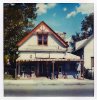 House with phones.jpg111.4 KB · Views: 339
 -
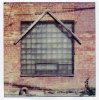 glass block.jpg121.4 KB · Views: 216
 -
 air duct.jpg54.8 KB · Views: 170
 -
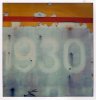 1930.jpg64.1 KB · Views: 236
 -
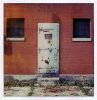 4600 volts.jpg94.7 KB · Views: 228
 -
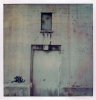 door above door.jpg68.7 KB · Views: 180
 -
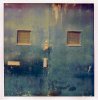 double door w window.jpg87.7 KB · Views: 182
 -
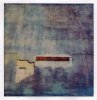 crack in wall.jpg82.5 KB · Views: 165
 -
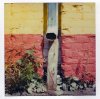 multicolored drain spout.jpg107.5 KB · Views: 267


rulerboyz
AK Member
kbs48,
There are two main challenges involved with posting images. The first is to resize it to the desired size. If it's too big, it will expand the margins of the thread beyond the width of your monitor screen and make the thread more difficult to view. I'm not exactly sure what the magic number is...but I think it is somewhere around 800X800.
You can use the following online tool to resize your images.
http://www.shrinkpictures.com/
Then you will need to upload your image to an online file folder such as:
http://www.freewebtown.com/community/index.php
And then post the link within your message with [img ] [ /img] code wrapped around your link. The other option is to attach it to your message as a thumbnail. To do that you have to click on "Go Advanced" and then go to manage attachments. Then add the file directly from your hard drive to the file manager. You will be limited to a size of 900 X 900 with a file size restriction of around 195Kb for Jpg files.
There are two main challenges involved with posting images. The first is to resize it to the desired size. If it's too big, it will expand the margins of the thread beyond the width of your monitor screen and make the thread more difficult to view. I'm not exactly sure what the magic number is...but I think it is somewhere around 800X800.
You can use the following online tool to resize your images.
http://www.shrinkpictures.com/
Then you will need to upload your image to an online file folder such as:
http://www.freewebtown.com/community/index.php
And then post the link within your message with [img ] [ /img] code wrapped around your link. The other option is to attach it to your message as a thumbnail. To do that you have to click on "Go Advanced" and then go to manage attachments. Then add the file directly from your hard drive to the file manager. You will be limited to a size of 900 X 900 with a file size restriction of around 195Kb for Jpg files.
Similar threads

- Replies
- 4
- Views
- 1K


- Replies
- 10
- Views
- 5K


