• The move to the new server is done. There are some software and database maintenance updates in process. This has us passing the hat around to help out. We appreciate any donations. Seriously, even a dollar helps. The payment page may be found here - https://www.audiokarma.org/support.html

Problems using a DAC from TV to vintage receiver

Jason Collet

New Member
I'm having a strange problem with the DAC I just bought. It has optical or coaxial input with RCA output. I have the optical from my Samsung TV going to the DAC then RCA from DAC into Aux on my Sansui 9090DB.

I use a desktop computer as a media center that is connected to the TV with HDMI. I have tons of movies and TV shows on the computer that I manage with Plex and use the Plex app on the TV to play the movies and TV shows. When the computer input is selected on the TV, I get perfect sound through the receiver. But when I try to play a movie or show using the Plex TV app, all I get is a clicking/static. Same thing happens with the YouTube and Netflix apps. Strangely though, the Pandora app works perfectly.

I'd love to get all audio from the TV, regardless of the source, to go through the receiver. I would appreciate any help you guys could give me on this problem.
 
Register to hide this ad
Many DAC's will only pass a PCM signal.
So should the ones you're having trouble with are sending a multi-channel signal (Dolby et-al) then that could be the source of the problem.
Also if the material is high resolution sometimes the optical interface can cause it's own set of issues.

Anyhow it'll help speed things along here if you tell us what DAC it is that you're using...

HTH

Bret P.
 
Many DAC's will only pass a PCM signal.
So should the ones you're having trouble with are sending a multi-channel signal (Dolby et-al) then that could be the source of the problem.
Also if the material is high resolution sometimes the optical interface can cause it's own set of issues.

Anyhow it'll help speed things along here if you tell us what DAC it is that you're using...

HTH

Bret P.

Thanks for the response Bret. It's a $20 DAC I got at Walmart (Onn). My dad recently gave me his Sansui 9090db, ESS amt 1b speakers, Kenwood turntable, and 200+ albums so all of this is completely new to me. My setup before I got all that was a sonos playbar with two play:1s as surround. The sonos doesn't even come close to the sound of the Sansui + ESS.

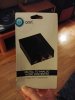
Here's a pic of the DAC package 20190305_230006.jpg
 
Bret has it. Walmart's page shows that this one only does LPCM. It does not convert Dolby.

Go into your TV's setup menu and see if it is possible to switch your sound output to PCM. Some TVs allow this and some do not. If yours does you are set.

If not, there are a number of cheap DACs that will do the conversion, such as the Wiistar or the 5.1 DAC from Parts Express (I have experience with this one).
 
Bret has it. Walmart's page shows that this one only does LPCM. It does not convert Dolby.

Go into your TV's setup menu and see if it is possible to switch your sound output to PCM. Some TVs allow this and some do not. If yours does you are set.

If not, there are a number of cheap DACs that will do the conversion, such as the Wiistar or the 5.1 DAC from Parts Express (I have experience with this one).

Hammett, thank you for the information. I'll give the TV settings a try and if that doesn't work, I'll check out your other DAC recommendations.
 
I checked my settings and it shows it's already set for PCM. Dolby Digital & DTS are greyed out, but it will allow me to choose DTS Neo 2:5. HDMI Audio Format is set to Bitstream but PCM is an option although I'm not using HDMI going to the DAC. Here's a picture of the screen. Thanks again for the help. 20190306_092829_HDR.jpg
 
That is peculiar. I looked up Plex and found that PCM is the recommended setting: https://support.plex.tv/articles/212072167-audio-configuration-guide-plex-media-player/

This makes me wonder if there is an issue with your DAC. Can you test it with another source?

Unfortunately I don't have anything else in the house that uses Digital Optical, but I went to the Plex input on the TV and re-checked the audio settings and it had automatically switched over to Dolby. I didn't realize each input would "remember" different audio settings. I haven't had a chance to hook up the DAC again to test with PCM settings in Plex input but will do that tonight and post my results.

Thank you again for your help.
 
Sorry about that. My TV was automatically defaulting to DD or DTS on the inputs that were receiving a DD or DTS signal, but once changed to PCM, the DAC worked.

I decided to return the DAC because I didn't want to lose dolby digital 5.1 audio quality on my movies and TV shows. So, for now I'm going to keep the TV hooked up to the Sonos speakers and I ran a stereo cable from the output of the computer to RCA AUX input on the receiver so I can listen to my digital music collection through the Sansui/ESS amt's. I feel like this is probably going to be the best option since my receiver isn't capable of 5.1 that I know of.

Thanks to everyone again for helping me get to the bottom of this problem!
 
I decided to return the DAC because I didn't want to lose dolby digital 5.1 audio quality on my movies and TV shows.
No "DD 5.1 audio quality" on only two speakers anyway.
And you will most likely get better/cleaner audio out of your PC using a USB DAC. If cheap is your budget I'd suggest the behringer uca222... I'm using one now (until my miniDSP 2x4HD shows up Monday) and it sounds great! Just my two cents - don't spend it all in one place.
 
No "DD 5.1 audio quality" on only two speakers anyway.
And you will most likely get better/cleaner audio out of your PC using a USB DAC. If cheap is your budget I'd suggest the behringer uca222... I'm using one now (until my miniDSP 2x4HD shows up Monday) and it sounds great! Just my two cents - don't spend it all in one place.

Yeah, that's why I'm sticking with the Sonos for TV/Movies because I don't think my vintage receiver could play DD 5.1 even if I had 5 speakers.

I'll check out the behringer uca222 your recommended. Thanks!
 
Back
Top Bottom