• The move to the new server is done. There are some software and database maintenance updates in process. This has us passing the hat around to help out. We appreciate any donations. Seriously, even a dollar helps. The payment page may be found here - https://www.audiokarma.org/support.html

Question about finding a short to ground

MyHeresyIsMe

Well-Known Member
I'm needing some help so I came to this gathering of techs and hobbyists --- and then a group of us (me included) who know a little but not enough. I have discovered that my Onkyo integrated amp (A-7090) has a short to ground on the balance control. I used my analogue VOM and was checking out why only one channel was working, but then at times the same channel would work on both speakers (??). And to make it worse, both channels worked but only for a very brief time and now that is past. Anyway, to make my long story short, I checked the three leads to the balance control and both channels showed a dead short to ground.

Any help --from hobbyists or techs--would be greatly appreciated! Thanks!
 
Register to hide this ad
I would suggest cleaning the controls and switches with a product called Deox-it by CAIG.
 
One lead on each balance potentiometer is suppose to be grounded.

Okay, and Thanks, avionic! That's a good start for me. I put a lead from the VOM to the printed circuit board where the cable of three wires lead from the balance control and I put the other lead to the Left channel on the balance potentiometer. That deflected the needle. Next I did the same thing but with the Right channel. That deflected the needle also. That's why I thought (and here's where I could be wrong) there was a dead short. About DeOxit, I did use DeOxit 5 for both the Vol and the Bal parts of the stack pots. I also used CRC Contact Cleaner. This unit is playing exactly as I got it out of the box after I bought it from a guy who said it has "issues." Thanks again, avionic. I know you know what you are doing. I'm out of my depth with this unit.
 
used my analogue VOM and was checking out why only one channel was working, but then at times the same channel would work on both speakers (??). And to make it worse, both channels worked but only for a very brief time and now that is past.
This sounds like either a bad wire connection ie. solder connection or a dirty control.
 
On this unit, the balance control is a dual pot. One side of each pot is grounded (opposites sides).
View attachment 1611269

YIIi, It sounds like you know you're way around on this amp and this vol/bal pot. Yes, on both the vol and on the bal parts there are two ground connections, connected with a bared lead. I'm using a 30 watt pencil iron to reflow the solder on all of the connections, but so far, no change. I used CRC Contact Cleaner and then a brief spray of DeOxit 5, twisted both shafts back and forth about 30 times. It was when that I unscrewed the two screws that hold the stacks together and gently separated them that I go actual stereo signal. When I screwed it back together, the Left channel stopped. This is a common problem on this unit and I've looked up other posts about it on AK. Thanks for any help, YIIi.
 
This sounds like either a bad wire connection ie. solder connection or a dirty control.

I reflowed all of the wire connections on the pots and noted that the wire is brittle. I wonder if there is a wire broken within the insulation. I've check for continuity for each wire (from the board to the connection on the pot) and everything shows good. A dirty control makes the most sense. I wonder if I used the wrong DeOxit product for this unit which is 40 years old. Maybe I should use DeOxit D-100? Never tried it. I also have Faderlube but I'm not sure that would work on this pot.
 
Not particularly familiar with this unit, but can read a schematic. There are some pots out there that are problematic, very difficult to fix, and replacements are unavailable. If you are confident that the issue is the balance pot (I'm not so sure, because "but then at times the same channel would work on both speakers" is not a symptom of a bad dual balance pot), then you might want to bypass it and accept a fixed 'balance' setting.
 
Not particularly familiar with this unit, but can read a schematic. There are some pots out there that are problematic, very difficult to fix, and replacements are unavailable. If you are confident that the issue is the balance pot (I'm not so sure, because "but then at times the same channel would work on both speakers" is not a symptom of a bad dual balance pot), then you might want to bypass it and accept a fixed 'balance' setting.

As far as I have looked, I cannot find a replacement pot for this unit ---- unless, of course, a used one that is coming off a salvage amp. But I had this same model before and it had the same problem. In that case, it was really dirty and I applied DeOxit at least in three different sessions ---- leaving time to dry. But like you mentioned, I'm not convinced it is the vol/bal pot itself. If not there, then where? And that's where I come to the end of my work and take it to a shop. But let me ask you, YIIi, if not the pot, what would you look for? Thanks in advance...
 
I'd just do some basic signal tracing - either by introducing a signal and working from a point where it works to a point where it doesn't, or putting a signal in the input and following it through with a scope.

But you haven't really described the symptoms clearly. I can't tell if it is something that affects one channel only, or both channels. If both channels, do they both work/not work at the same time.
 
I'd just do some basic signal tracing - either by introducing a signal and working from a point where it works to a point where it doesn't, or putting a signal in the input and following it through with a scope.

But you haven't really described the symptoms clearly. I can't tell if it is something that affects one channel only, or both channels. If both channels, do they both work/not work at the same time.

You are right in that I have not described exactly what has happened. Let me try to describe this problem: When I first plugged the unit in and headphones plugged in (no speakers, Speaker switch set to off) with a tuner connected to the input in the back (and the tuner was working, as was the connecting cable), the unit turned on, the relay clicked in, and the right channel was playing with no distortion. When I moved the balance to full Left, there was only a faint signal from the tuner. I turned it up full to get the faint signal. When I turned the balance knob, the balance would increase or decrease as it should in the Right channel. The Left channel was virtually dead. I changed the input from Tuner to Aux. Same result. That's when I decided to use a contact cleaner on the vol/bal pot and pulled off the lid and took off the front plate, I backed off the nut and washer on the shaft to get access to the whole pot and to its spray ports. (In order to get access, I had to pull the front part of the chassis plate as well which holds the other pots, push buttons, and led bars.) I used CRC Contact Cleaner, twisted the shaft 30-40 times, and let it dry. I remounted the pot to the front chassis plate (to insure a ground) and got the same result: Left channel dead, Right channel played clearly. My next step was to get to the vol/bal pot again by repeated the same procedure and then removed the two Philips head screws that hold the stacked pots together. I took a chance by powering it up, holding it in my hands, and slightly separating the pots. THAT'S when I got stereo sound, equal volume, and the led bars lighting to show the output equally. When I put the stacked pots back together tightly, the Left channel dropped as it was when I started.

So, essentially, that's where I am now. I did reflow the solder connections on the stacked pots, but to no avail. It's on the table downstairs. In my OP, I have a pencil iron, a VOM, a dual heat Weller, and I'm retired with lots of time. Any help will give me another 'shot in the arm' to get re-enthused about this! Thanks!
 
Sounds familiar, do you have this posted somewhere else too? In any case, try this:

With the unit assembled (as far as you think necessary), select an unused input. Turn 'EPS' on. Connect some RCA cables to the EPS input connectors, and, with the amplifier turned on, touch the center of each of the RCA cables. You should hear a hum out of each respective channel. Do you get a hum from each, and are they about the same level? Or you can plug the tuner directly into the EPS in connectors - good outputs both channels?
 
Sounds familiar, do you have this posted somewhere else too? In any case, try this:

With the unit assembled (as far as you think necessary), select an unused input. Turn 'EPS' on. Connect some RCA cables to the EPS input connectors, and, with the amplifier turned on, touch the center of each of the RCA cables. You should hear a hum out of each respective channel. Do you get a hum from each, and are they about the same level? Or you can plug the tuner directly into the EPS in connectors - good outputs both channels?

A good place for me to start, because I'm stumped. I appreciate what you have suggested, YIIi. I will give that a try tomorrow and post back. No, I didn't post this anyplace else. I DID post something similar about another unit (same model) that I had in July 2018 on AK but that cleared up right after I used DeOxit.
 
OK, there was another post I ran across a little bit ago where they were trying to fix/clean one of those 'almost sealed' pots.

Better stick with the 'touch the center of the RCA connector and listen for hum'. There is no volume control between this input and the power amps and that radio station might be excessively loud if you hook up the tuner to that point. (unless the tuner has its own volume control).
 
Last edited:
OK, there was another post I ran across a little bit ago where they were trying to fix/clean one of those 'almost sealed' pots.

Better stick with the 'touch the center of the RCA connector and listen for hum'. There is no volume control between this input and the power amps and that radio station might be excessively loud if you hook up the tuner to that point. (unless the tuner has its own volume control).

I will use the RCA cables I have and touch only the center. So this will tell me if I'm getting direct signal from the inputs on the back. Thanks for the suggestion and I will try it!
 
OK, there was another post I ran across a little bit ago where they were trying to fix/clean one of those 'almost sealed' pots.

Better stick with the 'touch the center of the RCA connector and listen for hum'. There is no volume control between this input and the power amps and that radio station might be excessively loud if you hook up the tuner to that point. (unless the tuner has its own volume control).

Okay, I plugged in cables in the EPS input, pushed the EPS button, and heard a hum from both channels BEFORE I touched the center pole on each cable. When I did touch the positive pole of each, I heard a much louder hum from each, of equal loudness.
 
Last edited:
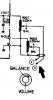
OK, so we know the problem is before this point. Switch out of EPS . Next, find the wires on the balance pot that go to the L-out and R-out on the main board. Assuming these points are electrically accessible on the balance pot or main board, I want you to physically contact the input to the right balance pot (R-out point), and the input of the left balance pot (L-out point). You should get a hum out of the appropriate channel. Adjusting the balance pot should cause the hum to increase/decrease.
Capture.JPG
 
OK, so we know the problem is before this point. Switch out of EPS . Next, find the wires on the balance pot that go to the L-out and R-out on the main board. Assuming these points are electrically accessible on the balance pot or main board, I want you to physically contact the input to the right balance pot (R-out point), and the input of the left balance pot (L-out point). You should get a hum out of the appropriate channel. Adjusting the balance pot should cause the hum to increase/decrease.
View attachment 1611690

Thanks (as always) for your reply and your helpful instructions on this problem. Just to be clear in my understanding, when you say "physically contact the input to the right balance pot....", do you mean with a finger or a metallic pointer (such as a screwdriver)?
 
Yes. Your body picks up 'hum' from the environment, and by touching a point, you are acting like a poor man's signal generator and injecting that 'hum' into the circuitry. So you want an electrical connection between your body and the specified point. If you use a screw driver or other pointed object, you need to make body contact with the metal blade of the object so that 'hum' gets conducted into the circuit.

Now a few cautions... Only touch the points I ask you to. Do not touch anything related to the input power line, or the high voltage on the power amps. The only points I will ask you to touch are signal points and should be safe, but it is always safest/best (and creates the strongest 'hum') by touching *only* the point specified - do not contact the chassis with any other part of your body. Also, when probing or connecting test leads, be careful not to short things out.
 
Back
Top Bottom