• The move to the new server is done. There are some software and database maintenance updates in process. This has us passing the hat around to help out. We appreciate any donations. Seriously, even a dollar helps. The payment page may be found here - https://www.audiokarma.org/support.html

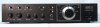
Relettering a Marantz faceplate - a w1jim basement miracle!

Do you need I re-draw that Marantz Logo from the Metropolis CT font?

I do this professionally all day, to me is less than 1/2 hour work, if you provide a link to the font and to a good picture of the logo.

A google search for "marantz vector logo" gave me ugly examples.

That would be fantastic. I think a lot of people would appreciate that. Doing some digging I found a similar free font, a huge jpg of the logo, and was able to make a vector image from it.

Here is a link to a ttf download of a similar Metropolis font, Metropolis ICG. The Metropolis CT costs $29 to download.

Here is the highest resolution image of the Marantz logo I could find, it isn't vector, but it is very big at 7425x752 (300 dpi).

ETA: Here is a quick online vector trace I did.
 
Last edited:
Don't think a lot even know what "tiny" is.. I do but don't do much but 2d to make notes..

perhaps calc the x axis in pixels to scale format? I know iso is different say graphic programs. You could take a good pic and convert? not much difference in very small scales but iso? in building a mfg plant can be off as much as a foot per 100 feet or more?

Then maybe not do anything... it's a stealth amplifier for the background. Only I know the settings.. don't mess with it.
 
Have an Akai 1135 with missing lettering and have always wondered why someone hasn't done the "heavy lifting" and created pre-printed control lettering decals for the top vintage manufacturers - to sell? Some one could could make a few bucks if they did. Granted my Akai probably wouldn't make the top 25 list of preprinted lettering sheets, but if you did one for Marantz, Pioneer, Kenwood, etc. and listed them on the auction site, you could make a few bucks I would think(?). I'd buy a generic one for my little Akai!

I just think back to my model car and airplane kits from the 60s and wish I had the same type of decals to use for my "overly cleaned" faceplates!
 
I do remember that recessed lettering is filled with something rubbed on and or it. maybe heated?

maybe somebody has a 3d printer that can be very fine detailed. perhaps 5 thousands thick? I could use a volume decal that is green to yellow and red call tech. or if operated by family teen, 'you die one hundred chores.' is displayed. as in somebody wiped out the printing...

Yeah, now that we are making headway on having access to a good font, and hopefully a perfect logo I think the issue is going to be how to apply the lettering. I think you may be overthinking it a bit though. I think most of us have access to laser printers, so that might be a more practical option than 3D printing. With a laser printer we could do waterslide transfers, as the OP did, or thermal toner transfers, or even solvent toner transfers. This part is going to take some experimentation to find the best method. Once the best method is found though, maybe you can print out this and put it behind your volume knob. :D
 

Attachments

  • maddad.jpg
    maddad.jpg
    41.5 KB · Views: 45
That would be fantastic. I think a lot of people would appreciate that. Doing some digging I found a similar free font, a huge jpg of the logo, and was able to make a vector image from it.

Here is a link to a ttf download of a similar Metropolis font, Metropolis ICG. The Metropolis CT costs $29 to download.

Here is the highest resolution image of the Marantz logo I could find, it isn't vector, but it is very big at 7425x752 (300 dpi).

ETA: Here is a quick online vector trace I did.

Your "quick" vector looks very good !!

But it's different from the picture attached earlier. Your drawing is more "square", like a modern version.

I'll try to get a large picture of the unit in question, and draw over it. If somebody owns a Marantz of that era, and want to post a high resolution pict, it will be helpful. I had one PM-200 here some months ago, but didn't take a pict...

A scan from some AD should work too. Actually, a bitmap B/W scan, at 1200 dpi or more, will serve as an original to do a laser print, no need of re-drawing. I use to scan books that way, when a digital file is not available, to reissue old books.

I'll do it tomorrow and post a link here.
 
Last edited:
Your "quick" vector looks very good !!

But it's different from the picture attached earlier. Your drawing is more "square", like a modern version.

Yeah, it looks to me like on the older stuff the logo was stretched more horizontally. Wikimedia has a .svg file here that looks to be closer to the old proportions. Hopefully this helps a bit.
ETA: I was looking at some more images, and the difference in proportions is huge. Here is one of the more squashed examples I found. Unfortunately it is a small file.
 
Last edited:
Work in progress...

From top to bottom:

Your SVG file
Your SVG stretched to match original proportions
Original pict from the web
SVG file from Wikipedia
Metropolis ICG font
 

Attachments

  • Captura de pantalla 2015-09-09 a la(s) 12.00.21.png
    Captura de pantalla 2015-09-09 a la(s) 12.00.21.png
    121.3 KB · Views: 83
Update:

Top: original pict
Bottom: wikipedia logo

Mid: modified logo to visually match the picture: Rounded the M and N, modified spacing, stretched some letters, modified the "serif" and the "a" top.

I think it's good enough, but if you see some improvement to be made, I can do it.

Here is a vector file of the modified Marantz Logo:

http://dl.dropboxusercontent.com/u/1640933/marantz/marantz-logo/marantz logo_V2.pdf
 

Attachments

  • Captura de pantalla 2015-09-09 a la(s) 13.16.25.png
    Captura de pantalla 2015-09-09 a la(s) 13.16.25.png
    91.3 KB · Views: 45
Update:

Top: original pict
Bottom: wikipedia logo

Mid: modified logo to visually match the picture: Rounded the M and N, modified spacing, stretched some letters, modified the "serif" and the "a" top.

I think it's good enough, but if you see some improvement to be made, I can do it.

Here is a vector file of the modified Marantz Logo:

http://dl.dropboxusercontent.com/u/1640933/marantz/marantz-logo/marantz logo_V2.pdf

Beautiful work, sir. If it isn't perfect it is close enough I'd never be able to tell. Damn fine job. Thank you so much. Now, who wants to work on perfecting transferring methods?
 
Beautiful work, sir. If it isn't perfect it is close enough I'd never be able to tell. Damn fine job. Thank you so much. Now, who wants to work on perfecting transferring methods?

I still see the "r" and "a" are a bit apart. Also, the top "serif" on the "r" was not corrected. I'll correct it and update the file in the same link.

I'd do a laser transfer. Dry laser transferred with heat, or wet transfer with a solvent.

It seems the more reliable and easy method. You need to practice. The easy part: you can remove all the bad tries with a solvent.

If I were you, I'd try the dry method, ironing the laser print on the faceplate. You need to find a material that takes the toner from the printer, but releases it easily with the heat. Some wax paper, some vinyl, I don't know. There are some materials designed for this.
 
Last edited:
Oof. That's a real bummer, man. I haven't tried doing any transfers myself, but some of the images I made for labels can be found at the link below if anyone else wants to give it a shot. I know Metropolis CT isn't a perfect match, but when it is printed 3/16" tall, it might be close enough.

Marantz Reveiver and Amp Control Labels
HELLO. I wiil apreciate you help me with my project. I want to reletering a 2270 and a 2250b. thank you.
 
I know this thread is old but would like to mabee help some people out with this. I use a silkscreener i picked up cheap from goodwill to put logos back on turntables that i reveneer in real wood. if you had the proper ink this should work just fine for reproducing the graphics on a faceplate and is relatively easy to do. these silkscreeners can be picked up quite cheap online and you would just need to scan the graphics and print them out and make the silkscreen with the photo emulsion. here is a link to the silkscreener i use i think i picked it up at goodwill for 50 dollars https://www.amazon.com/Provo-Craft-Novelty-yudu-62-5000/dp/B0025T6V5C
 
Well it's 2018 and we have many options such as; silk screen with UV paints, flat bed printer, cnc engraving, laser engraving, laser activated paint(Thermark), etc. As laser cnc go down in price this will soon be the best option.
 
Last edited:
Have an Akai 1135 with missing lettering and have always wondered why someone hasn't done the "heavy lifting" and created pre-printed control lettering decals for the top vintage manufacturers - to sell? Some one could could make a few bucks if they did. Granted my Akai probably wouldn't make the top 25 list of preprinted lettering sheets, but if you did one for Marantz, Pioneer, Kenwood, etc. and listed them on the auction site, you could make a few bucks I would think(?). I'd buy a generic one for my little Akai!

I just think back to my model car and airplane kits from the 60s and wish I had the same type of decals to use for my "overly cleaned" faceplates!


Not sure if you have seen these... https://www.ebay.de/itm/AKAI-Aufkle...-Auto-Sticker-Hifi-Music-Vintage/363078004930
 
Having the same problems with an Advent 300. Have a faceplate with full graphics and a blank faceplate. Decal paper, and waterslide paper wont work on my inkjet (won't do white). Thought of doing it in silver. The technology to grab the graphics from an image is above my paygrade300-front-1024x285.jpg
 
I have a rough Pioneer SA610 that I have decided to paint the faceplate. I was concerned about the lettering. My plan is to paint the faceplate with flat black Duracoat that I am doing a rifle with. My daughter agreed to hand paint the lettering over each knob in silver. She is quite talented and likes doing fonts. She also said she may use a stencil. I plan to go over all with a flat clear. I’m going to leave the knobs natural or possibly go over with the clear. I am going to find this bake on decal material because it is something I can do with little artistic talent.
 
I have scanned it full size in two pieces. How do I pull the graphics off o0f the scan?
I think what you have to do is use some imaging software, like Photoshop, to select the background color (the panel) and change it to white. Now only the letters would print on a transparency.
 
Back
Top Bottom