• The move to the new server is done. There are some software and database maintenance updates in process. This has us passing the hat around to help out. We appreciate any donations. Seriously, even a dollar helps. The payment page may be found here - https://www.audiokarma.org/support.html

Right Speaker (STEREO) Goes Out After A Few Minutes

Kevbo

Member
I have a Marantz 2240B and it has been working great for a long time. I decided to replace all factory lamps with LEDs, this includes the tube lamps and indicator lights, including the Stereo light. After replacing them, everything was working great for about two months.

Now as I am listening to music in stereo, after "x" amount of minutes, the one speaker will cut out. And I did all the troubleshooting to deduce that it is definitely the Marantz receiver and not the speakers or cables I am using. Because all my music is digital now on my computer, I mostly listen music from my PC through my Marantz. So I have a 3.5mm jack coming from my computer, and going to the to RCA AUX inputs.

When the right speaker stops working, a way for me to temporarily get it working again is to either pull the 3.5mm jack from my computer and plug it right back in (almost like it's "shocking" it back on), OR, I will just turn the Selector knob to FM and back on AUX and it works again for a few minutes to an hour before going out again. Turning to Tape or Phono does nothing to "shock" it back on, but switching to FM and back does.

The Stereo light does not go out at all, so it's not the actual stereo signal that is being lost, and when the speaker does go out, if I pan all the way to the right, you can hear an barely audible signal of the music coming through. I opened it last night and Deox'd the Selector Pot, spraying quite a bit in there (not an excessive amount). However, it is still doing it today.

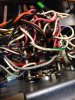
Is it the Pot I should be looking at and just trying to get an even better cleaning on it? I uploaded a picture of the selector Pot, because it looks completely different from all the other pots. Any help would be appreciated. Thank you.

~Kevin
 

Attachments

  • IMG_5050.JPG
    IMG_5050.JPG
    64.8 KB · Views: 20
Register to hide this ad
Pots are definitely a good place to start. I'd also try plugging your cable into another input, like one of the tape inputs, and see if that makes a difference. If you can narrow the problem down to a certain position on the selector switch, that would be good.

I'd almost rule out an overheating component, since it comes back so quickly and stays running afterwards for a while.

bs
 
Thanks for the reply. And yes, I did have it connected to another input, and the same thing happened. There is no crackling or anything when I turn the selector knob, but I know that doesn't always mean anything. I'm just not entirely sure where all I can spray the De-Oxit. Again, with the picture I uploaded on the original post, this pot is different from all the others. The others look like everything I have looked up online, which is that somewhat closed metal dome that you can spray inside. Looking at the picture I uploaded, I sprayed on the front circular plate, as well as a little in between all the wires where those other boards are (undoubtedly the boards that tells the receiver which output to have on). Can excessive amounts of De-Oxit hurt anything? I mean, it is liquid, so I wanted to use it sparingly on the parts and not have it drip everywhere inside. If you haven't figure it out, I'm new with all this stuff. Trying to learn as I go. Thanks again.
 
That kind of pot is actually the easiest, as everything is exposed. Turn the unit off, unplug it, and douse all of the metal to metal contacts you see in there, while rotating the knob back and forth a lot. Let everything dry off, plug it back in, turn it on, and give it a try.

One other thing comes to mind, there could be a cold solder joint or bad connection on one of the wires going to or coming from that pot. Most likely the wires coming from it, as the inputs all do the same thing. If the problem persists after DeOxing things, take a real close look at the soldered connections.

bs
 
Thanks for the reply. And yes, I did have it connected to another input, and the same thing happened. There is no crackling or anything when I turn the selector knob, but I know that doesn't always mean anything. I'm just not entirely sure where all I can spray the De-Oxit. Again, with the picture I uploaded on the original post, this pot is different from all the others. The others look like everything I have looked up online, which is that somewhat closed metal dome that you can spray inside. Looking at the picture I uploaded, I sprayed on the front circular plate, as well as a little in between all the wires where those other boards are (undoubtedly the boards that tells the receiver which output to have on). Can excessive amounts of De-Oxit hurt anything? I mean, it is liquid, so I wanted to use it sparingly on the parts and not have it drip everywhere inside. If you haven't figure it out, I'm new with all this stuff. Trying to learn as I go. Thanks again.

The very first step in determining what's going on is to determine where the signal is lost. Your receiver has pre-outs and main ins. You either have jumpers there or a switch.

Connect an audio cable between the pre-out and main-in in the normal fashion (right to right and left to left). As soon as you lose sound in the right channel reverse the cables at one end (switch the right and left).

What we are attempting to determine is whether the signal is lost in your pre-amp or power amp. If the "dead channel" remains on the right, the problem is in your right power amp. If the dead channel moves to the left, the problem is in your right pre-amp.

Regards,
Jerry
 
Pre-out/main-in connection is a suspect, the actual connection itself.
Pulling and plugging the connectors in/out a few times.

A main culprit it the protection relay. That may have contacts getting fussy.
With the top off, playing, when the channel drops, try tapping the relay cover. A finger snap type tape, screw driver handle. Just some tapping, no hammering.
 
Does this unit have pre-amp out/main in connections that are internally connected if there is no jumper or cable installed? A flaky contact back there was a similar issue on my 2235B.
 
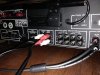
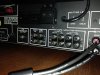
Thanks for the replies, everyone. What may be odd is, I have never had any jacks plugged into my Pre-Out and Main-In, ever. When I purchased the unit, it never had the jacks, and I actually never needed them (or at least I figured I didn't, because I was getting music). I know what you are talking about, as I have seen those jacks in the manual, and my dad has his Marantz set up like that, but everything seemed to work forever without them. Not sure if I am missing out on something NOT having jacks in the pre out and main in? The picture without any cables in the pre and main, that is how I have always had it set up to listen to my music. Just cables going into the AUX (besides my tape deck and turn table plugged in as well, but I disconnected everything to turn the unit around and get these pictures).

The second picture, I did what you said @onplane, and when I switched the cables left to right, and right left, the sound did switch over to the right speaker (the speaker that has been going out this whole time), and now the left speaker is out. So we can assume the problem is the right pre-amp?
 

Attachments

  • IMG_5051.JPG
    IMG_5051.JPG
    97.2 KB · Views: 16
  • IMG_5054.JPG
    IMG_5054.JPG
    91.7 KB · Views: 16
@gtv2000 Actually, I do not know if I have internal connectors. There are definitely no jacks or cables on the outside. Would having internal connectors make sense since I can get music without having any jacks plugged in to the main and pre? What would I like for on the inside to know if they are internally connected? And to @blhagstrom, where would I find the relay cover? Would something like that be labeled?
 
I don't know this receiver but if it doesn't need jumpers there, it must have a switch somewhere that switches between an internal connection vs. those jacks on the rear panel. Or, it automatically senses whether anything is plugged in and switches itself internally. Check your owners manual, and if you don't have one, you should find it on the web somewhere.

BTW, the socket on the receiver is a 'jack', what you plug into it is a cable. In the case of pre-out/main jacks, 'jumpers' are sometimes used, basically a really short cable.

Sure sounds like a connection or switch contact not quite making contact, but follow the advice above and it should reveal itself.
 
BTW most of the STEREO lights on the front of receivers are related to the tuner only. Yours may be different, but when it's playing from your PC, try tuning it off of whatever FM station it's on and see if that light goes out. If so it's an FM stereo indicator only. But that may still be a clue here.
 
Well, if you have pre-outs and main-ins and there is no cable or jumpers plugged in, then to get any sound at all you must have internal jumpers that automatically connect when there is nothing plugged in those jacks. As a test you could plug in external connections from pre out to main in on both channels. If this was the problem with the channel cutting out, using an external connection should solve it. Then it might be as simple as some de-oxit on the contacts where those connections are made. Actually, it could be as simply as just working the plugs on those jacks in and out a few times.
 
The protection relay is a little plastic box.
Usually clear plastic (if original).
About 1 1/4 x 1 on top, about 1 1/4 tall.
Its the only thing in there like that.

Just Google "Marantz relay" and look at the images and you'll get the idea.
 
I don't know this receiver but if it doesn't need jumpers there, it must have a switch somewhere that switches between an internal connection vs. those jacks on the rear panel. Or, it automatically senses whether anything is plugged in and switches itself internally. Check your owners manual, and if you don't have one, you should find it on the web somewhere.

BTW, the socket on the receiver is a 'jack', what you plug into it is a cable. In the case of pre-out/main jacks, 'jumpers' are sometimes used, basically a really short cable.

Sure sounds like a connection or switch contact not quite making contact, but follow the advice above and it should reveal itself.

No "internal sensing", that is new(er) stuff.
This is OLD SCHOOL.
Its just a set of contacts on the jack itself.
1/4 inch jacks have them.
Some headphone jacks have them to turn off the speakers when you "jack in"

The problem with those contacts is that there in no "rubbing" when they engage/disengage.
They are just two pieces of metal that touch, much like the contacts in the relay.
SOME times, just working them helps. SOME time its still a problem and nothing short of getting at them and filing/sanding/polishing or replacing helps.
 
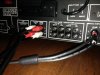
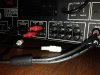
@blhagstrom Found the relay! No change though after tapping it around a bit. Thank you. And @gtv2000, in response to your comment, I did in fact plug in external connections to the pre out and main in as @onplane has referenced. However, I just discovered something. I will upload two pictures here and explain:

Four Connections Pictures
When all four are in and switch, left to right, and right to left, the speakers switch. So now the right speaker works and the left one has no signal, and @onplane stated that is the right pre-amp.

Two Connections Pictures
When I went to unplug the pre and main jacks, I noticed when I pulled the one cable out, both speakers came on, and I started playing with combinations and now have found this setup to give me sound from both speakers (Main In RIGHT going to Pre Out LEFT).

So what is going on there, and assuming this permanently fixes it and it wasn't just a "shock" like before, can I keep it set up like this?
 

Attachments

  • Four Connections.JPG
    Four Connections.JPG
    65.2 KB · Views: 15
  • Two Connections.JPG
    Two Connections.JPG
    79.9 KB · Views: 14
Maybe I spoke too soon. Just realized, I am getting sound from both speakers, but it's not stereo. It's a mono signal. If I pan on direction, both speakers go out, and if I pan the other direction, both stay on. I also hear absolutely no difference when I press/depress the Mono switch. Shoot! Thought I had something.
 
Maybe I spoke too soon. Just realized, I am getting sound from both speakers, but it's not stereo. It's a mono signal. If I pan on direction, both speakers go out, and if I pan the other direction, both stay on. I also hear absolutely no difference when I press/depress the Mono switch. Shoot! Thought I had something.

Well, it seems you also might have a problem with your balance control.

bs
 
I don't think there is an issue with the Balance. When I turn Stereo off and have it on Mono, it works just fine, and the rare times that I don't have an issue with the speakers and everything is working fine, even when in Stereo, the balance control works fine. What I mentioned about the panning was when I had the main in right going to pre amp left, that's all. When I remove all that, panning works.
 
[QUOTE="Kevbo, post: 10395989, member: 251296

The second picture, I did what you said @onplane, and when I switched the cables left to right, and right left, the sound did switch over to the right speaker (the speaker that has been going out this whole time), and now the left speaker is out. So we can assume the problem is the right pre-amp?[/QUOTE]

Yes, the problem is in your right pre-amp. You should disconnect that audio cable now. It was being used simply to find where the signal got lost.

Like others have said, cleaning selector switches and your mono/stereo switch are your first steps. For now forget about anything in the power amps. Your signal isn't getting that far.

Then you should treat all fader controls (main volume, and balance).

If this doesn't solve the problem, chances are you might have a cold solder joint. I have had luck diagnosing these using vibration. That is when the right channel goes quiet lift the receiver about 2 - 3 inches then drop it to see whether the channel comes back. If it does, you need to check all of the solder joints in the right pre-amp.

Regards,
Jerry
 
Last edited:
@onplane I did notice when things were working fine this morning, when I went to turn the receiver 90 degrees on my table to take those pictures, the signal went out as soon as I moved the unit. Could that also indicate it most likely may be a solder issue?

And your last sentence, I had a little trouble understanding what you meant:

" If have luck diagnosing these using vibration. That is when the right channel goes quiet life the receiver about 2 - 3 inches then drop it to see where the channel comes back. If it does, you need to check all of the solder joints in the right pre-amps."

Actually, as I just pasted your quote in here, I think I see what you are saying. YOU have luck diagnosing these using vibration. So lift my receiver a couple inches and drop it to see if the vibration makes the channel come back on. Well, since it is working right now, I will move it around a bit to see if I LOSE the signal, which I would assume would tell us the same information here. Thanks, Jerry.

~Kevin
 
Back
Top Bottom