• The move to the new server is done. There are some software and database maintenance updates in process. This has us passing the hat around to help out. We appreciate any donations. Seriously, even a dollar helps. The payment page may be found here - https://www.audiokarma.org/support.html

Sansui 6060 refresh

mjgillen

Active Member
Hey guys, starting work on my Sansui 6060 so here goes. The goal is to improve the sound and get better DC offset out. Right now I get the snap crackle and pop on occasion and the DC offset measured 42mV (L) and 23mV (R).

I’m planning on refreshing the power supply board and the driver board and anything else y’all recommend. The refresh will include:

Deoxit all pots and switches (already done)

F-2648 Power Supply board
  • Replace fuse resistors R01-R04 with 1/2w metal film flameproof
  • Replace all electrolytic capacitors
  • Check all transistors and replace as needed

F-2647 Driver board
  • Replace fuse resistors R31-R34 with 1/2w metal film flameproof
  • Replace all electrolytic capacitors
  • Check all transistors and replace as needed
  • Replace transistors 2SA726 TR01-TR04 with “matched” KSA992
  • Replace 1k ohm trimmer resistors VR01 & VR02 with Bourns multiturn equivalent
There is also another fuse resistor at R601 on the F-2646 Tone Control board that I will replace.

While I’m in there replacing all the e-caps are there more transistors I should replace? What about the Zener diodes?

The service manual is here: http://akdatabase.com/AKview/displayimage.php?album=28&pos=49

Thanks for all the help and knowledge!
Michael
 
Register to hide this ad
Pops and Crackle will definitely be solved once replaced those 2SA726 and fuse resistors on the driver board. In my case I used 1/4w film resistors to replace FR in the driver board.
 
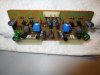
OK I finally got my order from Mouser and replaced the caps etc. Here's a couple of photos of the finished board. I did not replace the trimmers as the ones I ordered had the wrong orientation so I ordered the correct ones. I'm also including a screenshot of the BOM.

The 6060 sounds much better than before: No more snap, crackle, pop and no hiss when at zero volume (which I noticed right before I started to work on it). I think it has more power too. All in all a successful refresh!

Thanks to this Forum and all the members that contribute to make it possible!
Michael

Screen Shot 2021-03-21 at 8.11.33 PM.png IMG_2378.JPG IMG_2379.JPG IMG_2380.JPG IMG_2381.JPG
 
OK I finally got my order from Mouser and replaced the caps etc. Here's a couple of photos of the finished board. I did not replace the trimmers as the ones I ordered had the wrong orientation so I ordered the correct ones. I'm also including a screenshot of the BOM.

The 6060 sounds much better than before: No more snap, crackle, pop and no hiss when at zero volume (which I noticed right before I started to work on it). I think it has more power too. All in all a successful refresh!

Thanks to this Forum and all the members that contribute to make it possible!
Michael

View attachment 2170600 View attachment 2170586 View attachment 2170588 View attachment 2170590 View attachment 2170591
When the sound is much more "clean", you can turn the volume up higher than before the "refresh". :rockon: Good job! :beerchug:
 
Cheaper than releasing the magic smoke though. :beatnik::D

Still figuring out the "what capacitor" puzzle, the multitude of trimmer configurations is another Gordian knot to play with.
Don't get me started on transistors....without AKs bottomless wisdom and the search function I'm lost.
 
My BOM from post #5 was incorrect for the bipolar caps on these boards - I missed them. C05, C06 on the F-2647 Driver board and C611 on the F-2700 power supply board. Thankfully I kept all the old parts so it was quick and easy to go through them and find the bipolar caps that I missed. I ordered and replaced the ones I had put in there with appropriate bipolar caps. New BOM attached as well as some photos of the recent work. I also replaced the trimmers with Bourns multi turn.

Michael

Screen Shot 2021-04-14 at 8.06.39 PM.png IMG_2481.JPG IMG_2482.JPG
 
My BOM from post #5 was incorrect for the bipolar caps on these boards - I missed them. C05, C06 on the F-2647 Driver board and C611 on the F-2700 power supply board. Thankfully I kept all the old parts so it was quick and easy to go through them and find the bipolar caps that I missed. I ordered and replaced the ones I had put in there with appropriate bipolar caps. New BOM attached as well as some photos of the recent work. I also replaced the trimmers with Bourns multi turn.

Michael

View attachment 2195096 View attachment 2195097 View attachment 2195099
Don't ignore those fusible resistors on the F-2700 power supply board. Just off the end of the fuses (upper-left side in photo) and look to be cobbled in parallel for some reason. I do not know what value they are but someone should know. Replace each "cobbled" pair with a single of the proper resistance and wattage.
 
Don't ignore those fusible resistors on the F-2700 power supply board. Just off the end of the fuses (upper-left side in photo) and look to be cobbled in parallel for some reason. I do not know what value they are but someone should know. Replace each "cobbled" pair with a single of the proper resistance and wattage.

Will do thanks for the input I did not know those were one of the fusible ones. I'll have to re-read the SM see if I missed that or ???
 
Will do thanks for the input I did not know those were one of the fusible ones. I'll have to re-read the SM see if I missed that or ???
I can just tell by looking at them they are fusibles. :D They may not be noted in the SM, but they're there. They could have been a part of a repair many moons ago and won't be in the SM. Just need to find out their values. The color bands look too faded so that won't help.
 
They are R612, R613 2.2 ohm 1/2w. They are shown as R610, R611 on the F-2648 board in the 5050-6060 SM that I have however I also have the 6060 schematic with the 2700/2701 boards on it so did a little cross referencing here to determine that they are R612, R613. I'll have to order these I don't have any on hand. Should I bump the watts to 1w when I move to flameproof film such as these?:

https://www.mouser.com/ProductDetai...R01000102208JR500?qs=LCMWAU1DZcyDtxZ4bkNVmQ==

Michael

IMG_2483.JPG IMG_2484.JPG
 
They are R612, R613 2.2 ohm 1/2w. They are shown as R610, R611 on the F-2648 board in the 5050-6060 SM that I have however I also have the 6060 schematic with the 2700/2701 boards on it so did a little cross referencing here to determine that they are R612, R613. I'll have to order these I don't have any on hand. Should I bump the watts to 1w when I move to flameproof film such as these?:

https://www.mouser.com/ProductDetail/Vishay-BC-Components/PR01000102208JR500?qs=LCMWAU1DZcyDtxZ4bkNVmQ==

Michael

View attachment 2195246 View attachment 2195247
They then appear to be two 4.7 in parallel to get "close enough" to the 2.2 Ohm. And they were only a single 1/2w at the 2.2 Ohm in the SM so use 1/2w to replace them with. The fusible resistors are probably 1/4w making them the 1/2w total in parallel.
 
OK I finally got my order from Mouser and replaced the caps etc. Here's a couple of photos of the finished board. I did not replace the trimmers as the ones I ordered had the wrong orientation so I ordered the correct ones. I'm also including a screenshot of the BOM.

The 6060 sounds much better than before: No more snap, crackle, pop and no hiss when at zero volume (which I noticed right before I started to work on it). I think it has more power too. All in all a successful refresh!

Thanks to this Forum and all the members that contribute to make it possible!
Michael

View attachment 2170600 View attachment 2170586 View attachment 2170588 View attachment 2170590 View attachment 2170591
HI

Nicely done!!! I was wondering if you would be kind enough as to email me a high res picture of the F-2647 copper side and component side. my 6060 arrived without this pcb and i plan to build one myself.

you can send them over to dihanangelo@hotmail.com

thanks a million
 
Back
Top Bottom