• The move to the new server is done. There are some software and database maintenance updates in process. This has us passing the hat around to help out. We appreciate any donations. Seriously, even a dollar helps. The payment page may be found here - https://www.audiokarma.org/support.html

Sony St-s707es tuner Stereo issue

ATN

New Member
Hi!
Just purchased a Sony ST-S707es tuner in what I thought was mint condition...
I have to manually tune in a station, the Auto function don't stop at the stations (I have full signal) and when tuning into a station it won't go into "STEREO" mode...?
Tried to adjust RV251 ST level as instructed in the service manual to get the indicator on... Nothing happens... ‍
Any ideas?
 
Register to hide this ad
Classic symptoms of a digital tuner needing alignment. Look for discriminator zero adjustment. If this is off, so is the rest of the alignment. This should get it to tune, but your distortion and separation will not be optimal.
 
Classic symptoms of a digital tuner needing alignment. Look for discriminator zero adjustment. If this is off, so is the rest of the alignment. This should get it to tune, but your distortion and separation will not be optimal.

Hi.
Just checked the control voltage adjustment on the PLL chip and it should be between 8 and 21 volt depending on the FM frequenzy... But there is only 2.0V...so guess the chip is gone. CX-7925B it's called.
 
If incorrect you wouldn't be able to even manually tune the tuner.

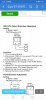
Did you do the "Null PPL detect adjustment"?
 
Manually tune it to the strongest local station and check what your voltage is at the testpoints. Adjust to for zero. Won't be perfect but should get to where it will stop on stations and enable stereo operation.
 
Manually tune it to the strongest local station and check what your voltage is at the testpoints. Adjust to for zero. Won't be perfect but should get to where it will stop on stations and enable stereo operation.
This one?
 

Attachments

  • Screenshot_20210825_174348_com.manualslib.app.jpg
    Screenshot_20210825_174348_com.manualslib.app.jpg
    65.3 KB · Views: 27
Exactly. Just do the zero adjustment. Since you won't be able to do the distortion part of.
 
Exactly. Just do the zero adjustment. Since you won't be able to do the distortion part of.

Tried it, adjusted it to zero. Still won't say "Tuned", but the "Stereo" indicator turns on randomly now... ‍o_O
And still won't stop at the stations...
 
Most of the time that will get them working. More than likely need full alignment.
 
Back
Top Bottom