• The move to the new server is done. There are some software and database maintenance updates in process. This has us passing the hat around to help out. We appreciate any donations. Seriously, even a dollar helps. The payment page may be found here - https://www.audiokarma.org/support.html

Sound quality difference on Kodi between playing from library and using Kodi as a DLNA renderer

ElSancho74

New Member
Hi all,

This may need some explanation, so bear with me please:

I have Kodi (libreelec) installed on an old laptop connected through USB with an Argon DAC1. It is set up correctly for bitperfect playback.
My music is a mix of mp3s and FLAC and ALAC and all sorts of other files in all sorts of bitrates stored on a Synology NAS.
When I use Kodi to load those in the library and play them I have a beautiful full sound.
Kodi can also be used as a upnp or dlna renderer. I works well, but if I use it that way I notice the sound is not so full, a tidbit harsh, basically not so good.
What could cause this? And what could I do about it? It would be quite handy to play this way as I can just control it from my cell phone with something like bubbleupnp or hifi cast.
I don't quite understand how there could be a difference in sound as with dlna/upnp the files get sent to the renderer without any alteration (at least that's how I set it up)
Any help is welcome!

Cheers
Steven
 
Last edited:
Register to hide this ad
By the way, I also have a chromecast audio that I connected to the same dac with the optical out, and it sounds the same as kodi used as a renderer.
 
You said and "old labtop" I have found it makes a difference with the OS you are using. starting with Windows 7 MS added Windows Audio Session API (WASAPI). With each version of Windows since they have made small improvements on it. WASAPI delivers an unmodified bitstream to the audio device. My Yamaha AVR is supplied via my Radeon RX580 GPU and AMD True Audio and it takes a WASAPI feed off of the Motherboard. It's "DLNA" is called PC Audio and it uses jRiver 24 as it's server I notice a small difference in the sound between Direct Audio and WASAPI. I also have a ASUS Xonar Essence sound card. With jRiver I can switch back and forth between Direct Audio and WASAPI and there is a difference. The WASAPI stream sounds more accurate and transparent.
 
Last edited:
Are you sure your DLNA server isn't doing something silly like transcoding?

Transcoding was a problem with the Onkyo I had. It was necessaryn to transcode FLAC to WAVE it was so bad I gave up using the Onkyo this way. It would only play MP3, and WAVE.
 
Transcoding from FLAC to WAV ought to be okay; it's not really transcoding, it's just decompressing the FLAC back to WAV, which should be bit perfect.
That is true and when necessary my present Yamaha AVR and My iPhone XS-Max in Airplay transcode seamlessly. The Yamaha does FLAC natively, and the Max transcodes in realtime FLAC to Apple Lossless. Onkyo’s firmware was awful. jRiver transcodes anything to anything else and that is what I had to use with the Onkyo. Onkyo did not get along with jRiver at all plus the Onkyo’s U/I was beyond suckness.

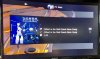
Here is a screen shot of the Yamaha in PC Music mode the track is FLAC.

0FBB88CF-BD94-4739-94D0-8F805DF8B6D7.jpeg
 
You said and "old labtop" I have found it makes a difference with the OS you are using. starting with Windows 7 MS added Windows Audio Session API (WASAPI). With each version of Windows since they have made small improvements on it. WASAPI delivers an unmodified bitstream to the audio device. My Yamaha AVR is supplied via my Radeon RX580 GPU and AMD True Audio and it takes a WASAPI feed off of the Motherboard. It's "DLNA" is called PC Audio and it uses jRiver 24 as it's server I notice a small difference in the sound between Direct Audio and WASAPI. I also have a ASUS Xonar Essence sound card. With jRiver I can switch back and forth between Direct Audio and WASAPI and there is a difference. The WASAPI stream sounds more accurate and transparent.

Shouldn't be the problem. Libreelec is very light (basically a very basic barebone linux with just enough to run kodi on top), and the laptop isn't that old. It's an i5 with 4GB of ram.

Are you sure your DLNA server isn't doing something silly like transcoding?

That is what I'm thinking too. Despite the settings I think it ignores something and transcodes anyways. The problem is I can't figure out a way to check that.
 
Libreelec runs perfectly fine on a RPI. I used it or a long time on it. it's definitely nice coupled with a dac.

I checked out that thread on the kodi vorums already and couldn't find a usefus answer.
 
Libreelec runs perfectly fine on a RPI. I used it or a long time on it. it's definitely nice coupled with a dac.

I checked out that thread on the kodi vorums already and couldn't find a usefus answer.

I have not had much luck with such forums either, but it was worth a try. I recall trying Kodi and it did not work well with the afford said Onkyo. I am using jRiver 24 now and am very pleased with it.
 
I didn't find a solution yet, but did find a nice workaround. I still had an intel nuc lying about unused. I installed Daphile on there. That's a headless music player/manager that plays bitperfect to a dac. I can control it through a webinterface on either the computer or my cellphone. I loaded the music from the share on the nas in the library and the sound is great. Takes less space than the laptop too, so for the moment I'm happy and I can try to solve the other problem at ease.
 
I solved it! :-) I uninstalled the standard mediaserver software from Synology and manually installed bubbleupnp server. I configured that and now it streams correctly. Sounds great now. I use bubbleupnp on the phone to control it and it plays through the cca without a problem.
 
Back
Top Bottom