• The move to the new server is done. There are some software and database maintenance updates in process. This has us passing the hat around to help out. We appreciate any donations. Seriously, even a dollar helps. The payment page may be found here - https://www.audiokarma.org/support.html

Speakers cutting in and out

Nervous_Dude

AK Subscriber
Subscriber
Hey Everyone,

New to audiokarma and upgrading to a nice audio system for the first time. I'm running Fluance RT-81 phono and Akai GXC-750D cassette to a Technics SA-500 receiver and ADS L710 speakers. Everything is within 3ft of the receiver. I'm using 12 AWG wire to run the speakers (overkill, I know now), but the wire didn't fit into the terminals of either the receiver or the speakers, so I pruned the tips down to 16 AWG and twisted them together to make them fit (based off a recommendation from an AK forum).

I'm having a weird issue when I use the system that persists across phono, tuner, and tape: at different times different speakers will cut out, most often with phono. If I tap the turntable or jiggle the speaker and/or RCA cords, it will come back on.

I'm trying to figure out which order of steps to take to fix the problem. I ordered better RCA cables from Blue Jeans. I'm considering switching down to 16 AWG wire. Do I need to clean the RCA inputs on the receiver? Are there other steps I should be considering?

Also, the receiver has speaker connectors that I've never worked with (they twist), so I'm not sure if there could be a problem with them. Any help would be much appreciated.

Also, I think I've posted this in the right forum, but feel free to report if it ought to be moved elsewhere.
 
Register to hide this ad
I think ordering different interconnects (which you have done) is a good move. Since it occurs with multiple sources I'm thinking either cables or intermittent contact at the input/output terminals on the receiver.
Both channels drop out you say, at the same time? Then must be an issue common to both channels.
In that case it might maybe be a switch issue, maybe try cleaning all switches as well.
One other thought, maybe try some smaller gauge speaker wire, just in case those twisting speaker terminals are not making complete contact at times.
 
Last edited:
This is common with old stuff. I notice one channel cutting out from time to time on my Hitachi HCA 7500. I'd play with knobs and wires and eventually it would "come back on".

Well, here was the problem: Like your receiver, it's old. Contacts get corroded, etc. The pre-amp has a "20 db" mute button next to the volume knob. I discovered that all I had to do was press that button and, poof, everything was fine. And a little deoxit will fix it quite permanently. Once I get other priorities fixed, I'll be cleaning up the interior of that pre-amp.

BTW, I have a similar problem with a stanton headshell I have plugged into my AT LP120 turntable too. One channel will get weak, but when I remove and re-install the headshell it goes away. The headshell was purchased about 20 years ago and I just started using it. I suspect there was some corrosion on one of the pins. Again, a little de-oxit and problem solved.
 
Sounds like a bad connection or dirty connection somewhere. You need to do some troubleshooting for sure. Once those speaker connectors are in the locked position that should not be an issue at all.
 
Thanks everyone. I tried 16 AWG wire and new RCA cables. The problem is internal. I've opened the amp and all of the fuses look to be intact. The board is rather dirty so I'm going to try to clean that up. I've found the service manual (https://elektrotanya.com/technics_sa-500.pdf/download.html) but am having trouble locating the speaker protection relay (if there is one) in the unit.

your receiver needs cleaning, by this I mean deoxit for the controls. this is not uncommon, and can often be remedied temporarily by exercising the controls.

We don't exercise the controls often enough and they begin to corrode as another mentioned. If from new you regularly move all the knobs and switches back and forth (each time you turn the equipment on) this wouldn't happen, but we don't.

So here's what might help until a proper cleaning can be performed, rapidly twist all the knobs back and forth 10-20 times, same with the switches and buttons, this helps wipe off some of the corrosion.

If it works then give the knobs a few twists each time you turn the receiver on from now on, you might find you have no more issues.
 
Last edited:
I would try using 14-16 gauge speaker wire, or the thickest that will fit deep into the speaker terminals while still allowing you to turn them clockwise all the way and tighten them down.

Also clean the phono rca jacks (deoxidize) with DeOxit D100L and a q-tip. After the outside of the rca barrels stop turning the q-tip grey, pull about 80% of the fluff off a new tip and then respin it clockwise with your fingers to regain the conical shape, then coat this smaller tip with the DeOxit and then insert it inside the RCA jacks while also turning it clockwise.

Do this until smaller, red qtips inside both jacks come out clean. After, inspect with a bright light to make sure no cotton fibers are left behind inside the rca barrel jacks. If so, pull them out with a toothpick or paperclip.

You can use this method to clean all your RCA jacks for better signal clarity- especially on older equipment which are oxidized or chalky looking.
 
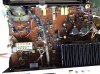
Unit includes protection relay, highlighted.
As others have suggested, when the problem next occurs, work through every
switch by first applying gentle pressure or rocking motion noting any
improvement, dirty switches is a common source of problems. Also try
increasing the volume (maybe dirty relay contacts). Also try tapping the relay
case with something non-conductive (chop stick?). Also check solder connection
on input/RCA's and also speaker posts. Try connecting/selecting speaker set B.

upload_2021-8-7_14-4-21.png
 
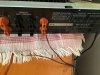
About to attempt a Deoxir cleaning of my receiver. However, one of the speaker wires is stuck and I can’t get it out. Tried tugging a bit, no result. Can I spray a little CRC2-26 in there to loosen it? The receiver and everything else is unplugged. Guess I inserted the wire too far. Thanks.12169957-2088-41C2-BD94-8EA53CB7CF14.jpeg
 
More clues that could locate the problem include: does the cutout issue occur usually a certain time after the unit has been powered on? Does it occur on more bassy passages? As some mention above, it could be a protect circuit issue (ie: usually the main control transistor holding the relay closed gets weaker over time), or the cap that also charges-up & controls the relay may need replacement, or hte relay contacts could be dirty.

However it could also be an issue with the unit that causes the protect circuit to activate, and its working properly, like some kind of signal oscillation. This could be les-likely with multiple inputs. With Technics units I have commonly noticed as the main reservoir caps dry up, the Technics protect circuit kicks in when the music gets "more demanding", meaning the caps cant supply enough continuous power to keep the unit going, and these caps need replacement.
 
  • Like
Reactions: mbz
About to attempt a Deoxir cleaning of my receiver. However, one of the speaker wires is stuck and I can’t get it out. Tried tugging a bit, no result. Can I spray a little CRC2-26 in there to loosen it? The receiver and everything else is unplugged. Guess I inserted the wire too far. Thanks.View attachment 2325935
I had one of those technics at one time. The wires were always difficult. Had to jiggle those goofy connectors and tug on the wire in different directions until it would finally let loose.
 
I had one of those technics at one time. The wires were always difficult. Had to jiggle those goofy connectors and tug on the wire in different directions until it would finally let loose.
Hang with me a minute... tugged it out. Attempting to clean unit now, but head is spinning from reading the Idiot's Guide. Why didn't they post pics or videos, *cyring face* now.
Anyhow, the directions mention use the red spray first, then the little red bottle. What little red bottle? I have D5 and the little tiny squeeze tube of Fader. And the regular size D100 and the CRC that I mentioned above. What comes after the D5? Anyone? Not buying anymore cleaning stuff. Thx
 
Hang with me a minute... tugged it out. Attempting to clean unit now, but head is spinning from reading the Idiot's Guide. Why didn't they post pics or videos, *cyring face* now.
Anyhow, the directions mention use the red spray first, then the little red bottle. What little red bottle? I have D5 and the little tiny squeeze tube of Fader. And the regular size D100 and the CRC that I mentioned above. What comes after the D5? Anyone? Not buying anymore cleaning stuff. Thx
Im not sure what the red bottle would be? I'm assuming its lube? But I think the D5 has lube in it. When I use Deoxit I use d5 only and nothing else... I started using CRC contact cleaner along with a seperate can of their lube. I don't notice a difference as far as performance of either product. The CRC is cheaper and carried locally.
 
Im not sure what the red bottle would be? I'm assuming its lube? But I think the D5 has lube in it. When I use Deoxit I use d5 only and nothing else... I started using CRC contact cleaner along with a seperate can of their lube. I don't notice a difference as far as performance of either product. The CRC is cheaper and carried locally.
Arrrgh! Thank you. The entire Deoxit cleaning is like a freakin' Pandora's box. Everyone has a different opinion/method/products, etc. on how to properly clean. It's truly confusing.
 
Deoxit D5
  • for switches and mechanical connections
Deoxit F5 (aka. faderlube)
  • for resistive controls
  • controls that have a wiper for changing an omhic connection (tone controls, volume)
  • some use D5 initially for cleaning (which will dissolve oils) then add F5 for proper lubrication and protection of the resistive traces.
There's a thread somewhere here that FULLY explores deoxit.

EDIT: thread here for some light reading.

--Joe
 
Deoxit D5
  • for switches and mechanical connections
Deoxit F5 (aka. faderlube)
  • for resistive controls
  • controls that have a wiper for changing an omhic connection (tone controls, volume)
  • some use D5 initially for cleaning (which will dissolve oils) then add F5 for proper lubrication and protection of the resistive traces.
There's a thread somewhere here that FULLY explores deoxit.

EDIT: thread here for some light reading.

--Joe
Lol, light reading, indeed. Have actually read it several times and the problem, to me, is the lack of pics of theDeoxit RED bottles.

“A DeOxit kit, with both spray can (with little red straw) and little bottle of red DeOxit, and the same for the yellowish DeOxit Gold (formerly called ProLube).”

What the hell is the spray and what’s the little red? Show some pics or give them their proper names!!!!
I now own D100, which folks say is too messy and not needed, a can of D5, a tiny , tiny squeeze tube of FaderLube and CRC 2-26. Done with this stuff.

So now can I ask you, what do I use to clean the speaker connections, and can I squeeze or spray something into the little gold top things?

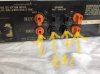
Thanks v much for your help!DA2FB453-18F0-427C-9623-A103CA22A3E2.jpeg86A97254-538E-48D0-A0B6-92EFF7838B59.jpeg86A97254-538E-48D0-A0B6-92EFF7838B59.jpeg
 
images
high percentage Deoxit. I think.
 
images
high percentage Deoxit. I think.

That bottle has a nice method to deliver the deoxit in the proper area. :thumbsup:

Sadly, I have the "typical" fat nozzle spray can that says D5 Deoxit (in red).

If I need to get into a difficult part I use a plastic cap (from another spray can) and spray some deoxit in the cap. Then drench a swab and squish the
swab on the part allowing the precious fluid to seep in.

Not elegant but it works and not as messy as just going-to-town with the fat nozzle spray pattern.

YMMV.

--Joe
 
Back
Top Bottom