• The move to the new server is done. There are some software and database maintenance updates in process. This has us passing the hat around to help out. We appreciate any donations. Seriously, even a dollar helps. The payment page may be found here - https://www.audiokarma.org/support.html

Speakers lower all other sound when there is bass

I am simone

New Member
I have them go through an amplifier, then into my computer. I know my computers not the issue, but i am not so sure about the amplifier.

When listening to music, if theres any bass at all, not even bass heavy songs, all the other pitches get lower.
On the amp i turned down the bass to the lowest setting, and the music sounds the same *as in it gets quieter* but just without bass and its quite annoying and all i can listen to is podcasts without it being all wierd. any help would help!
 
Register to hide this ad
This is pretty typical behavior, that I've personally heard on many different devices, when soft clipping occurs. The entire waveform is being attenuated and even though the bass is the cause (because bass uses the most power), the resulting soft-clipping of the waveform ultimately affects all frequencies.

Testing your amp by turning down the bass was a good move, and might mean that your amp isn't actually the issue. It could be your source that is clipping, rather than your amp. While less common, anything is possible especially when you have an impedance mismatch.

It would be helpful to give us more details about your gear. What speakers? What amp? What source? (I know you said computer, but are we talking about a soundcard? USB DAC? Motherboard audio? Whichever it is, tell us the model).
 
Im not quite sure I understand your signal path.....you say "through your amplifier then into your computer" ??? Amp > computer > speakers......does not compute....If you are doing it this way, are you using the amp in question as a source that is also connected to a cd player/turntable/tape deck you are trying to listen to through your computer speakers ??

In almost all situations the sound comes from your computer, into your amplifier then out to your speakers. Computer > amp > speakers.

You could be overloading the inputs of your computer in scenerio A or amp in scenario B.

If A turn the amp volume all the way down and the computer volume all the way up, slowly increase the volume on the amp and see if the problem persists.

If B then turn your computer volume down and turn your amp volume up then slowly raise the volume from the computer....

More details regarding your signal path and equipment would help.
 
As @wmgwizard noted more details about what it is you're using and how will be helpful.

Such as model # of the amp, how you're connecting your computer directly to the amp, etc
 
Im not quite sure I understand your signal path.....you say "through your amplifier then into your computer" ??? Amp > computer > speakers......does not compute....If you are doing it this way, are you using the amp in question as a source that is also connected to a cd player/turntable/tape deck you are trying to listen to through your computer speakers ??

In almost all situations the sound comes from your computer, into your amplifier then out to your speakers. Computer > amp > speakers.

You could be overloading the inputs of your computer in scenerio A or amp in scenario B.

If A turn the amp volume all the way down and the computer volume all the way up, slowly increase the volume on the amp and see if the problem persists.

If B then turn your computer volume down and turn your amp volume up then slowly raise the volume from the computer....

More details regarding your signal path and equipment would help.
Sorry, i worded it wrong. it goes computer>amp>speakers
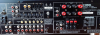
The amp is the yamaha rx-v596, and i am using a few differant kinds of non powered speakers, but ive tried using one at a time if that was the issue. i have the computer at high, amp at low, and if i switch it, there is this high pitch buzzing sound , and the origonal problem still persists. I have them speakers connected to the amp through regular speaker wise, and theyre all connected very well ( I think) and i have the monitor from my computer go into the amp with another kind of audio cable, but im not sure whats its called. ive tried all the cables i have top see if that was the issue but it hasw changed nothing.
 
i have the monitor from my computer go into the amp with another kind of audio cable

Why would you have your monitor connected to your receiver? Does your computer not have it's own audio output? The only context in which I could imagine someone connecting their monitor to their receiver would be if they were using HDMI from their computer to their monitor, with the monitor then converting that to an analog output (likely intended for headphone usage). I would strongly recommend connecting it directly to the computer if that is an option.

And with your receiver, you're not trying to connect it to the Phono input, right?
 
.. i have the computer at high, amp at low, and if i switch it, there is this high pitch buzzing sound , ... i have the monitor from my computer go into the amp with another kind of audio cable,

A couple of things:

To anyone chiming in going forward if the OP's info is correct the OP is only 14 yr's old so let's proceed under the assumption the OP might not be exactly sure what they're trying to convey (see above & below)

The Yamaha RX-V596 is NOT an "amp" it's an Audio/Video Stereo Receiver.

So now that we've clarified the OP is not connecting directly to an Amp let's find out where the OP is connecting the output from the computer (not monitor) to the back of the Receiver and what cables are being using.

From there maybe figure out if it's a setting issue on the AV/R


Screen Shot 2022-06-27 at 4.33.51 PM.png
 
Last edited:
Set computer to LOW volume, amp to medium then slowly raise computer volume.

my advice is to set the computers hdmi audio output to 50% and leave it. use the receiver's volume control to control the volume, not the computer.

compare the level to a known good source such as a dvd or bluray player connected via hdmi using the same content if possible. then match the levels. if you have to raise the computers output slightly to match then do so but i wouldn't think it's necessary.

it's difficult to say exactly where everything will fall together but just to give you something to think about...if you are watching a bluray, you don't use the bluray player to raise the volume level, you use the receiver.
 
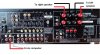
For "normal" (not self powered) speakers- If I were doing this, I would connect the amp/receiver something like this:

Yamaha RX-V596 basic connections.jpg

Set the source control to CD, turn off all the surround modes and run it in straight "stereo" ("direct in", if it has it, could be a good way to start), and see what it sounds like.

I would agree to setting the computer volume output to about half-way as a start. If it requires turning the amp volume control up a ridiculous amount (over half way) to get normal volume, then raise the computer level a bit, until you get the volume control on the amp to where it has normal volume at just under half-way in its range. That should make it work well, without excessive noise.

Regards,
Gordon.
 
For "normal" (not self powered) speakers- If I were doing this, I would connect the amp/receiver something like this:

View attachment 2606106

Set the source control to CD, turn off all the surround modes and run it in straight "stereo" ("direct in", if it has it, could be a good way to start), and see what it sounds like.

I would agree to setting the computer volume output to about half-way as a start. If it requires turning the amp volume control up a ridiculous amount (over half way) to get normal volume, then raise the computer level a bit, until you get the volume control on the amp to where it has normal volume at just under half-way in its range. That should make it work well, without excessive noise.

Regards,
Gordon.
the problem with that is most computers have inferior analog output vs. hdmi and add to that they usually require an 1/8" to rca adapter which can be a good source for noise.
 
the problem with that is most computers have inferior analog output vs. hdmi and add to that they usually require an 1/8" to rca adapter which can be a good source for noise.

That's one of the reasons why I suggested starting about half way, and increasing the output from the computer as much as needed, to allow the receiver to work on the bottom half of the volume control. That limits the amount of noise that the cable can introduce.

Regards,
Gordon..
 
I have them go through an amplifier, then into my computer. I know my computers not the issue, but i am not so sure about the amplifier.

When listening to music, if theres any bass at all, not even bass heavy songs, all the other pitches get lower.
On the amp i turned down the bass to the lowest setting, and the music sounds the same *as in it gets quieter* but just without bass and its quite annoying and all i can listen to is podcasts without it being all wierd. any help would help!
Greetings Simone and welcome to AK!
I'm proud of you, reaching out to us grizzled veterans for advice (you too Romeo!). Let us know if any of the suggestions work out for you.
 
Last edited:
Most of my computers have had a VOLUME leveling or other similar circuits in the analog audio outputs, as adjustments.

Also, equalizers and all that kinda stuff NEED to be bypassed, as they are good for just a tiny internal computer speaker, that is often in some Desktop or laptops or in monitors in some cases.
 
Back
Top Bottom