• The move to the new server is done. There are some software and database maintenance updates in process. This has us passing the hat around to help out. We appreciate any donations. Seriously, even a dollar helps. The payment page may be found here - https://www.audiokarma.org/support.html

Speakers sound Muffled (like they are underwater)

Koray C

New Member
Hello everyone, I was playing music a little too loud a couple days ago and suddenly heard the tone of my speakers change so that they sound very distorted (muffled like they are underwater). I thought the issue was with my amplifier so I replaced my Pioneer VSX D458 with a new one on eBay, but I still have the same issue where the Center speaker sounds very muffled. Do you think this is a blown speaker?

if someone could help me that would be great!
 
Register to hide this ad
Distortion blows speakers - not necessarily volume.
If you had your amp/ receiver pegged (loud as to goes) that could do it.
Could also be electronics in the amp/ receiver.
A blown speaker sounds floppy & sometimes there's a rattle.
 
Stick your ear up to the tweeter using a toilet paper or paper towel roll and describe the sound. A blown tweeter won't make much noise besides maybe a slight buzzing sound.

Or pull the tweeter and stick a voltmeter on it and report back.
 
Distortion blows speakers - not necessarily volume.
If you had your amp/ receiver pegged (loud as to goes) that could do it.
Could also be electronics in the amp/ receiver.
A blown speaker sounds floppy & sometimes there's a rattle.

Thanks Wisconsin Bob. Yeah i had it to the MAX volume on the amp so that must have broken it!
 
wild guess, you popped a tweeter or the crossover cap to the tweeter. Done that before when over-driving things.
For some reason the tweeter in the speaker makes sound when I put my ear to it but the actual mid range dosent! Is it possible I only blew the mid range?
 
Stick your ear up to the tweeter using a toilet paper or paper towel roll and describe the sound. A blown tweeter won't make much noise besides maybe a slight buzzing sound.

Or pull the tweeter and stick a voltmeter on it and report back.
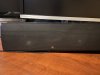
Yeah it’s definitely not the tweeter. If the tweeter is the small part on my speaker (the Center)

I only don’t hear audio from the larger mid range speakers on the left and right side of the speaker. I guess no matter what my speaker is toast right?
 

Attachments

  • 7D6FA2DC-AEC0-40CC-AE88-04AB7733717B.jpeg
    7D6FA2DC-AEC0-40CC-AE88-04AB7733717B.jpeg
    140.2 KB · Views: 60
It's possible to fix but may not be worth the time. I'd at least open up the speaker and use a multimeter to test the individual drivers or look for signs of a blown cap before tossing it
 
You probably should learn some personal volume control OR get gear that is made to play AT FULL BLAST.
Seriously, you could blow up a bunch of gear if you don't make a change or three.
If budget is not a concern, crank 'er to 11. Keep blowing up stuff then buying more. Could be the problem lies with your right (or left) hand.
Other wise some restraint is recommended.
 
Last edited:
Yeah i had it to the MAX volume on the amp so that must have broken it!

Lol, I remember being your age and doing stupid things like that. :p

I used to crank 100 watts into a 10 watt speaker. Sounded great at parties until someone hit the loudness button. :biggrin:
 
Distortion blows speakers - not necessarily volume.
If you had your amp/ receiver pegged (loud as to goes) that could do it.
Could also be electronics in the amp/ receiver.
A blown speaker sounds floppy & sometimes there's a rattle.

Too much power blows speakers. If distortion was the cause, they would all be blown.
 
Last edited:
For some reason the tweeter in the speaker makes sound when I put my ear to it but the actual mid range dosent! Is it possible I only blew the mid range?

certainly possible. I once nuked a set of woofers, tweets were fine. Maybe you got lucky and the drivers are OK and its something on the crossover or whatever that failed. Worth pulling them and doing a little poking around. Even if its not worth fixing doing an autopsy can be an interesting learning experience.
 
@Koray C, What were you driving the speakers with (Amp)?

If you have another amp you can try, do that to eliminate the amp as a possible cause (unlikely but possible).

It is possible that you just blew the mids, but that is not very likely and in most cases the mid will still produce sound, just not good sound. Start by checking all connections. Disconnect and reconnect all external connections, Speaker wires, RCAs, Power cords, everything.

Next would be to verify that all internal connections are good inside your speakers. Have a look at the crossover board while you have the drivers out of the speaker.

If you have a multimeter you can check resistance on each driver to verify the voice coil has not detached or burned up.

I suspect you will find the culprit somewhere along the line. Let us know what you find.
 
If a two way speaker you have blown your HF driver. If a 3 way you could have blown both the mid and tweeter, too. Buy more efficient and dynamic capable speakers next time. Maybe you are lucky and just blew the fuses.
 
If your speakers are emitting a muffled or distorted sound, it could be the result of various issues. These potential causes and troubleshooting recommendations might help:

-Check speaker connections: Make sure all cables between the amplifier and speakers are properly connected with none of them loose or damaged.
-Check speaker placement: Ensure that your speakers are correctly positioned and facing the right direction. For instance, bookshelf speakers should be set at ear level and free from obstructions.
-Check amplifier settings: Adjust tone controls if available on your amplifier, plus turn off the "loudness" control if there is one.
-Check room acoustics: Room acoustics can influence sound quality so attempt to adjust by adding or removing acoustic panels if necessary.

When all of these steps have been exhausted and still no improvement, it's likely that your speakers or amplifier need servicing, repair or replacement.
 
Last edited:
Back
Top Bottom