• The move to the new server is done. There are some software and database maintenance updates in process. This has us passing the hat around to help out. We appreciate any donations. Seriously, even a dollar helps. The payment page may be found here - https://www.audiokarma.org/support.html

sx-838 background hiss, should I just deal with it, or possible to troubleshoot?

I was able to update the caps and transistors on the Mic Board and it didn't help the hiss problem :( , I was really hoping this would take care of it. As a reminder, hiss is in both channels, the hi-cut filter reduces it(as does the dolby NR switch), and if I remove the pre/main jumpers the hiss isn't there. I updated all the electrolytics and transistors on the Control Amp and the EQ board and on the power supply board(but left diodes and resistors alone). I should also mention that there is blackening on parts of the power supply indicating that there was some heat damage at some point. I was playing with the volume knob, and it seems that the hiss slowly increases with volume until a certain point, and then as I increase the volume it suddenly jumps in intensity or gets much louder. The hi-cut filter and dobly NR help at the lower level of hiss, but not as much after the big jump. I deoxited + faderlubed the volume pot, which reduced some crackling, but no effect on the hiss. At this point I don't have too many other ideas of how to proceed:dunno:. Is there part of the power supply which feeds the control amp but not the main amp? I've run across mentions of using a scope, but don't have access to one. Is there a poor man's signal probe approach?

Thanks,

Gabe
 
Poor mans signal tracer.
1.) receiver with Headphones. (TESTING RECEIVER)
2.) 6ft RCA cable (with Cap soldered on this becomes TEST PROBE )
3.) .01uf, 630v film cap (Orange drop or similar preferred with long leads.)

A.) Wind one lead of the capacitor around the center lead of the RCA connector, and solder it on. (permanent solution for long term use) Tape everything on this end of the RCA/CAP except the tip of the exposed lead. This is your probe.

B.) Plug into the AUX RCA jack on the TESTING RECEIVER.

C.) Turn on both units and TURN DOWN VOLUME ON BOTH!. Put on headphones and Turn volume on Unit to be tested(UUT) to 1 or 2, then touch probe to convenient point on UUT and adjust the level of the testing receiver.

D.) Start at the output end and work your way back to the input testing both sides of each component. When you get to the point where you hear NO noise, you more than likely found your problem child. You have to test each cap, resistor, diode, transistor. no shortcuts. Make a copy of the board drawing, remembering that it's drawn from the bottom or trace side. Mark each spot that is tested on the copy. This will help you remember when momma calls for dinner, or if someone else interrupts you and you have to stop for any reason.
 
Thanks Larry, I'll get started on the probe, I have a lower voltage rated .01uf cap for the tuner probe, so will hunt for a higher voltage one.
 
Hi everyone, I tried to start using the probe today, but it seems regardless of where I touch the testing receiver(pins, chassis, etc), I get a ground-sounding hum. It's similar to the sound I'll get if I touch my finger to the probe tip, but a bit louder. I started using a power strip to plug both units in, then moved to different outlets for each receiver but no change in hum. Am I doing something wrong? I had noticed in the past that if I listened with headphones but without the bottom plate on(while testing), there tends to be much more grounding hum in general.
 
I created a ground between the unit-to-be-tested's chassis and the shield on the RCA probe cable. That got rid of the hum, but I wasn't picking up much hiss anywhere(started by checking inputs and outputs of the control amp board). I tried injecting a 400hz tone into the unit-to-be-tested's aux in. Was able to partially follow the signal, but no super evident hiss. will try some more. Just wanted confirmation whether a ground for the RCA should be used or not.
 
A bit confused now. I tested the EQ, MIC and Control Boards. Some hiss on output of EQ, but then none at input or output of Control. There is more obvious hiss at the speaker select board(I tested headphone out and then at speaker terminals). Also the hiss is present on the Protection Board(Pins 1&3, 5&6, 7&8)(tried to backtrack from Relay). However, if I patch the pre-out into another amp(an Onkyo A/V unit) I don't hear any hiss. Also, if I feed something directly into the power-in, no hiss. Tried RCA instead of jumpers to no effect. I tried to narrow down source of hiss on EQ board, but my probe(capacitor lead) is not consistent, I have to fiddle with connection before I hear anything when working with solder joints/pads. I thought I had narrowed it down to Styrol caps, but can't be sure. The whole bit with the protection board and the lack of hiss when patching into another unit also addded to my uncertainty. Any tips on more consistent probe usage or theories on the role of the protection circuit would be useful. I should mention that the sky-blue sanyos are still on the protection board. Up way too late again!
 
Hi, l don't have any experience with probing the signal as you have been doing above but it does seem odd that you have no noise when using as a pre-amp only and also no noise when using as a power amp only. Also l stand corrected but l am fairly sure the aux and tape input do not use many components at all on the EQ board only the phono input uses these components.
I have just checked my sx-939 wiring diagram (l am assuming a very similar layout to your 838) and the only components between the pre/control amp and the main amp is aws-066 (the three switch group containing low filter, high filter and mute). Then signal goes to jumpers and into main amp. It may be worth cleaning these switches again (l just did mine, easiest way is to remove faceplate and spray directly in to button end gap) just to make sure, then if no improvement l would check the Mylar capacitors and possibly even the resistors on the aws-066 switch board, don't think mylar's usually fail but anything is possible l guess (there are only 4 mylar caps so l would just replace). Also may be worth checking for corrosion on inner/outer pre-out main-in jumper connectors.
Let us know how you go.
 
Last edited:
Thanks OldSansui. You are correct in that the 3 switches are between the Pre-amp and Main. (I've attached the blog diagram). Re-cleaning those and checking the jumpers is a good idea. The idea behind checking the EQ and Mic board was based on an earlier post from MTF in which he stated that those two boards use very different feedback and that the signal can get through the switches. I'll try cleaning again and report back.
 

Attachments

  • block_diagram.PNG
    block_diagram.PNG
    191 KB · Views: 8
I created a ground between the unit-to-be-tested's chassis and the shield on the RCA probe cable. That got rid of the hum, but I wasn't picking up much hiss anywhere(started by checking inputs and outputs of the control amp board). I tried injecting a 400hz tone into the unit-to-be-tested's aux in. Was able to partially follow the signal, but no super evident hiss. will try some more. Just wanted confirmation whether a ground for the RCA should be used or not.

If you use a cap on the end of a cable as a probe you have to ground both receivers chassies. together.
 
Fair enough, yes let us know how you go. Since you will prob have face plate off for switch cleaning if you have some polyester caps in the correct value it may be worth just replacing those on that switch board since it wont take much more to get it out.
 
My main stereo(Concept 7.5D) decided it didn't want to come out of protection yesterday right before we had company come over, so I put the sx-838 in it's place. At social volume levels, the hiss wasn't really noticeable through the speakers(was worse on a different pair when last tested). I tested again this morning and found that with nothing playing when the pot reaches 12-o'clock(mid-way to max) along with the hiss, a hum comes in through the headphones and speakers. Once I get the Concept back into place, I'll check the 3-filters and do some more troubleshooting. Other than the hiss at louder levels, I really like the sound of the sx-838(playing through Akai SW-177s)
 
Yes they go sound good. The speaker sensitivity does make a difference to floor noise as you have pointed out. The main things l have found to cause a hum on these Pioneers is a bad cap on power supply but you have done these l think you said, the lower cover causes hum if not on, but l assume you have yours on and sometimes if it is a very low level hum turning the power supply plug 180 degrees in power outlet socket can help (doesn't make sense being a/c voltage but it can). Maybe re-check all of the earth points also just to be sure.
 
Hi Oldsansui, Thanks for the continued help! I did replace all the caps on the power supply(other than the big filter caps, and the big-ish solitary one off to the side of the board(1000uf, 63V))I do have replacements for those, but was holding off on the installation until I had some more troubleshooting done. I did notice the increased noise as well when the bottom plate was off! It's on now for sure. I'll try the plug rotation for now, and if that doesn't help I can live with the hiss until I get my other unit back into rotation and I can work more with the Sx-838. The hum I hadn't noticed before, and it only kicked in when the volume was cranked up quite a bit(much louder than I would be able to play music in the house anyways).
 
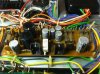
Hi Gobstopper, your welcome, l assume the cap you are talking about is the one pictured in lower rhs of photo. l see what you mean, you wouldn't notice the hum even at higher listening levels.
If you have time down the road to diagnose that hiss possibly on that switch board or something else let us know, would be interesting to know.
 

Attachments

  • upload_2016-6-7_8-20-3.jpeg
    upload_2016-6-7_8-20-3.jpeg
    18.7 KB · Views: 13
I actually replaced all the caps physically on the power supply board. The 3 that weren't replaced aren't on the board itself. I was referring to the 2 big filter caps, and one other filter-ish cap that sits by itself near the relay. They are the 3 black caps on the right hand side visible in the attached picture(found online at http://blog.mattsoft.net/images/sx838inside.jpg)
I will definitely report back on the hiss once I get a chance to work on it again.

Thanks to everyone for all the help
 

Attachments

  • sx838inside.jpg
    sx838inside.jpg
    48 KB · Views: 13
oh l see, sorry when l saw 1000uF l just assumed it was on p/supply board, l haven't worked on an 838 yet but have two 939's.
Please do and all the best.
 
Back
Top Bottom