• The move to the new server is done. There are some software and database maintenance updates in process. This has us passing the hat around to help out. We appreciate any donations. Seriously, even a dollar helps. The payment page may be found here - https://www.audiokarma.org/support.html

Technics RS-M260 - no recording/erase whatsoever

PoPSiCLe

New Member
So... I know a little bit about measuring and fault-finding, but I am still a novice, so bear with me.

Symptoms as follows: Everything seems to work - level meters, level adjustment for recording, selector switches, buttons - everything works, clicks etc.

However, when I hit "record" nothing happens. It has a light that is supposed to turn on when recording, this does not turn on. If I go to tape-monitor, it plays what is already on the tape - ie, no erasing what is on there, and no recording of new content.

It has a record mute button - this works (tested continuity while pressed and not) - has no effect on the actual recording (it still doesn't work) - I was hoping this button might've been stuck, but it doesn't seem this is the culprit.

All other functions work fine, play, ff/rew, etc. After looking through the service manual, I found a few test points, which (if I read the manual correctly), should give some voltages when measured. They do not. It is flat at 0, which I assume means they do not get power at all. But that is kinda where my knowledge of reading schematics and such end.

Anyone able to take a look at the service manual, and maybe suggest some things / places I can test measure, to see if I can pinpoint where the problem occurs? Looking at the board / components, I can't see any indicators of anything wrong - caps look good, everything else look good, no burnmarks, nothing.

Nothing gets overly hot either, while it is turned on, so no obvious shorts, it seems.

Service Manual:
https://cdn.discordapp.com/attachments/1045368361657319565/1045368361950924830/technics_rs-m260.pdf

So, I was hoping someone could point me to some things I can test, measure, etc. Note that I while I do have an oscilloscope, I've never played with it, and know next to nothing about it, so preferably stuff I can do with a multimeter.
 
Register to hide this ad
If I read correctly closure of S6 should send 28 volts to start the bias circuitry. There's also an associated connector to check if seated properly.

You might want to ask a moderator to move this to the "Tape" forum where it's more likely to be seen.
 
If I read correctly closure of S6 should send 28 volts to start the bias circuitry. There's also an associated connector to check if seated properly.

I'm sorry to be a noob, but you'll need to be a little bit more specific - I can't seem to find S6 at all - nor any connector associated with said S6.
 
Sorry to be so brief, dinner was waiting!

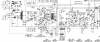
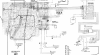
On the schematic you posted I see S6 identified as the "record" switch. It appears 28 volts should be present on one side of the switch. It should be relatively simple to check with your multimeter. Have to start somewhere and this will let you check the power supply and confirm connectivity at the PC board.

S6 is located at the lowermost middle portion of the screenshot below.

S6Schematic.png

s6PCBoardConnect.png
 
Ah, thanks! I completely missed that while looking at the schematics, and I think the reason I didn't spot it on the board is because they're hidden under the circuit board for the display. I will dismount that and have another look later today. I found S1 to S4, but not S5 and S6. But all good, now I can dig through, measure, and see if I can trace the problem - and potentially see what happens if I close that switch.
 
Sorry to be so brief, dinner was waiting!

On the schematic you posted I see S6 identified as the "record" switch. It appears 28 volts should be present on one side ofIMG_20221125_094325.jpg IMG_20221125_094325.jpg IMG_20221125_094412.jpg the switch. It should be relatively simple to check with your multimeter. Have to start somewhere and this will let you check the power supply and confirm connectivity at the PC board.

S6 is located at the lowermost middle portion of the screenshot below.
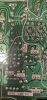
Okay. So, I found the S6, at least I found the F-point in the manual, and the connector - which indeed has a 30V in on one side. Nothing on the other. So something isn't engaging that, I figure.

On the bottom image, on the F connector, the V is present (measured to ground) on the top solder point. Measuring across the top and bottom solder point also gives 30V.
 
Maybe it's not your player.

Are the tabs on the top of your cassette broken out? If so, you need to put scotch tape over the openings so the cassette can be recorded on again.
 
Maybe it's not your player.

Are the tabs on the top of your cassette broken out? If so, you need to put scotch tape over the openings so the cassette can be recorded on again.

Great point and something that should not be assumed. I did not see a record safety interlock switch in the manual an so presumed it is mechanical, i.e. you won't be able to press the button if the sensing lever is not pushed out of the way.

Voltage on one side and not the other is of course normal for an open circuit as in the case when the switch is not closed. Common issues of older equipment are contact at connection points and as stated switch operation,
 
Does "hit" mean you pressed the switch so that it actually moved?
Yes, ofc. It plays, as I stated (three header, so it has a play head that engages and works) - it just doesn't erase or record. And you're right, mechanical check for the record tabs, if no tabs, not possible to click the button.
 
Maybe it's not your player.

Are the tabs on the top of your cassette broken out? If so, you need to put scotch tape over the openings so the cassette can be recorded on again.

I realise that you probably do get people this ... well. Let's not call someone names. But yeah, I've done cassettes for 35+ years, I know how a recordable cassette works ;)

The cassette is definitely recordable. Type 1 Maxell UR 90. It works fine.
 
A machine not erasing and not recording means the bias voltage is not reaching the heads. I'd start deep cleaning the record switch, actuating it manually. Then, verify if the switch is engaged when you set the machine to record. Then, start troubleshooting the bias oscillator, checking voltages. Schematics says "Q404 bias oscillator on/off", that could be a start point, to check the base voltage when you press "rec". Or, directly the output voltage at Q403, the darlington feeding the bias oscillator. R406 and R435 look like fuse resistors, they should be checked too.
 
Last edited:
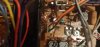
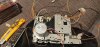
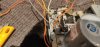
Well then. Took it apart again. And... I might have found the problem. Not 100% as I haven't fixed it yet, but loose wires are kinda not helping, anyway.

I'll give Technics this: everything is connectors, not one solder point to get the whole mech out (which is fastened with 2 screws after you get the bezel and such off). Yay for serviceability

IMG_20221126_183158.jpg IMG_20221126_183232.jpg
 
Well, then - I fixed the recording problem (I think, I haven't had it hooked up yet, so I don't know that the recording issue is gone, but at least the recording light comes on now). However, can't fix something without a new problem popping up. This time, the level meters don't work. And I don't mean they don't light up - they do, however they go all on, and stay on. No movement, whatsoever. So... what might be causing THAT to happen? Did I burn it out, or something?

Anyone have any idea what might be causing the level meters to be stuck, with no movement? They did work before I took it apart, so I assume I've ****ed up somewhere.

EDIT
Seems it's not the display/level meters - it's the amp circuit (assumed) maxing out, and creating a hum. Playing a cassette gives nothing (this worked before), and so on. So something seems to have triggered something - maybe a broken solder, maybe a blown circuit, I dunno.
 
Last edited:
Back
Top Bottom