• The move to the new server is done. There are some software and database maintenance updates in process. This has us passing the hat around to help out. We appreciate any donations. Seriously, even a dollar helps. The payment page may be found here - https://www.audiokarma.org/support.html

Trying to clean up the Y960

Wicked65

New Member
Hi all,
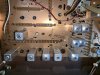
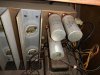
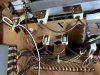
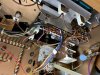
Trying to get my parents old Zenith Y960 working again and am attempting to clean up oxidized connections and such as was recommended. I have read a the DeOxit Guide twice but when I look at what's inside the Y960 it's hard for me to tell what's what. What should I be cleaning? I've never done anything like this this before, I am more familiar with classic cars. Thanks again for the guidance.

IMG-0233.JPG IMG-0234.JPG IMG-0235.JPG IMG-0241.JPG IMG-0250.JPG
 
Register to hide this ad
What is it doing or not doing? I have never found the internal connections to be a problem, the two main items that get oxidized are the volume control and the internal/external speaker switches
and sometimes the selector buttons.
To get at the volume control, you must remove the tuner/preamp section, not easy. You must uplug all connections to the tuner/preamp which If i remember correctly are the jones plug to the amp, the am and fm antenna's, the tape input/ouputs and the phono plug. Then you remove the record bin (or 8 track or cassette deck if equipped in the record bins place), held in by four screws underneath. Then you can get at the screws that hold the tuner/preamp underneath and lift out from the top.

Also consider replacing the electrolytic caps in the amplifier, but I wouldn't do anything until you determine what the problem is, again what is it doing or not doing?
 
Hi orthophonic, it makes a very loud static-like noise when I turn it on and only one speaker seems to be working. Can't seem to control the volume to turn it down either so I have to turn the power off.
 
OK, the first thing I would try, be sure it is off and unplugged, turn the volume control up and down thru its range several times, then do the same with the bass, treble and contour controls.
Turn the tuning knob back and forth across the scale several times and turn the internal speaker switch on and off several times. Push each selector button at least twice, the am, fm, fm AFC
phono, mono, tape and extended bass, plug in and turn on and see if there is any improvement.

From the rust on the power transformer, it looks like it may have been stored in less than ideal conditions and you will probably have to remove the tuner/preamp to clean the controls and
push button contacts. Very important to clean the internal/external speaker switches, you will need to remove the back plate from the assembly to get at them.

Another thing, the transistors in the tuner/preamp are in sockets, you could carefully wiggle them or remove them and re insert them, being sure to put them back in the exact same way. I believe
the clump of eight black silicon ones in the center are for the preamp. I notice two of them are circled in yellow, were they diagnosed as bad at some point or replaced?
 
OK, the first thing I would try, be sure it is off and unplugged, turn the volume control up and down thru its range several times, then do the same with the bass, treble and contour controls.
Turn the tuning knob back and forth across the scale several times and turn the internal speaker switch on and off several times. Push each selector button at least twice, the am, fm, fm AFC
phono, mono, tape and extended bass, plug in and turn on and see if there is any improvement.

From the rust on the power transformer, it looks like it may have been stored in less than ideal conditions and you will probably have to remove the tuner/preamp to clean the controls and
push button contacts. Very important to clean the internal/external speaker switches, you will need to remove the back plate from the assembly to get at them.

Another thing, the transistors in the tuner/preamp are in sockets, you could carefully wiggle them or remove them and re insert them, being sure to put them back in the exact same way. I believe
the clump of eight black silicon ones in the center are for the preamp. I notice two of them are circled in yellow, were they diagnosed as bad at some point or replaced?

I’m not aware of them being replaced, but then I just realized the changer/record player is not the original that came with the console. My mother said the record player had stopped working and it was replaced, with what looks to me to be an inferior model, a BSR. (Unfortunately, she did not keep the original.)

I will be setting aside time this weekend to work on the unit and will follow your recommendations.
 
Hi orthophonic,
I was able to spend some time with the console and was able to listen to a radio station but mostly through one speaker, the right, the sound from the left speaker is very faint. When I tried to adjust the Bass and Treble the loud cracking, static sound comes through and I have to turn the unit off.

Not sure how to pull the tuner/preamp out as there are too many wires that are soldered to their connections and I am way out of my league in undoing them. I can see where the screws are that hold it in place but I cannot remove it without severing those other wires. Soldering is not something I am good at.
 
Did you clean the speaker switch?
There is no unsoldering needed, everything plugs in, the main jones plug to the amp, the phono input, am/fm antennas and tape jacks. It is easier to leave the tape jacks connected and
just remove the tape jack assembly from the back of console, on or two screws if i remember.
 
I moved the speaker switch back and forth many times and that seemed to make a difference. I used Deoxit in the jack but am not sure what I should be cleaning after removing the back plate. There are lots of wires in that little speaker switch box that are squished in to a small space. What/how do I clean the speaker switch?

Also, there are a couple of things soldered on to a part on the tuner that do not appear to disconnect unless they are unsoldered. Am I seeing it correctly? Is that not part of the tuner/pre amp? It’s the part with the light blue dime-shaped thing, it doesn’t come off.
 

Attachments

  • D9DC5B73-3610-4921-97DE-36E0296F1083.jpeg
    D9DC5B73-3610-4921-97DE-36E0296F1083.jpeg
    128.6 KB · Views: 17
Those two wires above the dime shaped blue capacitor unplug, you pull on each one gently at the lower metal part, do not pull on the wires. They are usually quite tight.

As to the speaker switch, after the rear plate is removed, you want to direct the cleaner into the slide switches, then move them back and forth.
 
For the pots, usually the main openings are on the underside, next to the board. Unless they are rotary selector switches which are usually open or the white plastic framed with ventilation holes thru out the periphery.

Take the De-Oxit Straw, stick a piece of wire in it about 2". Warm up the straw with a hair dryer on Medium heat, until you can bend it easily (the plastic will soften some) to just past 90* about 1/2" from the end. Remove heat and let it cool. Remove wire, and put the straw on the can. Now you can get a direct shot INTO THE POT with minimal overshoot.
 
Back
Top Bottom