• The move to the new server is done. There are some software and database maintenance updates in process. This has us passing the hat around to help out. We appreciate any donations. Seriously, even a dollar helps. The payment page may be found here - https://www.audiokarma.org/support.html

Using LTspice to Simulate Klipsch Crossovers

Correction, the resistors that the later AL4 did not have are the 5 ohm, 10 watt. In series with K77. So they are six element.


View attachment 3815615

Mine has just the one 5-ohm resistor.

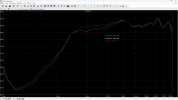
This is turning out to be handier than I thought. CT120. Green is basically a wire, white is two 5-ohm in parallel (2.5-ohm), and red is just the one 5-ohm resistor.

I really hope the actual measurements are similar. So much easier to solder/unsolder with a keyboard.
Screenshot 2026-08-09 132612.png
 
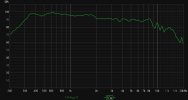
So far so good, I think. Here are plots of the CT120 on the AL4. I shorted the 5-ohm resistor. First the REW plot.

CT120 AL4.jpg

Now the LTSpice simulation.

Screenshot 2026-08-10 090928.png
Really close. I'll measure the Atlas driver on a K400 later. Should be interesting, at least to me :)
 
I designed and printed a 270fc tractrix horn using the new online Horn Studio and Fusion 360, then measured a D2200ph. After loading the .frd and .zma into the LTSpice modeling program, I get this raw measurement. Pretty flat from 335hz to 1800hz, a 6db drop, then flat from 2000hz to 8400hz.

I'm going to try to design a high order high pass to achieve a 400hz cross, if not lower. Maybe a low-cut shelf to flatten it out as well. Once I'm happy, I'll wire up a crossover to test the simulation. All of this would be easy using DSP.

Mike

D2200ph 270fc.jpg
 
@Dave MacKay asked if I would assist others interested in this simulation process. I consider myself a good teacher but a lousy documenter, so here goes.

I use Windows 11.

Once you have downloaded and installed LTspice, download the attached Spice.zip file. To keep things simple to start with, let's focus on 4 files...

SpkrTbl.asy is the symbol for the driver. It needs to be copied to the location of the other LTspice symbols. In my case it's

C:\Users\MABOX\AppData\Local\LTspice\lib\sym

D270ph CDX1-1412.asc is the LTspice file. D270ph.lib and CDX1-1412.ib contain the impedance and FR of the raw drivers.

If you double click on the D270ph CDX1-1412.asc file, and all is well, you should get this.

Screenshot 2026-08-30 140115.png

Now right click on each .inc statement and change the location to where the D270ph.lib and CDX1-1412 lib files are.


As soon as I get a "so far so good" response, I'll move to Part 2.
 

Attachments

In case anyone is interested...

L1 - L5 represent a T2A autoformer, which is simply a 45.6mH inductor with specific windings exposed. The K1 statement couples L1 - L5 to create the autoformer. So far, I have not found any other software that allows for autoformer simulation. Any autoformer can be simulated :)

R1 is the 10 ohm "swamping" resistor that tames the autoformer's reflected load on the C1/L6 high pass. It's what allows one to move the drivers to various taps without drastically changing the voltage transfers.

R3 is there to allow me to use ohm's law to display the impedance of the D270ph model. The value is low to eliminate its effect on the circuit itself. I use it to verify that I didn't mess up when I created the driver model.

Mike
 
@Dave MacKay asked if I would assist others interested in this simulation process. I consider myself a good teacher but a lousy documenter, so here goes.

I use Windows 11.

Once you have downloaded and installed LTspice, download the attached Spice.zip file. To keep things simple to start with, let's focus on 4 files...

SpkrTbl.asy is the symbol for the driver. It needs to be copied to the location of the other LTspice symbols. In my case it's

C:\Users\MABOX\AppData\Local\LTspice\lib\sym

D270ph CDX1-1412.asc is the LTspice file. D270ph.lib and CDX1-1412.ib contain the impedance and FR of the raw drivers.

If you double click on the D270ph CDX1-1412.asc file, and all is well, you should get this.

View attachment 3826914

Now right click on each .inc statement and change the location to where the D270ph.lib and CDX1-1412 lib files are.


As soon as I get a "so far so good" response, I'll move to Part 2.
This is going to be a steep climb …
 
Back
Top Bottom