Hello All
Just newly signed up to the Audio Karma forums but have been a long time reader. After a very long hiatus I got back into listening to vinyl about a year ago and have been loving every minute. It feels so good to dust off those old records and to experience brand new releases with the same enthusiasm for music I had as a teenager.
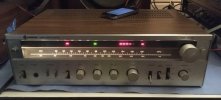
So right now I'm running my turntable through a 1970's era Samsung receiver. Model SS-3490. I bought it for $30 at a local thrift shop that deals only in used electronics. I know it's not the coolest vintage receiver out there, but I think it sounds pretty great. Really punchy bass without overwhelming the music and the tuner picks up some of the great commercial free FM stations that we have in the Portland area better than my car stereo does.
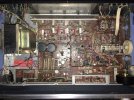
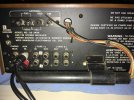
Recently I decided to plug in a 5-disc CD changer to the receiver and opted to run it through the AUX function. I've noticed that when I switch the receiver to auxiliary, the left speakers constantly cut out. This happens when using both the A speakers or the B speakers, together or separately. It is definitely not the CD changer as I experienced the same problem when plugging in my phone to the same inputs and the problem still exists. It is also not the speakers as they work fine with when the reciever is set to Phono or FM and AM.
I got in touch with a local repair business who quoted me a turn around time of three weeks to diagnose the problem. uggh!! I don't mind paying the money to have it fixed as I'm rather fond of this thing, but I dont' want to be without my stereo for that long. Any suggestions as to some relatively easy things I could try before I take it in?
Just newly signed up to the Audio Karma forums but have been a long time reader. After a very long hiatus I got back into listening to vinyl about a year ago and have been loving every minute. It feels so good to dust off those old records and to experience brand new releases with the same enthusiasm for music I had as a teenager.
So right now I'm running my turntable through a 1970's era Samsung receiver. Model SS-3490. I bought it for $30 at a local thrift shop that deals only in used electronics. I know it's not the coolest vintage receiver out there, but I think it sounds pretty great. Really punchy bass without overwhelming the music and the tuner picks up some of the great commercial free FM stations that we have in the Portland area better than my car stereo does.
Recently I decided to plug in a 5-disc CD changer to the receiver and opted to run it through the AUX function. I've noticed that when I switch the receiver to auxiliary, the left speakers constantly cut out. This happens when using both the A speakers or the B speakers, together or separately. It is definitely not the CD changer as I experienced the same problem when plugging in my phone to the same inputs and the problem still exists. It is also not the speakers as they work fine with when the reciever is set to Phono or FM and AM.
I got in touch with a local repair business who quoted me a turn around time of three weeks to diagnose the problem. uggh!! I don't mind paying the money to have it fixed as I'm rather fond of this thing, but I dont' want to be without my stereo for that long. Any suggestions as to some relatively easy things I could try before I take it in?