• The move to the new server is done. There are some software and database maintenance updates in process. This has us passing the hat around to help out. We appreciate any donations. Seriously, even a dollar helps. The payment page may be found here - https://www.audiokarma.org/support.html

Yamaha CR-200 weak channel *speakers only* - suggestions?

Pablo77

Member
Looking for a suggestion where to start on troubleshooting this.
I bought restored, and it has been in the kitchen of shared office, working fine for a couple years.
--
1. Recently it stoppped working, was producing only distorted sound in one channel, other channel dead.
2. I checked fuses and replaced one, and it worked again normally for a while, but 24 hours the same channel is distorted again on speakers only. Normal on headphones. Same issue in "A" or "B" speakers.
3. Same results with different speakers and wiring, so problem is 100% in the receiver.
4. I have tried playing with the switches, which were deoxited recently so I don't think it's a switch problem.
(There is no hum or distortion when volume is down. It follows the volume, and you can hear the music playing, just very distorted.)
--
I have a multimeter and some spare transistors and caps from a dead unit, but little knowledge of troubleshooting... Any suggestions where to start? Thanks!
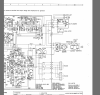

upload_2022-11-10_17-49-40.png

upload_2022-11-10_17-50-22.png
 
Register to hide this ad
From the schematic, the only difference in the path to the headphones and the path to the speakers is the speaker select switch. Can you measure the resistance across the speaker select switch? It should read <1Ohm. I know you said it was cleaned, but this measurement will tell you if it really is. It could also be damaged.
 
This receiver can drive headphones without power transistor. If one or more power transistor(s) is (are) defective, you will have good sound on headphones but bad sound on speakers. Test the receiver with headphones. If you have good sound on the headphones when the speakers are disconnected, but bad sound on headphones when the speakers are engaged simultaneously, then you have defective power transistor(s).
 
From the schematic, the only difference in the path to the headphones and the path to the speakers is the speaker select switch. Can you measure the resistance across the speaker select switch? It should read <1Ohm. I know you said it was cleaned, but this measurement will tell you if it really is. It could also be damaged.

THANKS! Not sure where to put the probes to measure the switch resistance though: do I need to remove first? It looks like this inside:View attachment 2711400

(Also apologies for slow response time: I'm busy at work and this unit is at my work....help much appreciated!)
 

Attachments

  • upload_2022-11-11_11-31-37.png
    upload_2022-11-11_11-31-37.png
    603.8 KB · Views: 7
This receiver can drive headphones without power transistor. If one or more power transistor(s) is (are) defective, you will have good sound on headphones but bad sound on speakers. Test the receiver with headphones. If you have good sound on the headphones when the speakers are disconnected, but bad sound on headphones when the speakers are engaged simultaneously, then you have defective power transistor(s).
Hmm this seems promising:
Headphones with no speakers attached: Sound good in both channels, even when speaker selector set to A/B/A+B
Headphones with speakers attached: Sound good in "Off" position, channel distorts in both speakers and headphones when I move to A, B, or A+B
--
When you say "power transistors" do you mean these four (aka the output transistors if I'm not mistaken):
upload_2022-11-11_11-42-25.png


THANKS FOR YOUR HELP. And apologies if I'm slow to reply...
 
THANKS! Not sure where to put the probes to measure the switch resistance though: do I need to remove first? It looks like this inside:View attachment 2711400

(Also apologies for slow response time: I'm busy at work and this unit is at my work....help much appreciated!)
Given the symptoms, it seems that you should follow the recommendation of ecluser regarding the output transistors. But since it's easy (and free) to check the switch, it can't help to eliminate the switch as a cause of the problem. It's probably easiest to get at the switch contacts (the traces they connect to) from the trace side of the PCB. You'll have to use the schematic and the board diagram to figure out which pins to probe. If you see infinite resistance, it's pretty likely those two pins are not connected. If you see more than one ohm, the switch is too resistive and needs attention. Less than one ohm and it's a (relatively) good contact.
 
It could be a defective (open) emitter resistor R429, R430. It is less likely than a defective output (power) transistor. Measure the resistance between test points 1 and 2 (L channel), and test points 3 and 4 (R channel). If the measurement confirms that the emitter resistors are not open, replace the output transistors.

The TIP41C (100V) is not much more expensive than the TIP41A (60V), or TIP41B (80V). The BD911 (100V) and BD909 (80V) would be good replacement too.

The problem with those TO220 transistors is that the current gain falls rapidly above a collector current of 2A. That gives more stress to the driver transistors. I prefer to replace the original power transistors by the TIP35C. This one is larger (TO-218 case) but it is usually not difficult to bent the outside legs a little to fit the pc board. The current gain is much better at high collector current and it is easier (safer) for the driver transistors. If you go for the TIP35C, you will need to replace the mica insulators by larger ones.

When replacing the power transistors, it is important to reduce the bias to minimum. In the CR200, that means the resistance of the bias trim pot should be set to the minimum value. It does not mean that the bias trim pot should be set fully counter clockwise. When adjusting the bias, do it very slowly because I remember that the bias adjustment is very sensitive on this receiver.
 
Thanks all for your help! Before moving on to transistors I am going to try to eliminate the switch as the source of the problem.
Another round of deoxit didn't improve the situation.
I think I should take apart the switch, thoroughly clean and resolder it (I have an iron).
If anyone has experience, does this look normal (see photo)
Would it make a difference that there is no solder on certain points of the switch connections???

upload_2022-11-12_10-22-13.jpeg
 
Headphones with speakers attached: Sound good in "Off" position, channel distorts in both speakers and headphones when I move to A, B, or A+B

In my opinion you are wasting your time with the speaker switch, and you can break the traces on the board. If you have distortion when the speakers are engaged, it is because the power transistors don't drive the load, and that load is too much for the driver transistor circuit. Check R429 and R430. If they test good, replace the power transistors.
 
In my opinion you are wasting your time with the speaker switch, and you can break the traces on the board. If you have distortion when the speakers are engaged, it is because the power transistors don't drive the load, and that load is too much for the driver transistor circuit. Check R429 and R430. If they test good, replace the power transistors.
Just to reassure you on the soldering on the switch, the reason those pins have no solder is that there are no traces that connect to them. They all look normal. I agree with ecluser regarding the transistors. Have you tested them yet?
 
Yes, I tested transistors and one of them did behave differently than the others. I took them out and am going to order new ones today. I'll update once they come
 
My transistors (TIP35C) were shipped yesterday so I imagine I'll get them today or Monday. I also ordered mica pads.
I have 2 questions
1. Do the mica pads replace thermal compound? (This transistor is attached to the rail with a screw). Or do I also need compound: it does appear to have been used when the original transistors were put in.
2. @ecluser , you mention (see quote below) that I need to set the bias ("measure the resistance of the trim pot"). Could you explain how to do this? I have a standard digital MM. Pardon my ignorance.... I see the trim pots, but I don't know how to measure the bias.

Again, thanks!!!

When replacing the power transistors, it is important to reduce the bias to minimum. In the CR200, that means the resistance of the bias trim pot should be set to the minimum value. It does not mean that the bias trim pot should be set fully counter clockwise. When adjusting the bias, do it very slowly because I remember that the bias adjustment is very sensitive on this receiver.
 
You will need a thin coat of thermal compound on both sides of the mica. I suggest that you bent the outside legs of the TIP35C before installing the mica and thermal compound. It's less messy to adjust the mounting hardware without the compound.

Some power transistors have a built-in insulator around the mounting screw, some don't have this insulator. It is important that the collector of the power transistor be insulated from the heat sink. The heat sink is at ground potential, not the collector of the power transistors. I can see the insulators (kind of plastic washer) under the mounting screws of your old power transistors. You might need to reuse these insulators for the new power transistors. After the installation of the power transistors, always check with your Ohm meter to see if there is a short circuit between the heat sink and the collector (central pin) of each power transistor. There must be no short circuit.

Measure the resistance of the bias trim pots. You should be able to vary this resistance from approximately 0 Ohm to approximately 1kOhm. Set the bias trim pots for the minimum resistance. I can not tell you if minimum resistance is when the bias trim pot is fully counter clockwise or fully clockwise. It depends about the printed circuit design. You must check each bias trim pot because in some amplifiers minimum resistance can be clockwise in one channel and counter clockwise in the other channel.

For the bias adjustment, measure the DC voltage between test point TP2 (+) and TP1 (-) in the left channel, and adjust VR401 until you have approximately 10mV to 15mV. Take your time because I do know that the bias adjustment is very sensitive on this receiver. Monitor the voltage between TP2-TP1 for at least 15 minutes making sure it doesn't exceed 15mV. Do the same with TP4 (+) and TP3(-) and VR402 on the right channel.
 
OK, I have my transistors and am putting them in. I set bias pots to minimum by measuring across the switch (counterclockwise on both in my case, looks like this:)
upload_2022-11-25_10-0-12.jpeg

Installing the larger transformers was challenging, I used a thumb tack to slightly enlarge the holes. Now I have them in place (but not yet fixed to the heatsink), I am unable to line up the holes without having the trasnformer legs touch the heatink. *Is this a problem*? (See photo below.)

I will reuse the screws with their insulating washers from the previous transistors.

Thanks!!!

upload_2022-11-25_10-2-58.jpeg
 

Attachments

  • upload_2022-11-25_10-0-12.jpg
    upload_2022-11-25_10-0-12.jpg
    117.5 KB · Views: 5
Last edited:
The legs of the new transistors must NOT touch the heat sink. Maybe you should remove the heat sink and enlarge the holes with a file, or lift the outer legs upward and connect the legs to the board with short insulated wires.
 
Back
Top Bottom