• The move to the new server is done. There are some software and database maintenance updates in process. This has us passing the hat around to help out. We appreciate any donations. Seriously, even a dollar helps. The payment page may be found here - https://www.audiokarma.org/support.html

Your photo, critiqued and/or praised. It's about learning and improving.

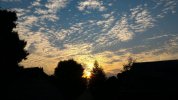
I like the colors in the "as imaged" shot the best - more foreboding to me. Maybe if you restored those colors to the contrast enhanced version?
 
I prefer the cropped and contrast enhanced only. Are you using PhotoShop? if so, have you played with adjusting the levels instead of using just the contrast adjustment?
I have never learned PShop... it seems way too complicated and non-intuitive the times I have used it. I use Graphic Converter on my Mac.
 
I have never learned PShop... it seems way too complicated and non-intuitive the times I have used it. I use Graphic Converter on my Mac.
You might want to take a look at Adobe Lightroom. It's a lot easier than PhotoShop. I agree with you, PhotoShop isn't always intuitive; sometimes it's even down right mean and nasty.
 
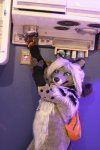
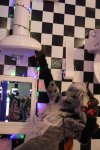
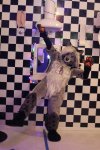
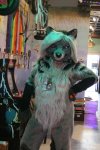
Just did my first photoshoot this past weekend. I thought it was decent but could definitely use a brighter/sharper lens. Should have shot in RAW too. Either way, have at it.

-Novice photobomber.
-Canon EOS 20D w/Canon EF III 35-80mm F4-F5.6
-ISO 1600 for all shots
-Handheld (no tripod)
-was shot indoors so no wind.
Props are upside down.

F4, 1/50s, 35mm
IMG_0806.JPG

F4.5, 1/60s, 44mm
IMG_0823 (1).JPG

F4, 1/50s, 35mm
IMG_0816 (1).JPG

F4, 1/50s, 35mm
IMG_0800 (1).JPG

F4, 1/160s, 35mm
IMG_0791.JPG

F4, 1/125s, 35mm
IMG_0797 (1).JPG
 
First impressions:

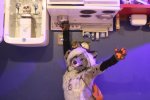
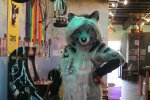
To me, the landscape oriented ones cut off too much of your subject's body. I'm guessing you couldn't back up further, but it would have been nice if you could and decide the best crop afterward. To my eye, shooting these in portrait format would would have given you better options of where to crop your subject's body.
---
When doing quick grab shots, it can be helpful to shoot extra wide if you can, so you don't have to worry about cropping and accidental camera tilt, and can refine those things in post processing. Getting the cropping right in the camera is a nice goal, but can be impossible when your subject is animated.
---
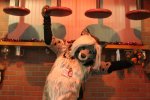
I think the last one might emphasize your subject's diagonal pose more if rotated so the tiles are straight.

 
To me, the landscape oriented ones cut off too much of your subject's body. I'm guessing you couldn't back up further
That is true. I backed up as close to the wall as I could, but even so I had no wide angle at all given that the 20D is a crop-sensor DSLR (1.6x crop factor), and the lens I was using was the kit lens that would've come with one of Canon's 35mm film SLRs. Unfortunately this is the only lens I have with the camera.
To my eye, shooting these in portrait format would would have given you better options of where to crop your subject's body.
I did get the landscape ones in portrait as well, though one of the handpaws partially got cut off the frame.

IMG_0814.JPG
IMG_0824.JPG
 
Back
Top Bottom