• The move to the new server is done. There are some software and database maintenance updates in process. This has us passing the hat around to help out. We appreciate any donations. Seriously, even a dollar helps. The payment page may be found here - https://www.audiokarma.org/support.html

All static in left channel

Nikkoholic

Active Member
Purchased a Vintage Nikko Alpha 450 and when I hooked it up the left channel is all static and no sound. I can play with the volume on my preamp and once I "overcome" the static it seems fine. But if I shut it down and turn it back on and keep the volume low the problem returns. I have to really crank it to really high volumes to overcome the static so this is dangerous (to the speakers). The problem is in the left channel. Right channel does it a little but not nearly as bad and clears up with moderate volume levels.

I swapped speaker wires L & R problem stayed with the left channel (moved to right speaker). Tried speaker B outputs same problem. Switched back to my current amp and no problem (just to make sure I didn't have a bad cable or loosen something when swapping out). I also changed the direct / normal switch on the back, no change (this bypasses the line input level pots on the back of the amp).

I searched the forum for about an hour to try and find a post with similar problem and couldn't find one. I did see the excellent artical on the Deoxit process.

However there aren’t many contacts on this amp (I think) just RCA in, Power, Speaker select (but since the problem remained using both the A and B outputs it doesn't seem to be in this switch.

I'll try the cleaning process this weekend, but what else could be causing this? It did just finish a long journey (professionally packaged) but it was claimed to be working when it left it's prior home. I am electronically challenged, but can do the deoxit process, but that's about it. But while I have it opened, is there any other easy things to look for or observe?

Note when it works it seems to be fine.

Thanks
 
Register to hide this ad
IMO Deoxit will not cure this problem. I've seen several threads recently suggesting deoxit as panacea. While I love the stuff, and dirty controls are common, people need to pay attention to the symptoms.

Sounds like an internal component problem to me.

I don't understand what you mean when you say:
"I can play with the volume on my preamp and once I 'overcome' the static it seems fine. But if I shut it down and turn it back on and keep the volume low the problem returns. I have to really crank it to really high volumes to overcome the static..."

Are you saying the static stays at a constant level, regardless of volume setting? And thus once the volume is loud enough you can't hear the static as much?
 
What I mean is; if you crank enought juice through the "bad" connection (if that's what it is) the static disappears and you are into clean sound. At that point you can adjust the volume to any level and it remains fine / clear. However you can start the whole process over by shutting down the amp, turning down the volume on the preamp, then turn the amp back on, and static is back.

Which I have experienced in the past with a potentiometer on a passive crossover pot on a speaker. However when you turn the pot the static changes. However in this situation the pots on the amp input (back of the amp) have no effect on the static sound.

Hope this makes sense.
 
How hard is that for a professional (not me) to diagnose or locate?
Anybody know a good vintage repair guy in St. Louis Missouri?
 
How hard is that for a professional (not me) to diagnose or locate?
Anybody know a good vintage repair guy in St. Louis Missouri?

I don't know anyone in that area, but it shouldn't be hard to diagnose. The problems that are hard to diagnose are intermittent ones; sounds like you can replicate this ease.

Another clarifying point: I'm not too familiar with the Alpha 450. It is simply a power amp, right? And in your original post you said you swapped power amps (using same pre-amp) and the problem disappeared with the other amp? Is this correct?

It's probably fixable yourself if you feel up to the task (ie you don't mind soldering). If you want to give it a shot, say so and I'll try to locate a schematic to help you further.

Also, you say it was claimed to be working before it was shipped. Was this a reliable claim, or an individual you've never met selling it on ebay (or the like).
 
I'm not opposed to trouble shooting, but electrically I'm challenged. I do own an Ohm/volt meter and a soldering iron...they mostly collect dust.

The 450 is just a power amp. When I said I swapped amps (I have another 450) so I hooked it back up (same wires everything) just to make sure I didn't do something or was experiencing a freak coincedence with preamp having a problem (same preamp same speakers; everything the same except the amp).

I did buy it from a Canadian Audio mart and while I don't know the buy I did talk with him extensively. He has offered to fix it too; so I feel he was sincere, he only has sold select audio stuff and seemed credible/ reliable.
 
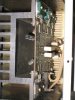
Cleaned all the accessible contacts; waiting for things to dry out. When I opened the unit up I saw some things that looked odd. For 30 years I've been a user and never poked around inside equipment, but what I think are capacitors (since they have a uF rating??) looks like some gunk around the bottoms. Also similar stuff around 3 other components. I took photos. All the things with the "stuff" around the base is on the right side of the unit. Remember the problem is with the left channel, but I don't know which components are left or right channel?

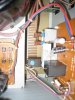
Took some other photos of the backside of the front panel near the power switch/relay and the speaker switches / relays. These seem to all work so I did not attempt to clean these, plus they do not look very accessible.

To a photo of the line input gain controls located on the back of the unit next to the RCA inputs. I also removed all fuses 1 at a time and cleaned the carrier and fuse ends (8 total). I'll turn it on but while things are drying thought I'd post the photos of the mystery gunk.

Thanks to all who have commented; your help is awesome.
 

Attachments

  • 5 components with stuff at base.JPG
    5 components with stuff at base.JPG
    104.1 KB · Views: 41
  • close up of base stuff.JPG
    close up of base stuff.JPG
    92.9 KB · Views: 34
  • board on right diff from left.JPG
    board on right diff from left.JPG
    34.5 KB · Views: 22
  • left board looks original.JPG
    left board looks original.JPG
    35.2 KB · Views: 17
  • Top view.JPG
    Top view.JPG
    43.4 KB · Views: 31
  • deoxit in process.JPG
    deoxit in process.JPG
    34.1 KB · Views: 25
  • input gain controls.JPG
    input gain controls.JPG
    36.5 KB · Views: 25
  • back of power and speaker switches.JPG
    back of power and speaker switches.JPG
    37.3 KB · Views: 26
That could be glue, it could be leaking electrolyte. Hard to tell. Some glue that was used on circuit boards, especially in the early 80s, has a bad habit of turning black and becoming rather conductive.
 
Update. The deoxit didn't change anything; unless it is related to one of the items I didn't clean. Power relay or speaker relay (don't think it's this because it happens on both the A and B channel) so problem has to be after this component...right?
 
Notice the substance is only on the two (components /capacitors?) on the right side of the unit, the 2 on the left are clean at the base.
 
It's late so I'm going to make this short. Does the substance appear to have any 3D texture to it? Is there a bump when you run your finger over it? Or is it pretty much flat and level with the PCB, like a wine spill might dry?

It could be electrolyte and if so may be causing the issue in the right channel. Since this apparently happened during shipping it sounds like a component came loose somewhere on the left side. Maybe somewhere that's supposed to be grounded isn't.
Check all the resistors, capacitors, diodes, and especially transisors to see if a leg broke and is no longer connected to the board. I'll search for a schematic tomorrow. If you want, you might double check the voltage's going to the left channel's amplifier board to see if they're reasonable. What's the watts per channel rating on this amp?
 
A signal path that is "nothing but static" or no sound a-tall is usually traceable to the speaker safety relay found on most amps and receivers built since argyle socks became passe. The contacts get pitted. Often De-Ox-It will make 'er lie down and behave for a while. But as often such relay needs replacement.

Fatigued solder is another issue--particularly the solderings of larger components. It doesn't hurt to examine the fillets around each lead for a possible circular crack that develops with hot/cold cycling and vibration. Put on the 3.0 diopters, grab a magnifying glass, and go at it.

Bad solder and pitted or corroded contacts will cause this symptom of no signal until you make it hot, and it "burns in" a connection.
 
The substance almost looks like rust and seems to have a thickness to it. It does not look like a stain and it is not totally flat.

I suppose the check all the res, cap, diod, trans I'm just wiggling them and watching the connection on the bottom of the board? I have not removed the bottom of the case so I guess if I do that it will expose those connections?

Not sure how the check the voltages on the amp board. Can this be explained easily or are the check points visible in my photos that you can reference?

The continous power rating is 220 w/ch @8ohms
 
Old1625
Can you see the speaker relays in the photo? Also is the same relay for both A and B? Since it is happening on both A and B left channels.

Why would there be glue at the base of these components? Did they use glue to hold them until the solder connections were made? Why is it only on the right side? Left components don't have the glue. Note the large black items (capacitors?) don't all have the same writing on them. The 2 on the left both have different markings. The 2 on the right both have the same markings but don't match either of the 2 on the left.

I would love to learn to diagnose this stuff, since I have 10 different Nikko amps (all working except this one and another).
 
avionic: Why would they only glue one side? I feel like I've seen select components glued before (and not necessarily the largest ones).

Nikkoholic: I believe (someone correct me if anything I say is wrong, please) that the relay is the same for both A and B, as it's just a speaker switch. Manufacturers add glue to heavy components for additional support. For example on those two large filter capacitors, the small solder joints probably won't be strong enough to support the weight of the cap if it gets jerked around. Additionally, sometimes glue is used in an effort to dampen vibrations. If you've ever had a CRT television make a very high frequency pitched noise, this can be caused by a vibrating cap or other component.

What are the markings on the large left black caps and the large right black caps? Hard to see from the picture.

I take back my original supposition that a component lead has become disconnected. While that's something that may occur during shipping, I don't think the static would change like you described when changing the volume if that were the case. I'm now thinking a bad diode or transistor. If one of them developed a high resistance/forward voltage drop, then the device wouldn't function properly until enough current is pushed through it (ie the volume is turned up).

My preliminary search for a service manual came up empty. That is, for a free one. It may be necessary to purchase one; you should be able to find one for download for $20 or less. Another audiokarma thread mentioned the 440 was internally identical to the 450 and thus a 440 service manual would work as well, although I cannot be sure. I'd try to find one specific to the 450. If you're opposed to buying the service manual, there are still things we can try, although it may be helpful in the future for you.

Here's a tutorial on diode/transistor testing with a DMM courtesy of EchoWars. The obvious first transitors to check are the output transistors which are the largest ones you'll find on the amp board. They're visible from your photo on the side of the board nearest to the front, with some thermal grease visible around where the transistor is screwed into the heatsink.

You may want to see if you can measure the voltages mentioned in the thread about the other 450 to see if yours are close. Compare both right and left channel.

Any chance of getting a picture straight down on both sides of those power amplifier boards (behind the power supply boards, attached to the heatsinks)?
 
Last edited:
Back
Top Bottom