• The move to the new server is done. There are some software and database maintenance updates in process. This has us passing the hat around to help out. We appreciate any donations. Seriously, even a dollar helps. The payment page may be found here - https://www.audiokarma.org/support.html

Altec Model 14 troubleshooting help

Qbert909

New Member
Hi guys, I have a pair of Altec Lansing Model 14 speakers that I need some help troubleshooting. The issue I'm having is one speaker sounds thinner than the other, like its missing something - middle or low end maybe, or maybe the top end is too pronounced, hard to say. It almost seems like there is a different eq setting between the two speakers. I have tried swapping amps, cables, inputs, and checking the balance knob. I have tried swapping horns and woofers between speakers with no change. I recapped the speakers last year so I tried swapping the capacitors between crossovers and no change (the capacitors tested fine as well). I even swapped the entire crossover to attempt to find the cause.

I think I have narrowed the issue down to the crossover as the sound difference only seems moves with the crossover. I'm not sure where to go from here however, I assumed it was a capacitor issue, but like I said - I swapped the capacitors between crossovers and still the issue persists in the same crossover.

The protection circuit or potentiometers are my next guess but I'm really not sure even where to start here. Im not sure what else I should test to narrow down the issue. I only noticed the issue a couple days ago but now its all I can hear.

Any help would be appreciated, I have been looking through forum posts here and on other sites but haven't found any information that seems to help - maybe I'm missing something though or not smart enough? I feel like I'm in over my head at this point but would love to learn as opposed to bringing them in to someone to fix. Thanks for any help yall can provide.
 
Register to hide this ad
JMO--I'd try cleaning the pots, maybe even bypass the pots (temporarily) and see if that evens out the sound.
Have you ohm'd out each driver to see if there is a big difference in efficiency between two identical drivers?
Hopefully someone familiar with them will offer some help.

You may have already seen some or all of these:
Did not read this thread but it was about an issue with model 14
https://audiokarma.org/forums/index.php?threads/altec-lansing-model-14-wheres-the-bass.673455/

Several other 14 threads that might or might not be helpful.
https://www.google.com/search?q=Alt...HRP_CqsQrQIoBHoECAoQBQ&biw=1600&bih=757&dpr=1
 
Thanks for your reply!

I just tested the ohms for each tweeter and woofer and they were all very similar numbers.

I have not tried bypassing the pots, is this as simple as just jumping the 2 soldered contacts off the pots with another wire or something to bypass it? I'll hit them all with some deoxit as well later this evening.

Funny enough, I have read that first link you posted and have the same jbl l36 speakers the op does. My Altec 14s have as much or more bass as the jbls do, just that one is thin. But even still there is definetly bass... just something off...

I'll read through some of the other forum posts in the second link you posted as well this evening. Thanks again for your reply!
 
It would be great if cleaning the controls fixes your issue. You've done some good troubleshooting already. You need to get Deoxit inside the control, spraying the outside is usually not good enough.
Sounds like you got good ohm readings, did you disconnect one wire from each driver when testing them? If not you were reading the whole circuit that driver was hooked up to. Not ideal for determining if a speaker is electrically sound, but if you got close to the same readings for both speakers for now I'd look for some other issue.
Bypassing the controls might be a little involved. My thought is to see if one of the controls is dirty/faulty resulting in reduced output compared to the other speaker. Evidently you know which speaker has the lesser output so I'd confine any bypassing to that speaker for now.
To bypass the controls, you would need to remove one wire from each pot/control, and then just run a jumper from the in wire to the out wire. Basically taking that control out of the circuit.
A single wire with alligator clips on each end would work nicely though bare wire would also work.
Caution must be taken to not short out anything, connecting/disconnecting the wires should be done with the power off, then turn on the power once the bypass wire is connected to test.
Real easy if the controls have push on type connectors, a bit more complicated if the are soldered connections. I'd use caution with the volume and bass settings while testing.

I did find this thread about the protection circuit
https://audiokarma.org/forums/index.php?threads/altec-model-14.794868/

Anyone else have some input for 909? Someone familiar with Altecs or the model 14?

Altec is still in business but has changed hands Now days producing computer/gaming speakers seems to be their focus now. You could contact them but I'm not sure they'd be much help concerning legacy products.
 
Ok, so I hooked up the smaller JBL L36s to listen to some music and take a break from the Altec troubleshooting this morning. They sound great but not nearly as good in my opinion - less range and smaller soundstage - so back to troubleshooting it is!

I started checking over things again this evening trying to see if I missed anything. I'm wearing out the balance knob testing left/right sound, I swapped woofers again, and ran just horns or just woofers to try to narrow down the sound difference. In doing so it sounded like one horn was a bit louder than the other which might be why I was thinking there was less bass in one than the other? I'm not sure, but I decided to test the horns and woofers (for good measure) one more time with the multimeter and I may have found an issue?

One woofer tests 6.5 and the other 6.5/6.4 (I assume this is ok?) but one horn tests at 7.5/7.4 ohms, and the other tests at 6.9 ohms - I'm not sure how I missed this yesterday... For each horn the resistance drops slowly from around 7.8ish down to settle on the values stated above, maybe I just didn't hold the probes on the contacts long enough (is this normal?). Is this a big enough difference to make one speaker different than the other? Like it has a different EQ setting? If so, how would you resolve the issue and how does the resistance of a driver change over time? Sorry if these are dumb questions, just trying to learn so next time (because there's always a next time) I can solve the problem quicker and easier.

EDIT: I still need to jump the pots to see if this makes any difference, the connections are soldered so ill need to get a hold of some alligator clips. I also tried jumping the large R9 resistor that someone mentioned in another forum post about the protection circuit with no change.
 
Not dumb questions.
Did you have at least one wire disconnected from each driver when testing?
Sometimes it takes a few seconds for the meter to settle, and it can vary with changes of pressure applied to the contact points.
JMO, I don't think the differences between the midranges is great enough to cause an audible difference, but I could be wrong.

Myself, I'd still try Deoxiting the controls first if you have not done that.
Some AK'ers use CRC QD (quick dry) if they don't have Deoxit. CRC may be more readily available if you don't have a Guitar Center or other Deoxit vendor close by. Of course you can buy Deoxit online.
CRC products are available at my local Menards and might be available at Lowes or Home Depot type stores as well. Might even be available at auto parts stores, I'm not sure.
You will need to disconnect one wire on the pots to bypass the control.

I'm disappointed no Altec owners have offered any suggestions but that sometimes happens. I'm trying to offer safe things to help you troubleshoot your 14'a and would not want to steer you wrong or damage your speakers.
There is a dedicated Lansing forum here at AK, I wonder if having a mod move this thread there would get more help. You might get more views here, but more experienced views there.
Duplicate threads are not allowed, but you could ask a mod to move this thread to that area.
https://audiokarma.org/forums/index.php?forums/the-lansing-legacy.212/
 
Thanks for all your help thus far! I have alligator clips coming on Saturday to test bypassing the pots. And yes, I had both wires disconnected from the drivers when i tested them, althoug I guess the difference in ohms between the horns probably isn't the issue considering the difference in sound seems to move with the crossover, not drivers - so I think you may be right.

I have some Deoxit and will try cleaning the controls tonight - although you mention that you need to get it INSIDE the pots. I'm not sure if you can give any advice on getting inside them, but I guess ill have to pull them off the faceplate and see if they can come apart at all? I guess I could order new pots and resisters as well to try to eliminate all faulty components, but I'm going to save that for an almost last resort so I can get some more practice troubleshooting.

I did find a forum (that you may have linked to previously) showing exactly how to bypass the protection circuit, so I may try that this weekend also I'm going to run out of things to troubleshoot this weekend I think - so fingers crossed it ends up working!

Hopefully an Altec owner will see this at some point and chime in - although you have been very helpful so far and its been relieving talking through things and ideas with someone more experienced than myself - so thanks for that!
 
And you've determined that it's not the room acoustics causing all of this, right? You're sure there not some sort of room reflection somewhere? What is the room like? I can tell you for a fact I've had that happen in the past, and especially with no room treatments, plus we don't know what your room looks like. I've had issues with speakers being to close to ceiling fans and I could hear the sound reflecting off the fan blades till I turned the fan off. But definitely clean those pots as they can cause a lot of issues, too.

@damacman
 
Last edited:
Thanks for all your help thus far! I have alligator clips coming on Saturday to test bypassing the pots. And yes, I had both wires disconnected from the drivers when i tested them, althoug I guess the difference in ohms between the horns probably isn't the issue considering the difference in sound seems to move with the crossover, not drivers - so I think you may be right.

I have some Deoxit and will try cleaning the controls tonight - although you mention that you need to get it INSIDE the pots. I'm not sure if you can give any advice on getting inside them, but I guess ill have to pull them off the faceplate and see if they can come apart at all? I guess I could order new pots and resisters as well to try to eliminate all faulty components, but I'm going to save that for an almost last resort so I can get some more practice troubleshooting.

I did find a forum (that you may have linked to previously) showing exactly how to bypass the protection circuit, so I may try that this weekend also I'm going to run out of things to troubleshoot this weekend I think - so fingers crossed it ends up working!

Hopefully an Altec owner will see this at some point and chime in - although you have been very helpful so far and its been relieving talking through things and ideas with someone more experienced than myself - so thanks for that!

Speaking in general, not specifically for Altecs.
Generally there are some sort of openings. Some drivers have slits/slots in the back which makes it easy.
There might be some connecters sticking out of the round(?) control that wires hook up to, sometimes, using the straw you can shot deoxit down through those openings.
I wouldn't disassemble unless absolutely necessary.
One other thought, a poor or corroded joint where wires meet or are connected. Some wire gets so corroded that it's pretty obvious, either crud on them or the copper turning green

avguytx has an interesting thought.. You said you swapped drivers between cabinets among other troubleshooting. Have you changed the cabinets from side to side?
 
I know that at least one horn has the Tangerine phase plug as I had to re-glue it to stop it buzzing (it had come unglued around the time I purchased the speakers). I will check the other horn tonight to confirm that it has the proper phase plug.


And you've determined that it's not the room acoustics causing all of this, right? You're sure there not some sort of room reflection somewhere? What is the room like? I can tell you for a fact I've had that happen in the past, and especially with no room treatments, plus we don't know what your room looks like. I've had issues with speakers being to close to ceiling fans and I could hear the sound reflecting off the fan blades till I turned the fan off. But definitely clean those pots as they can cause a lot of issues, too.

@damacman
This is a good idea - its a spare bedroom and is mostly rectangular other than the entry door being a small alcove in one side with the speakers sitting opposite from my listening position lengthwise in the room. I don't think I have noticed this difference in sound between left/right channel in the JBL speakers that I have set up for the time being but ill try swapping the Altec's from one side of the room to the other tonight to confirm. I have not tried swapping the entire speaker (only components) and there is some furniture around the room so this is a good idea to try - thanks for the input!


Speaking in general, not specifically for Altecs.
Generally there are some sort of openings. Some drivers have slits/slots in the back which makes it easy.
There might be some connecters sticking out of the round(?) control that wires hook up to, sometimes, using the straw you can shot deoxit down through those openings.
I wouldn't disassemble unless absolutely necessary.
One other thought, a poor or corroded joint where wires meet or are connected. Some wire gets so corroded that it's pretty obvious, either crud on them or the copper turning green

avguytx has an interesting thought.. You said you swapped drivers between cabinets among other troubleshooting. Have you changed the cabinets from side to side?
Ill try spraying Deoxit into these small openings on the pots tonight. I haven't noticed any obvious corrosion on any of the wires, joints, or connections as you describe - however there is some brown discoloration near a couple of the solder joints on the underside of the board. Is this indicative of any issue typically?

Thanks everyone for the great suggestions! Its great to hear from people that are more experienced than I as I dive ever deeper down the rabbit hole of vintage audio.
 
My guess, without hearing what you're hearing we're all guessing, is that there is an issue with the diaphragm or phase plug. Are you certain both speakers have the same tangerine phase plug? The earlier 14's and the later 14's used a different design on the phase plug. Read the link I posted earlier and you'll see the results of them being mismatched. Good luck, whatever it turns out to be please let the group know.

I'm looking forward to it too..

Like I said, the most noticable difference between the two is that the older driver sounds significantly louder in the midband than the Tangerine'd driver.

I'm especially curious to see where in the midrange the circumferential is louder and by how much.

Has anyone else noticed a midrange prominence in the circumferential drivers vs. the radial?

Copied from the link I posted above.
 
My guess, without hearing what you're hearing we're all guessing, is that there is an issue with the diaphragm or phase plug. Are you certain both speakers have the same tangerine phase plug? The earlier 14's and the later 14's used a different design on the phase plug. Read the link I posted earlier and you'll see the results of them being mismatched. Good luck, whatever it turns out to be please let the group know.


Copied from the link I posted above.
Ill be sure to read through that link you posted more tonight and confirm both phase plugs are the same. I didn't realize there were different phase plug designs for the Model 14 - I assumed a tangerine was a tangerine was a tangerine and that it was a hallmark of the Model 14 along with the Mantaray horns.

As far as the diaphragm goes - is there a way to confirm the diaphragm is correct and is working correctly visually (or with minimal intrusion)? Or is there another home test I can do short of brute force just replacing both diaphragms (if it comes to that) to eliminate them as issues?

Thanks again for your help! And no matter what the issue ends up being or how long it takes, ill be sure to post here everything I learn.
 
Nice to see this thread is picking up steam.
You're in good hands Qbert909
Hope you get it figured out.
 
Ok guys, I checked to make sure both horns had the same phase plug. It appears they do, although I was unable to separate the driver from the magnet - its pretty well stuck in there (I assume glued) and didn't want to force it for fear of breaking something. I was however able to view the phase plug through the center of the magnet with the horn off and it does appear to be the same design (at least from the bit I could see - although that seems to be the main waveguiding part of it right?) The only pause I have here is that the other driver separated from the magnet easily, I'm not sure if this is an issue? The other driver does sound louder (at least in the cabinet its in currently and on the crossover its currently hooked up to - I suppose I should swap horns one more time to confirm?) - but then so does the woofer.

After I reassembled everything, the quieter speaker wouldn't play - no noise coming from it at all, like it wasn't hooked up to anything. Everything was hooked up properly and the other speaker was playing fine. The crossover is still out of the cabinet at this time (not bolted to the face yet) so I started tracing wires to make sure nothing got disconnected or broken in the little bit of moving I did. Turns out the black wire to the board (from the black/negative speaker terminal) has a short in it I think? Jiggling that wire crackles the sound a bit - moving it the wrong way completely cuts signal to the speaker. It appears to only be this wire - could this be the smoking gun?

The speaker is playing perfectly fine currently (although still quieter - flatter - deader than the other in soundstage and dynamics - kind of muted sounding. its slight, but definitely noticeable on a R/L comparison). Could this wire be sending less signal/power through it to cause this more muted sound? Is a reasonable step (after cleaning the pots later tonight) replacing the white and black wire from the speaker terminals to the board?

I have not swapped speaker placement in room or cleaned pots still - just found this issue and stopped to ask the question here. Thanks everyone for any input - I'm hopeful I'm narrowing in on the issue with yalls help.
 
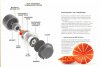
I have not personally taken the entire assembly apart so I don't want to lead you astray, but you might talk to some of the folks on the Lansing Heritage forum. Here is an exploded view of the entire assembly if that helps. I don't want David to roast me because I posted a link to the Lansing site, but you should be able to find it easily. There are some amazing folks there that will be able to help you more than I can.

page08.jpg
 
Hey guys, Thanks for all your responses so far - its extremely helpful!

I haven't had time to work on the speakers since my last post - I did however spray the pots down with Deoxit the other day and did my best to get some INSIDE the pots, however there is no real opening that I could see to the inside so I just soaked them around where the connectors are located while turning the knobs an hoped for the best. I wanted to let them dry before testing so I still haven't tested if it made a difference. I did get alligator clips as well yesterday so Ill try bypassing the pots tomorrow or Tuesday when I work on them next. Lastly, Ill probably try replacing the negative wire from the terminal to the board sometime this week hopefully - although that may have to wait a bit longer as ill be out of town later this week.

Ill keep posting as I work on solving the issue and be sure to let yall know what I find, but my posts may get a little more spread out over the next week or two. Thanks again for the help, yall are great!
 
Seems there is an intermittent/loose/tarnished connection that needs attention. Cold solder connections or just a poor/loose connection in the wiring from the crossover to the speaker could explain what you are hearing. Cant remember for sure if the connections to the horn driver are push on but I believe they are. You can use an ohm meter between the solder point where the wires connect to the crossover and the tab on the horn driver. You should only see less than .1 ohms between these points.

So make sure the push on connectors are not to loose and have a decent grip on the tab at the horn driver. Be GENTLE and Inspect the tab and push on connectors for any type of tarnish or corrosion. They should be clean, tarnish or loose connections will cause added resistance reducing sound levels. Deoxit and a gentle cleaning of the tab and push on connector may cure this issue. You can also replace the push on connectors with new of the same size with basic hand tools.
 
Back
Top Bottom