• Please note that Audiokarma will be offline briefly for updates early on Monday morning, September 28th.

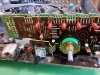
Denon PMA-980R and problems with input selector? Here's the fix!

Thanks superKris!! I fixed the issue with my old Kenwood KA 5090R - they used exactly the same switch at the time. Removing/Unsoldering the switch from the PCB helped a lot when trying to open it.

@jowkon: I would simply use isopropanol and some cotton buds:
https://www.amazon.co.uk/bottle-iso...=1491161860&sr=1-2&keywords=isopropyl+alcohol

Hello,

I am really sorry for posting on this old thread but I'm desperate. I recently bought Kenwood KA-5090R with this very issue. And while trying to perform this fix, as it tends to happen - I broke one side of the small plastic part which holds the metal cover with shaft. Attempted to glue it back together, but upon re-assemble, the issue was back - rapid switching between the input channels (it was working fine, when testing the connection before putting amp back together). Now, I would try to clean it once more and maybe bend the connectors inside to switch to ensure tighter connection, but as it is glued, I'm worried it will brake beyond putting back. So I am looking for a replacement options, - the exact switch (part No: S60-0032-05) seems to be obsolete. You mentioned, that Kenwood used the exact same switch as Denon from this post, but I remember that the Kenwood switch has two internal connectors, which push against the base plate with copper connections, while switch from this post seems to have only one.
I am writing this with hope, that someone has idea, where to get that switch or complete input selector module? Or what could be used for replacement? Internet, please help!
 
Thanks for posting this great walkthrough!
I used the same advice to fix a Denon PMA S10 II, and it went well. :)
It was even easier, since the switch isn't tied down by an external metal clamp.
 
Btw, since this thread is basically dead, if anyone has questions about doing this for the 955R, I can try and help.

My discord is sky#5212, try to reach me there if you want to.
 
Step 12:
- You can see the switch is really dirty. Clean it out usinf contact cleaner. Personaly i also used some steel wool (i hope you call it like that in english), but be very carfull not to scratch the steel too much.

attachment.php


Step 13:
- clean the small metal part on the green part.
- bend the metal part a litte bit more out, so you can be sure it will touch the disk of the other part.

attachment.php


Step 14:
- put the switch back together. IT will be very hard to bent the upper metal part back. Be carefull not to break anything. Its not very important you get it perfect. There is always the metal strip that holds it in place.
- bend the metal strip back, and solder it again

attachment.php


Step 15:
- put everything back togeter! Be carefull with the LEDs close to the selector buttons. Make sure the go in the right way.


Now everything should be working again!!!

Good luck!
Step 9:
- This is the switch we need to fix

attachment.php


Step 10:
- Take the solder of the big pins and bend them straight

attachment.php


Step 11:
- pull off the part from last step


attachment.php


- This is the hardest part. You have to bend the metal back that holds the metal part to the brown part. Be carefull with the brown part, it breaks easy!

attachment.php


attachment.php


- pull of the green disk.

attachment.php
 
Back
Top Bottom