• The move to the new server is done. There are some software and database maintenance updates in process. This has us passing the hat around to help out. We appreciate any donations. Seriously, even a dollar helps. The payment page may be found here - https://www.audiokarma.org/support.html

F12 Key in Windows 10 and 11.

Mr Boochie

AK Subscriber
Subscriber
So,

It took me a while to figure out what was happening, but if you hit F12, the computer goes into OPEN DEVELOPER mode. Suddenly, letters, forward slashes, backslashes, asterisks, and all kinds of funky stuff start printing on the screen. And a weird edit mode screen appears on the right-hand side.

Ultimately, whatever work you are doing at the time or quote you are quoting (like replying to a post on this site) --- is rendered uneditable gibberish.

I have a gaming keyboard; they are quite sensitive to touch. Just brushing a key can activate it.

So, I go to Google. "How to disable the F12 Open Developer mode." I get 25 different "I know exactly how to fix that problem!" Including YouTube videos. After 30 minutes, you find that 99.9% of these know-it-all posts and videos are total BS.

In a nutshell, this is why Windows can be so frustrating. Although those posts claim they work on Windows 10 or 11, you find the instructions are really for Windows 8 or some versions of Windows 10 and 11 that you are not using. Sometimes, the commands don't even exist in Windows 10 or 11.

I finally came up with a fix. :thumbsup:

F12_keyboard_key_(fix_developer_mode).jpg

Digital insertion of Q-tip end under the stupid F12 key.


minions-minion-_laughing_mDNvNcT9u1WZqh7xqwdhQ7.gif
 
Last edited:
Register to hide this ad
[....] I get 25 different "I know exactly how to fix that problem!" Including YouTube videos. After 30 minutes, you will find that 99.9% of these know-it-all posts and videos are total BS.
Word.
I got the same crap when I tried to get rid of MS's "Copilot" bullsh*t after it unceremoniously downloaded itself on my machine.
Haven't been able to rid myself of it yet and deactivating it is the best I can do so far.
I'm pretty close to getting pushed to my limit.
 
Word.
I got the same crap when I tried to get rid of MS's "Copilot" bullsh*t after it unceremoniously downloaded itself on my machine.
Haven't been able to rid myself of it yet and deactivating it is the best I can do so far.
I'm pretty close to getting pushed to my limit.
Even if you somehow disable the key or the program. It activates itself with a bootup or an added patch.

I don't know anyone that uses these developer tools and software, except commercial software developers. It's odd to include them in home computer systems. :idea:
 
So,

It took me a while to figure out what was happening, but if you hit F12, the computer goes into OPEN DEVELOPER mode. Suddenly, letters, forward slashes, backslashes, asterisks, and all kinds of funky stuff start printing on the screen. And a weird edit mode screen appears on the right-hand side.

Ultimately, whatever work you are doing at the time or quote you are quoting (like replying to a post on this site) --- is rendered uneditable gibberish.

I have a gaming keyboard; they are quite sensitive to touch. Just brushing a key can activate it.

So, I go to Google. "How to disable the F12 Open Developer mode." I get 25 different "I know exactly how to fix that problem!" Including YouTube videos. After 30 minutes, you find that 99.9% of these know-it-all posts and videos are total BS.

In a nutshell, this is why Windows can be so frustrating. Although those posts claim they work on Windows 10 or 11, you find the instructions are really for Windows 8 or some versions of Windows 10 and 11 that you are not using. Sometimes, the commands don't even exist in Windows 10 or 11.

I finally came up with a fix. :thumbsup:

F12_keyboard_key_(fix_developer_mode).jpg

Digital insertion of Q-tip end under the stupid F12 key.


minions-minion-_laughing_mDNvNcT9u1WZqh7xqwdhQ7.gif
I gather that you live in Missouri? And how dare you hack websites!
"A website’s source code is typically available to anyone using a web browser."
 
I gather that you live in Missouri? And how dare you hack websites!
"A website’s source code is typically available to anyone using a web browser."
I hacked the website with a secret weapon. A Q-tip!

:)
 
worked for me - Windows 10 and Edge. Soon as I put developer in the search box, the switches came up.
Okay, I am getting somewhere.

That stops the F12 Developer tool, but only in EDGE, not Chrome, which is what I'm currently using.

I will now use EDGE.

I remember I stopped using EDGE because it had issues logging into Bank sites. But that seems fixed now. I hope.

What Chrome does is default the Developer Tool F12 button to on every time you log onto it.

Thanks again, guys!
 
Last edited:
That setting I sent was only for Edge as stated. I don't see any easy way to turn it off in Chrome. If you feel comfortable editing the registry, we could try changing a setting?
 
Well and now that I'm looking at the web console again I see what I think are signs of google moving away from the standard cookie structure and have created their own "cookies". Not sure if that's why my browser appears to blocking most all cookies from AK.
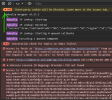
This is just the "new posts" page load - 943 cookies flat out blocked. Nearly a 1000 cookies, for one page load. Jeesh.
1712232305744.png
 
in the search box
I struggled with W10 until a co-worker told me "it's just like the internet, use the search box on the bottom left for everything"!! Now I love it :thumbsup: much more gooder than mousing around clicking on layers of drives, clouds, files etc.

I know most here probably know that but some that don't may come along.
 
That setting I sent was only for Edge as stated. I don't see any easy way to turn it off in Chrome. If you feel comfortable editing the registry, we could try changing a setting?
Thanks!

I haven't used Regedit since the days of Windows 98. I'll stick with EDGE, for now.

:thumbsup:
 
Well and now that I'm looking at the web console again I see what I think are signs of google moving away from the standard cookie structure and have created their own "cookies". Not sure if that's why my browser appears to blocking most all cookies from AK.
This is just the "new posts" page load - 943 cookies flat out blocked. Nearly a 1000 cookies, for one page load. Jeesh.
View attachment 3167657
My understanding is Google is going for some major changes. In all their applications. Including Gmail.

If you have an Android phone, do you see the differences in the login screen?

:idea:
 
My understanding is Google is going for some major changes. In all their applications. Including Gmail.
Yeah, they've been wanting to change my gmail for a couple of years, if I happened to log off of it when I logged back on it would be the new gmail which I did not like nor want. I'd have to search online for whatever hack got my old gmail back and then life would be good again (as long as I didn't log off of it).
Got a message one day that it was going to go to the "new" gmail whether I liked it or not. About two weeks later after just clicking over to it - blam! there it was in all of it's crappy glory. I can definitely tell its built for some sort of mobile device with loads of bloated crap that is just useless to me.
Chicanery at its slickest.
 
Yeah, they've been wanting to change my gmail for a couple of years, if I happened to log off of it when I logged back on it would be the new gmail which I did not like nor want. I'd have to search online for whatever hack got my old gmail back and then life would be good again (as long as I didn't log off of it).
Got a message one day that it was going to go to the "new" gmail whether I liked it or not. About two weeks later after just clicking over to it - blam! there it was in all of it's crappy glory. I can definitely tell its built for some sort of mobile device with loads of bloated crap that is just useless to me.
Chicanery at its slickest.
It seems the industry is moving away from the desktop platform—even laptops, to a degree.
 
Back
Top Bottom