• The move to the new server is done. There are some software and database maintenance updates in process. This has us passing the hat around to help out. We appreciate any donations. Seriously, even a dollar helps. The payment page may be found here - https://www.audiokarma.org/support.html

Fisher X-202-B - Left channel cuts out at low volume.

Cdemeo1

Active Member
Hi all. About a year ago, I purchased a near mint and untouched Fisher X-202-B. I had it worked on by Ken Leonard at AEA in Hillsborough, CA. He performed their "Silver Restoration" which basically recaps just about everything and ads a few mods (like shunt regulation and slow start up thermistors, etc.). He replaced a few bad tubes - the Fisher power tubes all had to go and we're replaced with EHs. Some of the 12AX7s were replaced and he also replaced the old 7247s with Fisher Telefunken 12AX7s. After discussing with some of you, I decided it was best to put 7247s back in there so I bought some more Fisher branded ones and plugged them in.

Anyways, it sounds great and I'm very happy with it with the exception of 1 thing: the left channel cuts in and out unless I crank up the volume. So at low levels, I experience this problem regularly. When turning on the amp and powering it off there is a staticky noise from the left speaker. It almost sounds as if it is trying to push out crud. I confirmed the problem is within the amp as I've tried hooking up other speakers, still with the same symptoms.

My question is this: could this be one of the 7247 tubes (the left one) or is it more likely the power/volume pot? I've cleaned the pot a bunch of times with only minor and temporary improvement. I had Fisher branded Telefunken 7247s in there and hear static when I wiggle them. I replaced them just now with Mullard 7247s and am currently not experiencing the issue but I'm not convinced it's the tubes yet as sometimes the problem will just stop after a while of playing only to randomly start again. I have good listening sessions and bad ones at random.

At a loss. Thanks for the help and for taking the time to read this. Cheers!

Christopher
 
Last edited:
Register to hide this ad
Here's the TLDR:

Left channel cuts in/out at low-mid volume. Comes back on no problem at high volume. Static noise in left speaker upon power up/power down.

Is this a symptom of the power/volume pot failing or dirty or is it a symptom of the left 7247 tube or could it be both?

Thanks!!
 
Try Cleaning the pots with De-Oxit...
I've done that a number of times and each time I get some improvement but the problem never ever seems to go away. It also seems the improvement is only temporary. That's why I'm kind of wondering if this is a tube issue or not.

Since I swapped the Tele 7247s with my mullard 7247s I haven't had the issue. But then again, I haven't powered it down for a while. I'm thinking after I let it sit for some time powered off, the problem will have been solved or it won't be when I turn it back on. I also don't have a tube tester to tell of the tube went bad.
 
I used deoxit D5, followed by D100 and then Deoxit Gold.

Update: just powered it down and still got a static noise when doing so.
 
Last edited:
Try building a simple attenuator (2 resistors per channel) and connect via either the reverb in-out or tape monitor. Set the attenuation so you need to turn the volume up to a much higher level. If the problem does not reappear, then it's in the lower portion of the volume control.
 
Try building a simple attenuator (2 resistors per channel) and connect via either the reverb in-out or tape monitor. Set the attenuation so you need to turn the volume up to a much higher level. If the problem does not reappear, then it's in the lower portion of the volume control.
That's a good idea. I'm pretty sure it's the pot now since after powering it back on with the Mullards I experienced the same problem. It's good since I know the telefunkens are still good now. It's bad because I've cleaned the pot a number of times now that im afraid I'm going to ruin it. I'll try the attenuators to confirm.

A new pot will cost me $160 plus installation from AEA assuming they can't get the pot clean. I may just have to take it to them again.
 
Try building a simple attenuator (2 resistors per channel) and connect via either the reverb in-out or tape monitor. Set the attenuation so you need to turn the volume up to a much higher level. If the problem does not reappear, then it's in the lower portion of the volume control.
Quick question though. I have my Sonos:Connect hooked up through the tape monitor. If I have the volume set to low on that and then the volume on the Fisher cranked high, isn't that the same idea? Thanks! I'm still a bit of a rookie :)
 
Thanks, fred soop & dcgillespie. So, with the Sonos:Connect turned low and the Fisher at full volume, the problem still occurs. Left channel cuts in and out at will. Furthermore, when I cut the tape monitor switch off to bypass the Sonos:Connect, I still have the same issue. The only difference is the gain is much higher. I don't need to turn it up very much to make it loud as hell.

Thoughts? Am I dealing with a bad pot, a super dirty pot or something else altogether? If it's just going to take repeated dousing of Dexit to get it clean, I can do that. If it's something more terminal, I would rather just try to have the pot replaced altogether. Aside from this issue the power/volume switch works great. It has a firm click when powering on/off and it feels good.

I appreciate your help.
 
Last edited:
Christopher -- Your test proved that the problem is not volume control in your Fisher, since turning it up all the way basically removes it from the circuit, and you've already cleaned it a number of times to no avail. So, you can eliminate that as a potential problem.

Audio that cuts in and out and/or can be restored by turning up the volume is a classic indicator of a bad connection -- either at switch contacts, a lead connection -- or often, internally within a component. In chasing down the problem, continue to use the Tape Monitor input, since the problem still appears at that input, while the use of that input eliminates both the input selector switch and the output mode switch as potential problems in this case, and the input (first) stage of amplification also. I assume you've cleaned the tape monitor switch itself, as well. The contacts of that switch are the only switch contacts that the signal goes through when using the Tape Monitor inputs. Make sure the Monitor input jacks are clean as well. This kind of behavior in not indicative of a defective tube -- A tube with dirty pins or a dirty tube socket maybe, but not a bad tube. Do not forget to pull and clean the pins for the dummy plug and the Remote Control socket on the rear panel that it plugs into as well. Finally, don't forget to clean the balance control, since the signal goes through that control also.

When using the Tape Monitor input, the the tubes serving the left channel between that input and the speaker include V4, one half of V6 (the other half of V6 serves the right channel), V7, V9, and V10. Since it is very doubtful that V9 and V10 would contribute to this type of problem, that leaves V4, half of V6, and V7 to concentrate on.

If checking all of these points doesn't resolve the problem, here's an additional test you can do to help narrow the problem down: Turn the Stereo Dimension Control fully to the mono position.

If the problem still occurs in the left channel with the SD control turned fully to mono, then the problem must be associated with either the balance control, or V7.

If the problem goes away, then it will be associated with V4, the volume/tone circuits, or the half of V6 that serves the left channel (pins 1, 2, and 3).

I hope this helps!

Dave
 
Christopher -- Your test proved that the problem is not volume control in your Fisher, since turning it up all the way basically removes it from the circuit, and you've already cleaned it a number of times to no avail. So, you can eliminate that as a potential problem.

Audio that cuts in and out and/or can be restored by turning up the volume is a classic indicator of a bad connection -- either at switch contacts, a lead connection -- or often, internally within a component. In chasing down the problem, continue to use the Tape Monitor input, since the problem still appears at that input, while the use of that input eliminates both the input selector switch and the output mode switch as potential problems in this case, and the input (first) stage of amplification also. I assume you've cleaned the tape monitor switch itself, as well. The contacts of that switch are the only switch contacts that the signal goes through when using the Tape Monitor inputs. Make sure the Monitor input jacks are clean as well. This kind of behavior in not indicative of a defective tube -- A tube with dirty pins or a dirty tube socket maybe, but not a bad tube. Do not forget to pull and clean the pins for the dummy plug and the Remote Control socket on the rear panel that it plugs into as well. Finally, don't forget to clean the balance control, since the signal goes through that control also.

When using the Tape Monitor input, the the tubes serving the left channel between that input and the speaker include V4, one half of V6 (the other half of V6 serves the right channel), V7, V9, and V10. Since it is very doubtful that V9 and V10 would contribute to this type of problem, that leaves V4, half of V6, and V7 to concentrate on.

If checking all of these points doesn't resolve the problem, here's an additional test you can do to help narrow the problem down: Turn the Stereo Dimension Control fully to the mono position.

If the problem still occurs in the left channel with the SD control turned fully to mono, then the problem must be associated with either the balance control, or V7.

If the problem goes away, then it will be associated with V4, the volume/tone circuits, or the half of V6 that serves the left channel (pins 1, 2, and 3).

I hope this helps!

Dave
Wow! This is enormously helpful, Dave. Thank you! I will post my findings later today.
 
Okay. So… I cleaned the Remote socket and Remote plug. Cleaned the sockets for V4, V6, and V7. Cleaned the Tape Monitor jacks, Record Out jacks, and the Tape Monitor Switch (again). Cleaned the Balance and Stereo Dimension pots (again) and while I am still having the problem it is happening less and I don't have to have it super loud to kick it back in. So, I can play it at a lower volume with more consistency. I'm on the right track I think and will give it another round of cleaning later on. Also, it seems that when the Stereo Dimension is turned all the way to MONO I have the problem but not as much. I get more sound and les crackle. When I turn it up a bit more it kicks in completely. I'll give it some more time. Also, I didn't hear crackling or hissing when turning it on or off after cleaning. Progress.

Thank you for all of your help!!!
 
Last edited:
If you've cleaned all of these items and the problem is still there, but goes away with the Stereo Dimension Control turned fully to mono, then the problem has been isolated to the circuits associated with V4 and pins 1, 2, and 3 of V6.

If you are comfortable playing the unit with it turned upside down on a bench and bottom cover removed (following all the usual precautions!), you can use a wooden chop stick and lightly tap on the components in and around these tubes to see if you can either make it happen, or go away when it does happen. Concentrate on the coupling capacitors -- which if original will be brown to brownish red in color.

The original Fisher coupling caps of the type used in the X-202B are not prone to failure in the classic mode where by they leak DC voltage through them (which they are not supposed to do!), but they are prone to developing intermittent internal connections over time, where the leads attach internally to the capacitor -- especially in the capacitors that are physically smaller in size -- which would include the type used in and around these tubes. When that happens, the very scenario you are describing (sound level drops or becomes distorted, but returns simply by increasing the signal level through the circuit) is not an uncommon result of such a fault. Because the problem goes away with increasing signal levels, I would concentrate on the circuits around pins 1, 2, and 3 of V6, since they appear after the volume control.

Good luck with it!

Dave
 
If you've cleaned all of these items and the problem is still there, but goes away with the Stereo Dimension Control turned fully to mono, then the problem has been isolated to the circuits associated with V4 and pins 1, 2, and 3 of V6.

If you are comfortable playing the unit with it turned upside down on a bench and bottom cover removed (following all the usual precautions!), you can use a wooden chop stick and lightly tap on the components in and around these tubes to see if you can either make it happen, or go away when it does happen. Concentrate on the coupling capacitors -- which if original will be brown to brownish red in color.

The original Fisher coupling caps of the type used in the X-202B are not prone to failure in the classic mode where by they leak DC voltage through them (which they are not supposed to do!), but they are prone to developing intermittent internal connections over time, where the leads attach internally to the capacitor -- especially in the capacitors that are physically smaller in size -- which would include the type used in and around these tubes. When that happens, the very scenario you are describing (sound level drops or becomes distorted, but returns simply by increasing the signal level through the circuit) is not an uncommon result of such a fault. Because the problem goes away with increasing signal levels, I would concentrate on the circuits around pins 1, 2, and 3 of V6, since they appear after the volume control.

Good luck with it!

Dave
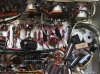
Hi Dave. I'm just getting to this now. Thank you for the reply. I'm pretty sure that the coupling caps were already replaced but as I'm a complete novice, I'm not 100% sure. I've posted a pick below of the underside. Mind telling me exactly what I'm looking at? I mean, I can tell which one is V6 and the caps & resistors around it are obvious but not sure what to test specifically. Thanks!!

Also, aside from spraying DeOxit D5 into the socket holes and working the tubes in and out of them, is there a better way to clean the sockets?
 

Attachments

  • IMG_1746.JPG
    IMG_1746.JPG
    156.8 KB · Views: 43
Look at the tube socket nestled between the two bias controls in the upper right side of the pic, and where the divider shield bends towards the front of the chassis. That would be the tube socket to concentrate on first. The two brown 2-lead components associated with that tube socket are the coupling caps associated with that tube.

From what I can see, all of the electrolytic caps -- both high voltage power supply and low voltage bypass -- have been replaced. Also, the high voltage rectifiers have been replaced. From the view given however, it does not appear that anything else -- including any of the coupling caps -- were replaced.

Dave
 
I got the same impression. All Electrolytics were changed but none of the film couplers were.

Cleaning sockets;
Interdental Brushes used for Braces. OR find a Welding supply shop and get the smallest nozzle brushes you can get for a torch. They will be brass and clean the socket leaves quite nicely. Take a junk socket if you have one, so to fit the brushes. You can get wild and wooley with the inter dental brushes as they are soft, but not with the nozzle brushes. in and out should do it.
 
I got the same impression. All Electrolytics were changed but none of the film couplers were.

Cleaning sockets;
Interdental Brushes used for Braces. OR find a Welding supply shop and get the smallest nozzle brushes you can get for a torch. They will be brass and clean the socket leaves quite nicely. Take a junk socket if you have one, so to fit the brushes. You can get wild and wooley with the inter dental brushes as they are soft, but not with the nozzle brushes. in and out should do it.
Thanks guys! Just so I'm clear - are these the 2 pole coupling caps? They look new to me so I am probably wrong. This is a close up of V6. Again, I'm pretty new to this so please forgive my ignorance :)


IMG_1746.JPG
 
Last edited:
Back
Top Bottom